Installation, Programming and Maintenance Microdos Pooltec
Rev. 1.0 EN
18
4.4. MANUAL FUNCTIONING
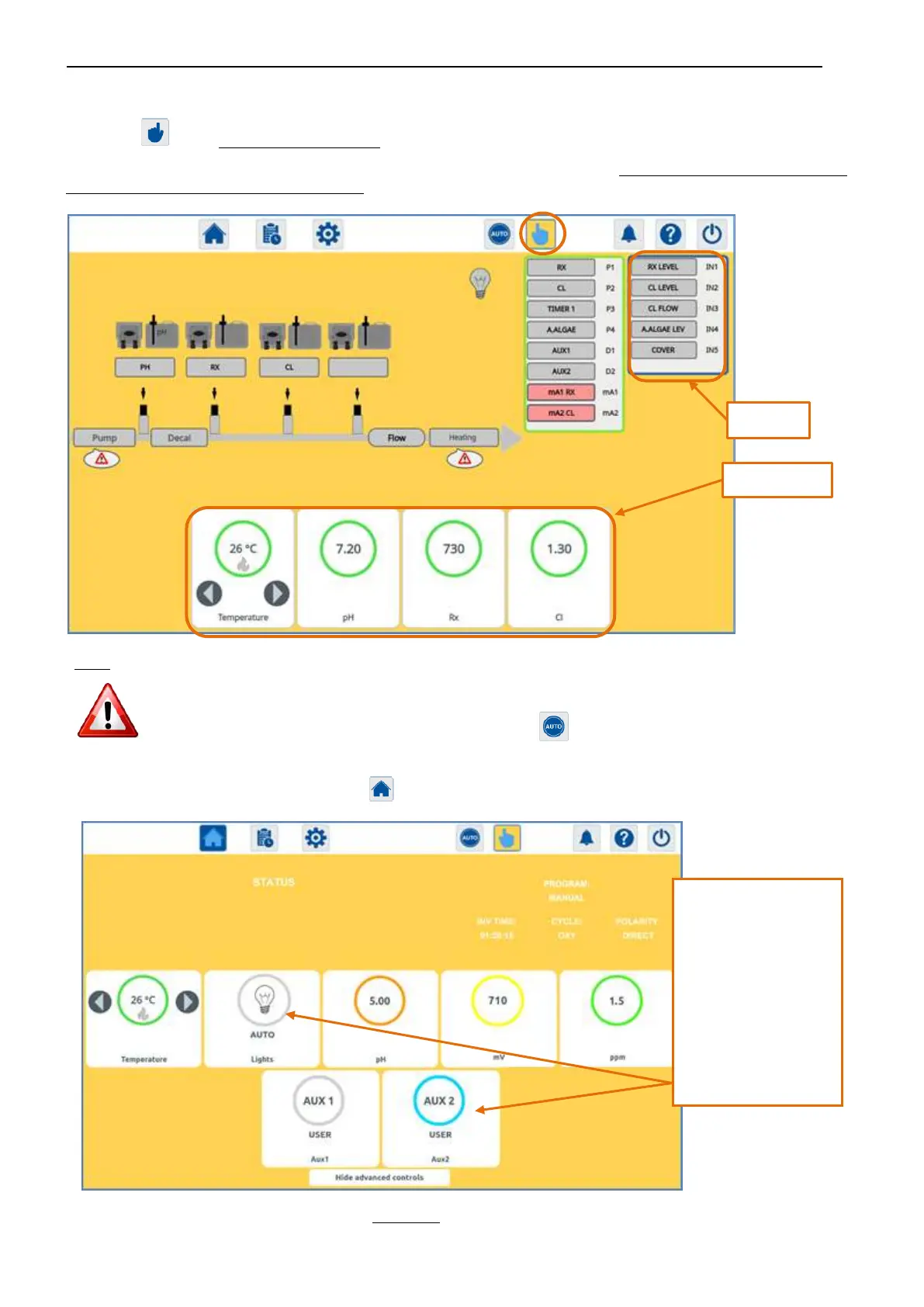
By using the button, from navigation at any time, you will access the MANUAL page.
From this page you can display the real-time state of the inputs and outputs of the device and simply by a touch you can activate and
deactivate an output (PUMP, HEAT, pH pump, ett.) for example for priming.
THIS PAGE CAN BE FREELY CONFIGURED BY THE INSTALLER (INSTALLER PASSWORD NEEDED) TO BE VERY
SIMILAR TO THE REAL PLANT (see INSTALLER reference).
IF YOU WANT TO GO BACK TO AUTO FUNCTIONING, TOUCH to return the system into automatic operation
(MANUAL PAGE background colour turns WHITE and HOME PAGE background colour turns to BLUE).
IF YOU WANT TO GO BACK TO HOME PAGE, TOUCH . YOU WILL SEE THE HOME PAGE BACKGROUND COLOUR IN YELLOW.
When the background of the page is yellow, with a short press inside the Lights, Aux1 and Aux2 circle, you can choose to manually
manage these outputs. If you do not touch these circles, the output will continue to follow the automatic functioning.
-
BLUE circle, USER label:
the output is activated
manually.
-
GRAY circle, USER label:
the output is
deactivated manually.
-
AUTO label:
the output is managed
by the programmed
settings and is switched
on or off accordingly.


 To Next Page