Installation, Programming and Maintenance Microdos Pooltec
Rev. 1.0 EN
28
4.5.3.4.2. CALIBRATE THE RX PROBE
1. Press the
STAND-BY button.
2. Unscrew the probe holder base, take out the RX probe and insert it into buffer solution 468mV (supplied with the system).
3. With the probe in the 468mV solution, wait for the stabilization of the measurement. Once the measure is stable,
4. Press the “
Calibrate” button inside the RX settings menu.
5. Insert the EXPERT PASSWORD (11222) to enter the calibration procedure.
NOTE: it is possible to exit from the calibration procedure simply pushing “CANCEL.”
6. When reading is stable hit
OK.
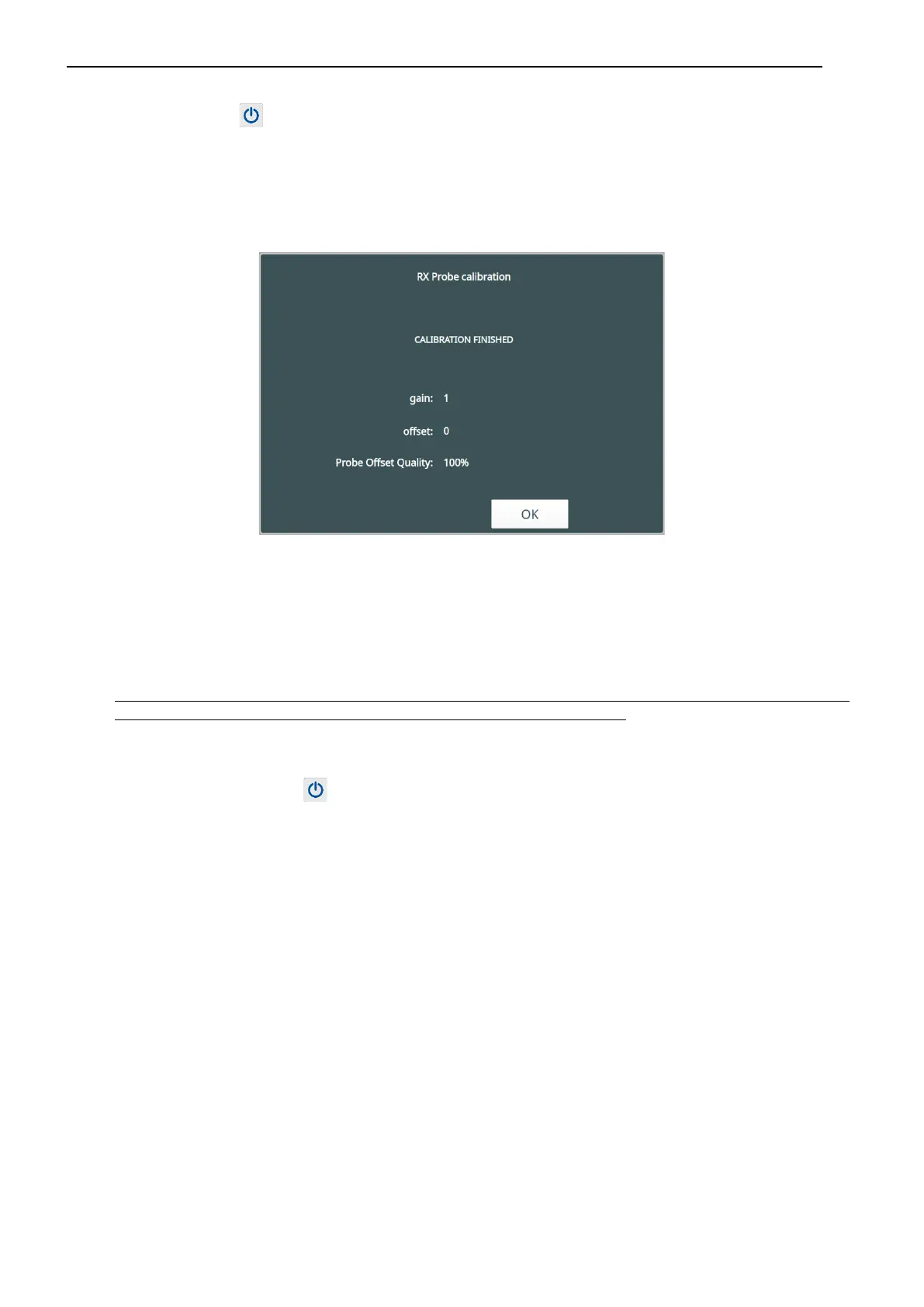
7. A window with the values of OFFSET obtained from the calibration and the PROBE QUALITY CONTROL will appear.
Quality of the Offset of the RX probe:
100% = Excellent probe
50% = Good probe to be monitored
25% = probe that you should change
0% = fully exhausted probe
IF THE PROBE QUALITY IS LESS THAN 25%, PLEASE REPEAT CALIBRATION PAYING ATTENTION TO THE VALUES OF BUFFER
SOLUTION. IF THE CALIBRATION GIVES THE SAME RESULT CONTACT YOUR INSTALLER
8. Press
OK to return to the RX MENU. The “Last Calibration” box will be updated to the current date.
9. Insert the probe into the probe holder again and screw the probe holder base.
10. On device, press the
STAND-BY button to return to the working mode, and press the AUTO button so that our system will
now operate applying the new calibration.


 To Next Page