Installation, Programming and Maintenance Microdos Pooltec
Rev. 1.0 EN
47
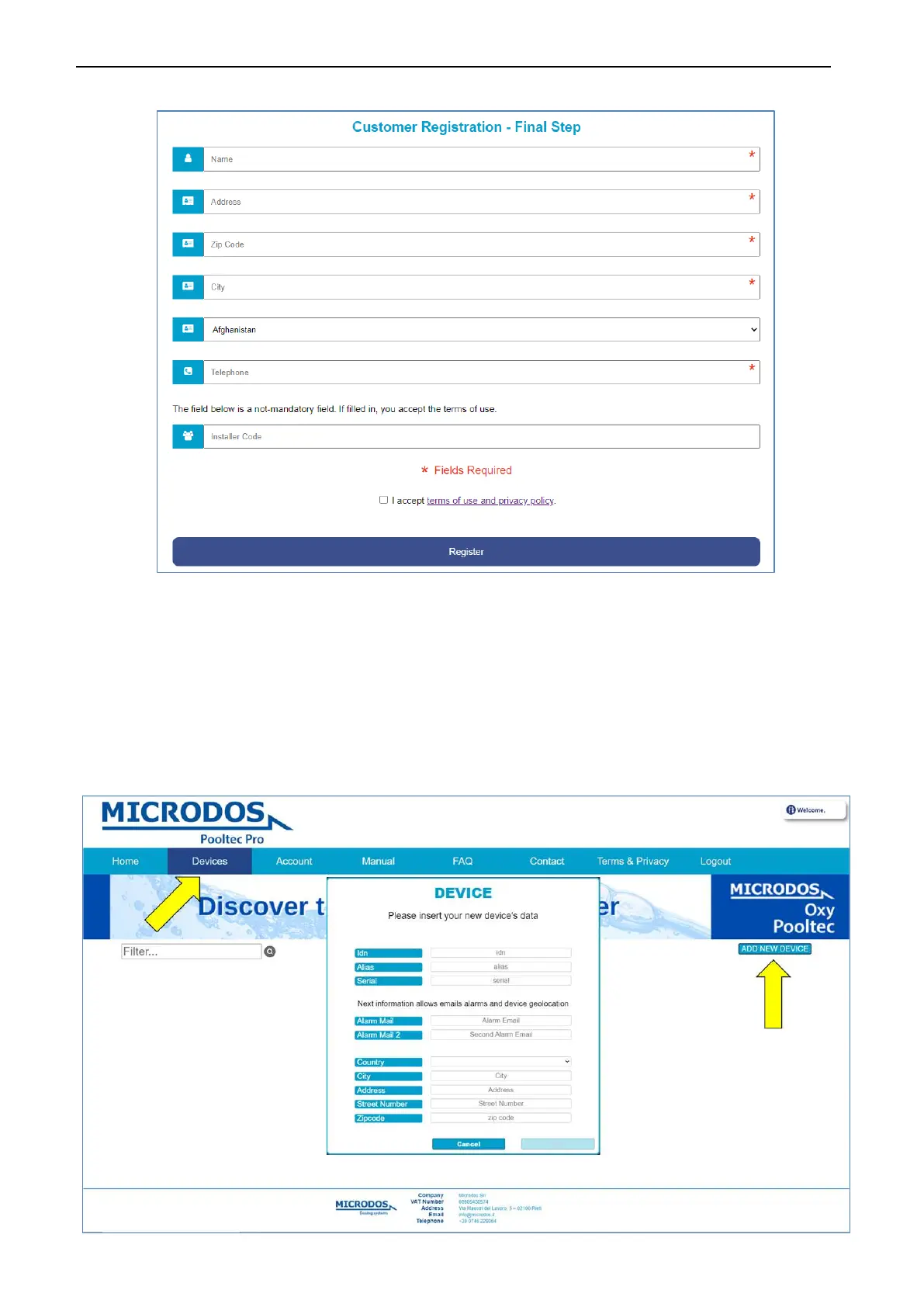
Fill in all the fields (name, address, etc.), accept the terms and then click on Register.
5.1.2. NEW DEVICE REGISTRATION
Do the Login by entering your username and password.
Click on
DEVICES and then on ADD NEW DEVICE.
Fill in all fields:
idn: enter the alphanumeric code reported in DEVICE INFO (see page 44).
Alias: choose a name to assign to the device.
Serial: enter the numeric code S/N shown on the label.
Alarm Mail: necessary to receive notifications in real time about any alarms in progress
Subsequent data is required only for the purpose of geolocation, to allow the installer to locate the device more quickly.


 To Next Page