Installation, Programming and Maintenance Microdos Pooltec
Rev. 1.0 EN
26
4.5.3.3. MEASUREMENT (PH, RX, CL) FUNCTION (BASIC/EXPERT)
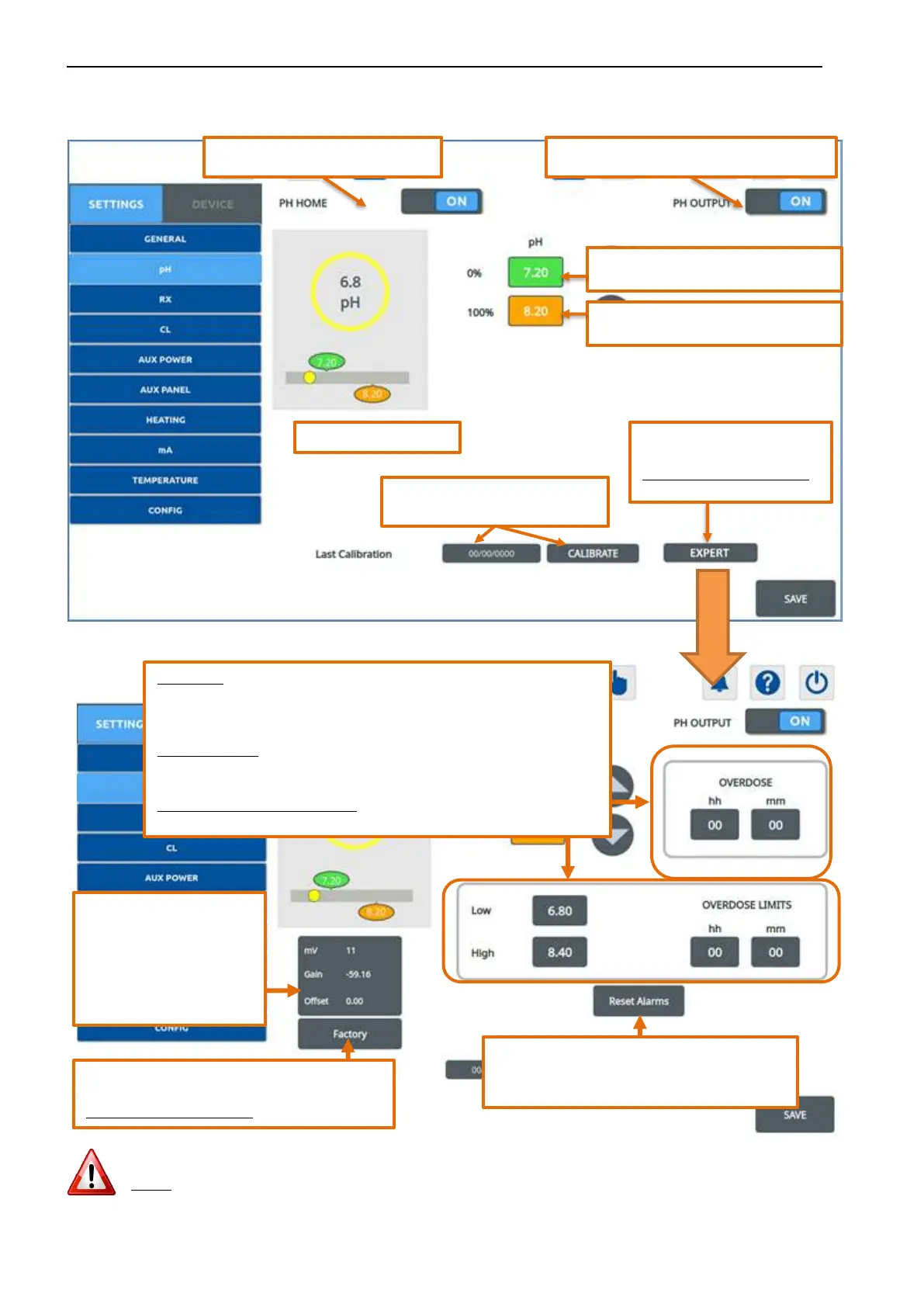
By pressing the measure button, a window like this will appear:
By pressing the EXPERT button, this window will appear:
NOTE: To make effective the expert settings, press SAVE before pressing HIDE.
Visualization in the home page.
Enables/disables the chemical dosing.
Setpoint – desired value. No dosing.
complex settings.
Expert PASSWORD required.
Maximum Threshold. Maximum dosing.
Date of the last calibration and
button to calibrate test-probe.
OVERDOSE: maximum dosing time alarm. If you wish to dose a specified
quantity of chemical, you can set a maximum daily dosing time. When the
set time is reached, the alarm stops the dosing.
OVERDOSE LIMIT: maximum dosing time alarm with measure below LOW or
above HIGH. When the set time is reached, the alarm stops the dosing.
Value "00:00"
→
no programming
Information about the probe:
- Real physical input
-
probe calibration.
Factory Reset of parameters or calibrations related
to the displayed measurement.
Expert PASSWORD required.
Turn off the Overdose or Overdose Limits alarm
and restores the chemical dosing.


 To Next Page