Installation, Programming and Maintenance Microdos Pooltec
Rev. 1.0 EN
30
On device:
1. Press the “
Calibrate” button inside the CL settings menu.
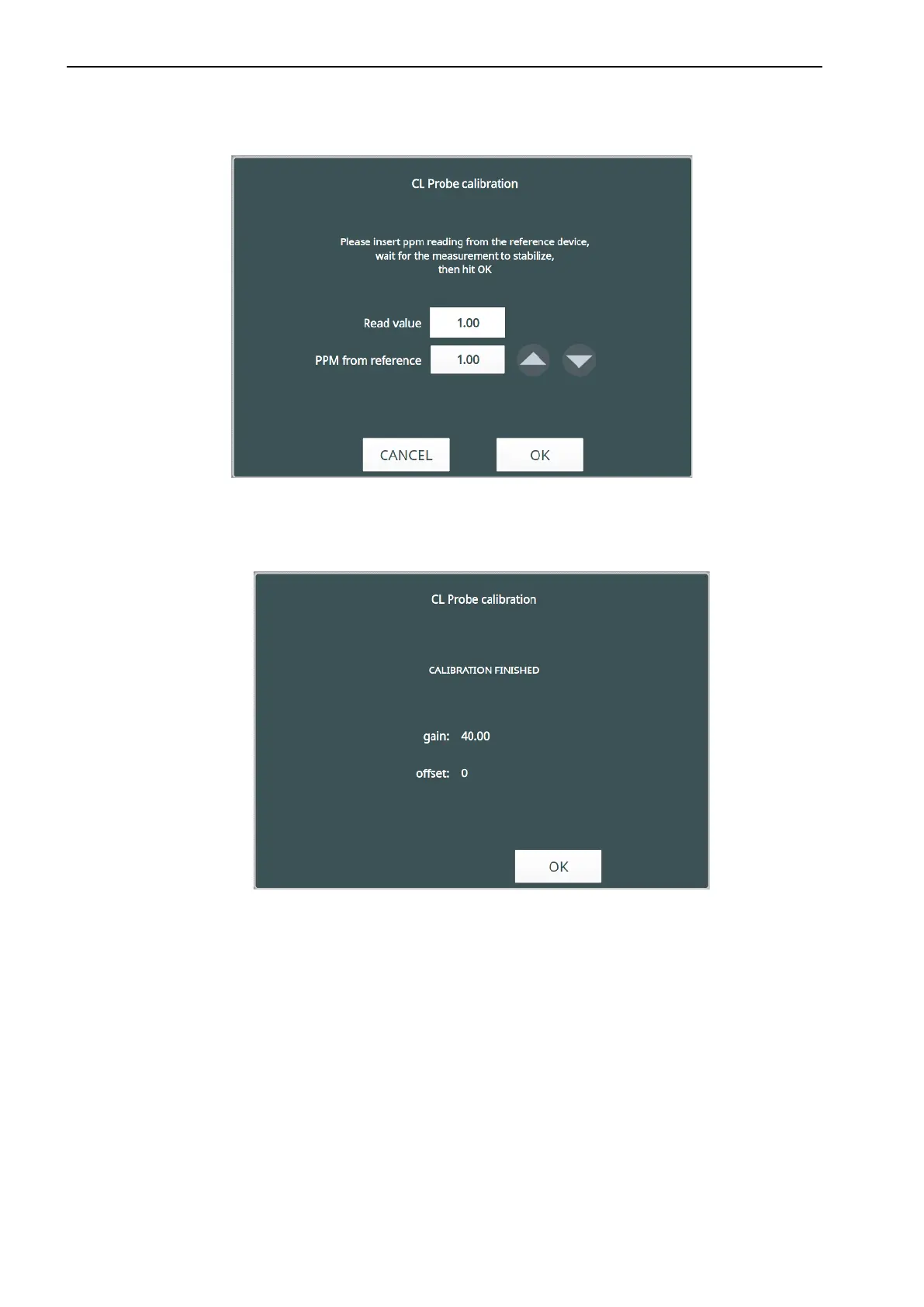
2. Insert the EXPERT PASSWORD (11222) to enter the calibration procedure. The window will appear as the following:
NOTE: it is possible to exit from the calibration procedure simply pushing “CANCEL.”
3. Press the arrows ▲▼ to insert the value measured by the reference DPD1 test.
Enter the right value then press OK.
4. A window with the value of GAIN obtained from the calibration will appear.
5. Press
OK to return to the CL menu. The “Last Calibration” box will be updated to the current date.


 To Next Page