Installation, Programming and Maintenance Microdos Pooltec
Rev. 1.0 EN
32
On device:
1. Press the “
Calibrate” button inside the CL settings menu.
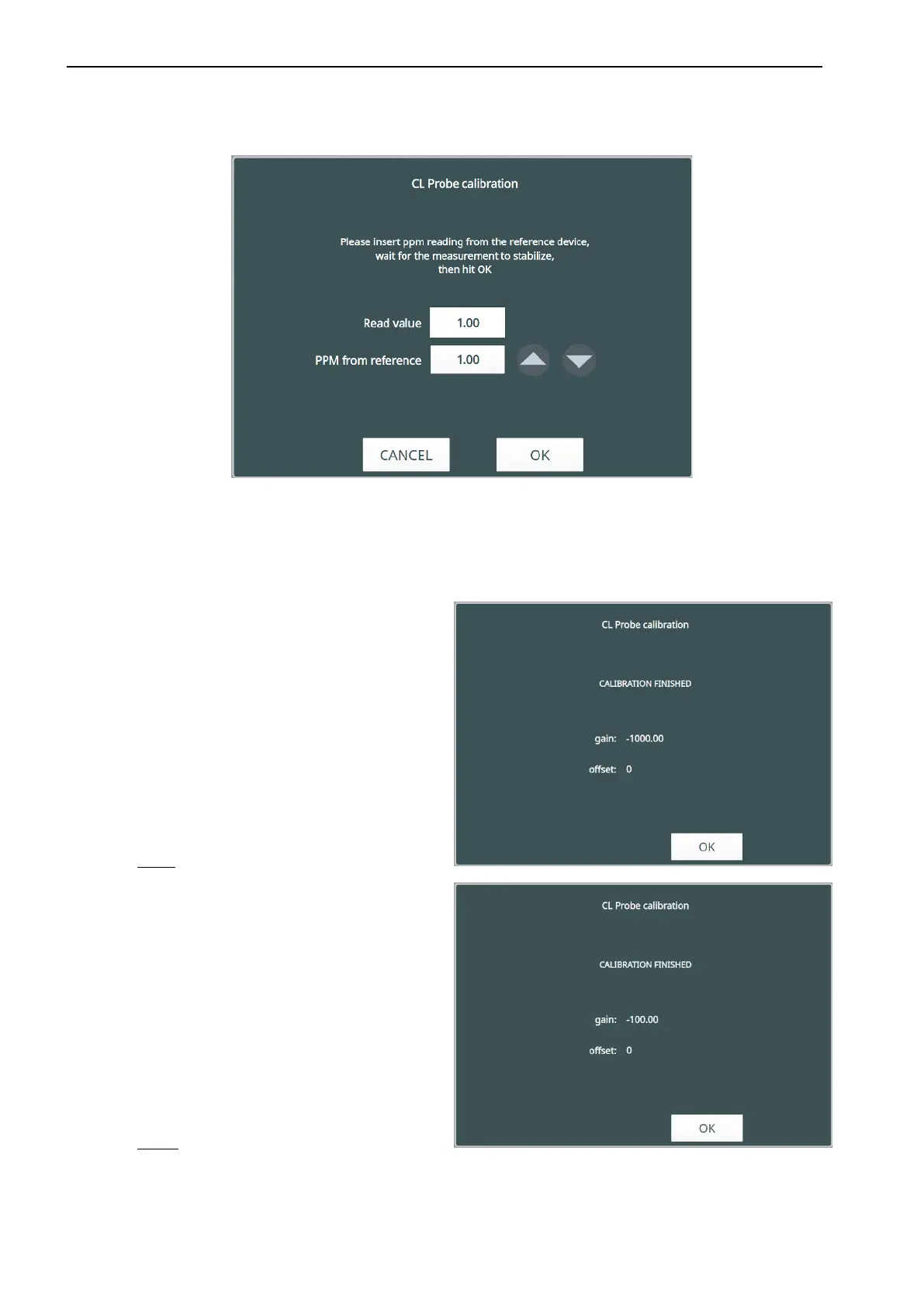
2. Insert the EXPERT PASSWORD (11222) to enter the calibration procedure. The window will appear as the following:
NOTE: it is possible to exit from the calibration procedure simply pushing “CANCEL.”
3. Press the arrows ▲▼ to insert the value measured by the reference DPD1 test.
Enter the right value then press OK.
4. A window with the value of GAIN obtained from the calibration will appear.
For CL_PB the gain value will be:
For CL_PM the gain value will be:
5. Press
OK to return to the CL menu. The “Last Calibration” box will be updated to the current date.


 To Next Page