23
MicroEn
ine
XP-GT/GTR Programming Manual
v4.00
Time Zone 00 has Time Set 00 (no time interval to activate functions). The functions
assigned with this Time Zone will thus be disabled at all times including holidays. This
Time Zone is also known as ‘No Access Time Zone’.
Time Zone 01 has Time Set 01 (24 hours time interval to activate functions). The
functions assigned with this Time Zone will thus be enabled at all times including
holidays. This Time Set is also known as ‘Free Access Time Zone’.
EXAMPLE 3
:-
During normal office hours, the lock of the company's main door will be released to
enable customers going in and out of the door. The door is locked at all times other
than office hours including Saturday, Sunday and Holiday.
i.e. The lock will be auto released at the times as below:
➢ Mon – Fri : 08:30 to 12:00 and 13:00 to 17:30 (Time Set 02)
➢ Sun, Sat and Hol
: No auto lock release the whole day (Time Set 00)
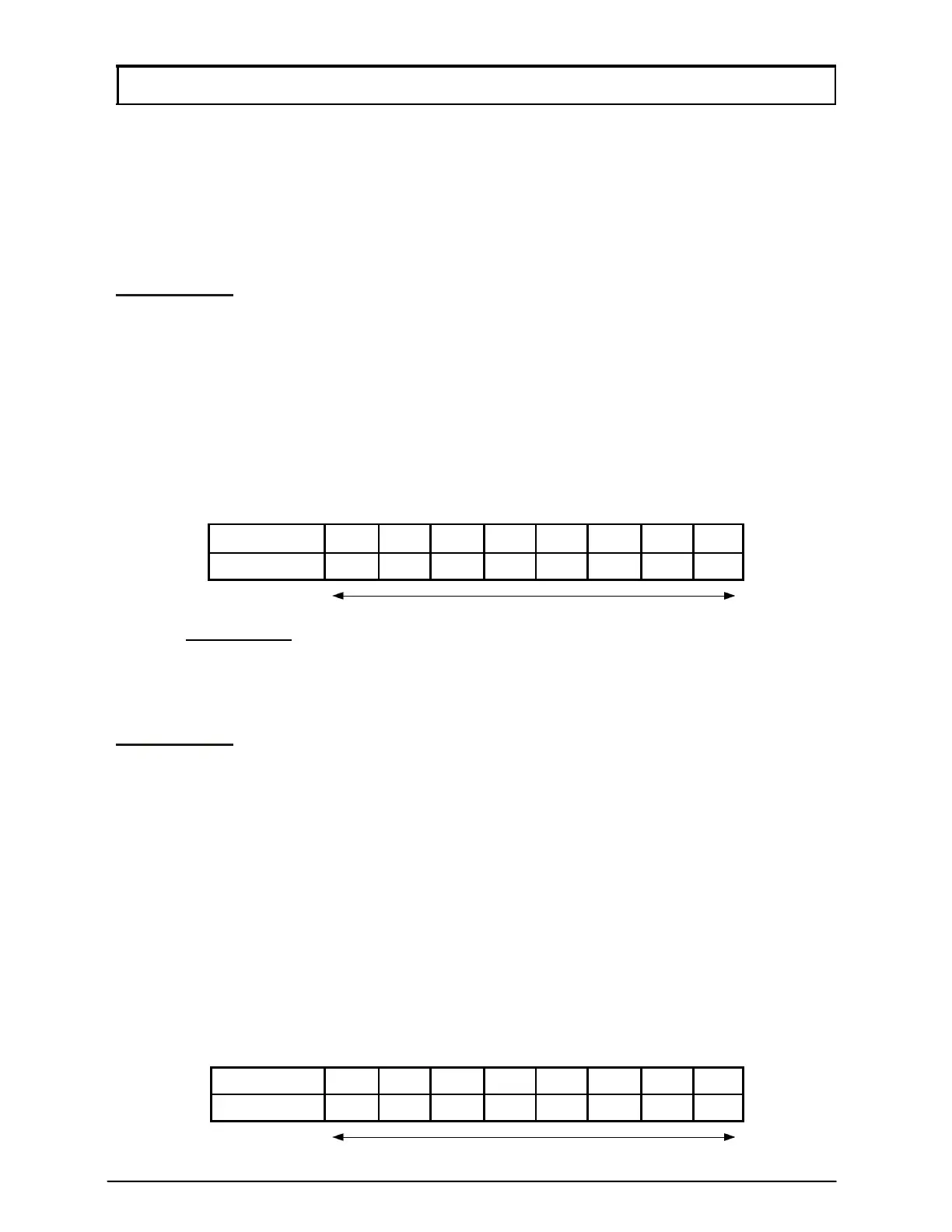
The Time Zone should be configured as below:
Time Zone 02 Sun Mon Tue Wed Thu Fri
Sat Hol
Time Set
00 02 02 02 02 02 00 00
Time Set numbers
(refer to EXAMPLE 1 for detailed information of Time Set 02)
Users then need to assign Time Zone 02 to Lock Release TZ sub-menu in Section
1.2 Door Parameter menu to enable the door lock to be automatically released.
EXAMPLE 4
:-
During normal office hours, staffs only need to use their cards to access the store room
door. After office hours, all staffs are required to use ‘Card+PIN’ to access the door.
Due to long Friday Prayer period, the management decided that the door should
operate in ‘Card+PIN’ mode the whole day on Friday as well.
Normal Office Hour
: 08:30 to 17:30
Lunch Hour
: 12:00 to 13:00
i.e. The time for the door to operate in Card+PIN Mode is as follow:
➢ Mon – Thu
: 00:00 to 08:29, 12:01 to 12:59 and 17:31 to 23:59
(Time Set 03)
➢ Fri, Sat, Sun and Hol
: Card+PIN operation whole day (Time Set 01)
Time Zone # Sun Mon Tue Wed Thu Fri
Sat Hol
Time Zone 03
01 03 03 03 03 01 01 01
Time Set numbers



 To Next Page