English - 31
003-2707-99
© Midmark Corporation 2015 TP202 20-42-FO-00014 Rev A1 C2169
Weekly Maintenance - continued
Equipment Alert
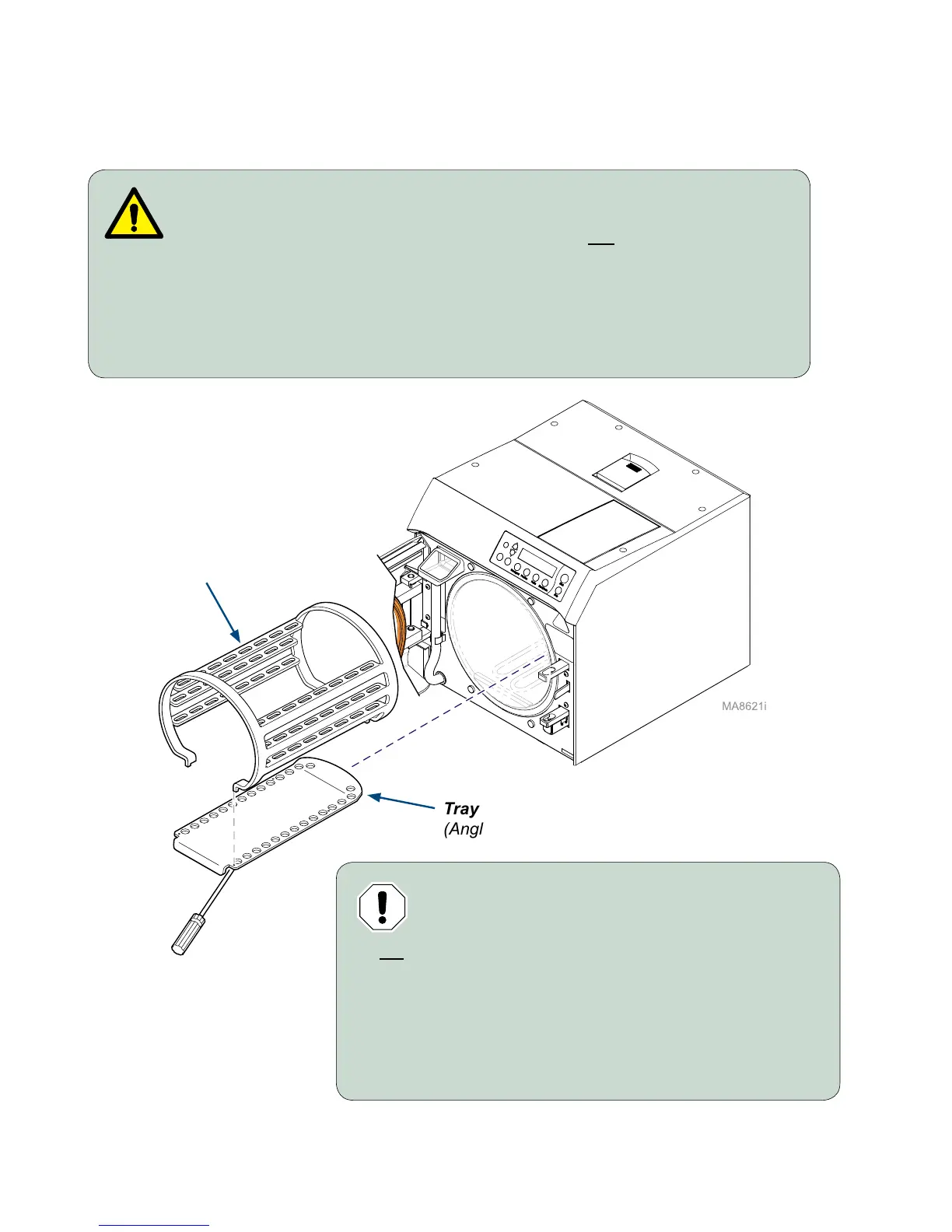
Install tray rack / plate with angled end of plate
toward the back of the chamber.
Do not allow plate to contact the water level sensor.
To install tray rack / plate...
A) Insert the tray rack into the tray plate.
B) Place back of tray plate in chamber.
C) Press down on tray rack, while sliding into chamber.
WARNING
Allow unit to cool before removing or installing tray rack and plate.
Handle metal tray rack carefully to avoid injury. Do not run sterilizer without
tray plate in place.
To remove tray rack / plate...
A) Remove trays.
B) Using a screwdriver, pry plate up while pulling tray rack / plate out of chamber.
Tray Plate
(Angled end must face back of chamber)
Tray Rack



 To Next Page