English - 28
003-2707-99
© Midmark Corporation 2015 TP202 20-42-FO-00014 Rev A1 C2169
NOTE:
PressingtheSTOPbuttonduringthisprocedurewillabortthechanges,andreverttotheoriginalsettings.
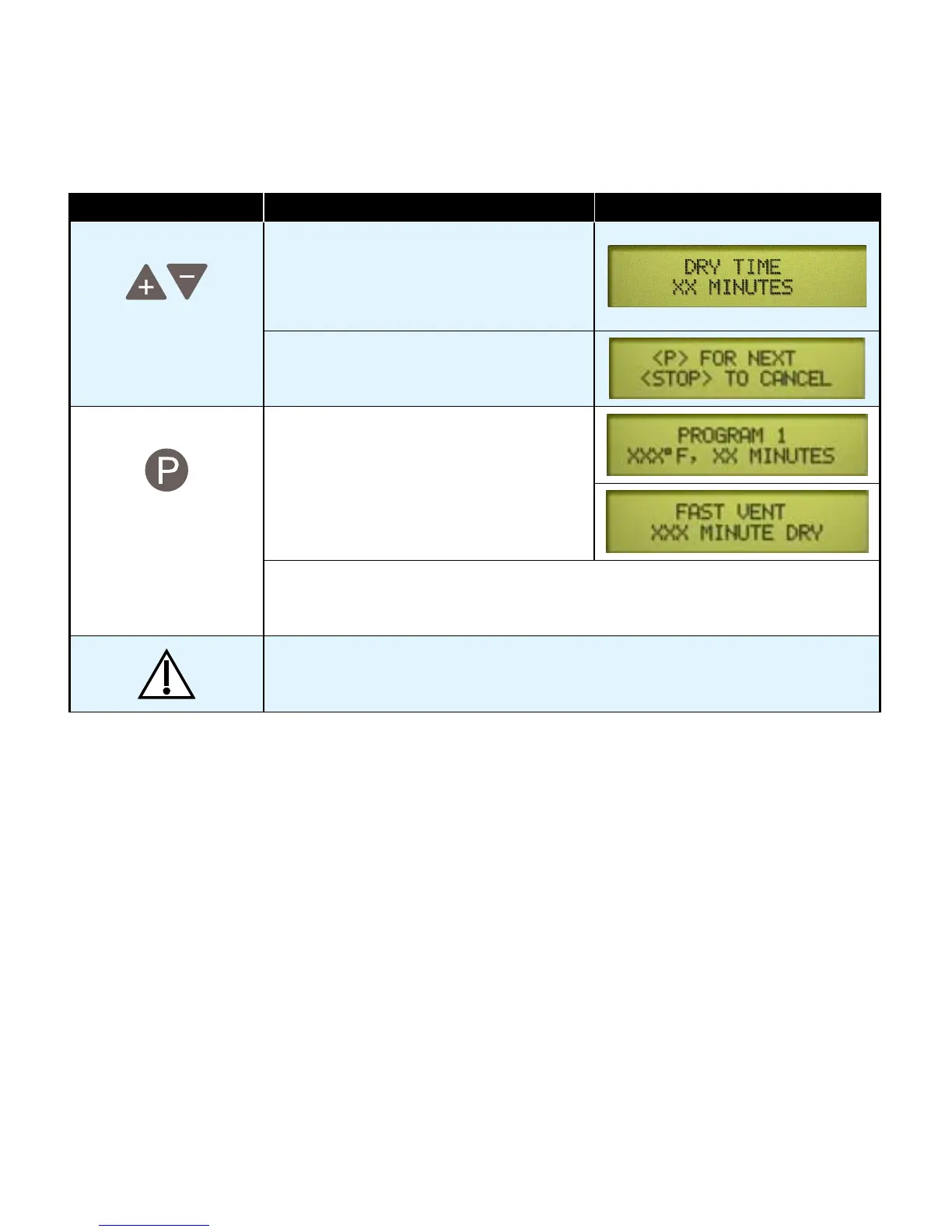
Action Description Display
Adjust Dry Time Dry time can be adjusted from 0 to 60
minutes.
The“+”and“-”buttonsadjustthe
time by 1 minute increments.
When the desired time appears on the
display...
Press To store the setting and complete the pro-
gramming process. The display will show
the new cycle parameters.
Note
The programmed settings are retained under Program # button <1> or <2>.
Even if power is interrupted, or the unit is unplugged the setting will be retained.
Caution
All materials processed using these cycles must be validated by the user.
Failure to do so could result in incomplete sterilization.
Programmable Cycle Buttons - continued
Maintenance
Maintenance Messages
Toassureproperoperationandmaximumsterilizerlife,carefullyfollowallrecommendationsforperiodic
maintenance. Recommended maintenance is easy to do and takes very little time.
OneoftheMOSTimportantstepsyoucantaketopreventproblemswithyoursterilizer,istoensurethat
ONLYdistilledwaterorwaterthatmeetsthereferencedwaterpurityspecifications-NOTTAPWATER-
isusedinthesterilizer.Sincethesterilizeroperateswithhighwatertemperatures,anymineralsdissolved
in the water will form mineral deposits. This can prevent valves from opening or closing properly and can
also lead to corrosion in the chamber and tubing.
Maintenance reminders will be displayed on the screen at the appropriate intervals to assist the operator.
These reminders are removed from the display screen once a cycle is started.
The user is responsible for establishing a periodic maintenance procedure to assure correct operation of
equipment and reliable sterilization of loads. Contact your local Midmark distributor or service representative
to develop a program for planned maintenance.



 To Next Page