English - 32
003-2707-99
© Midmark Corporation 2015 TP202 20-42-FO-00014 Rev A1 C2169
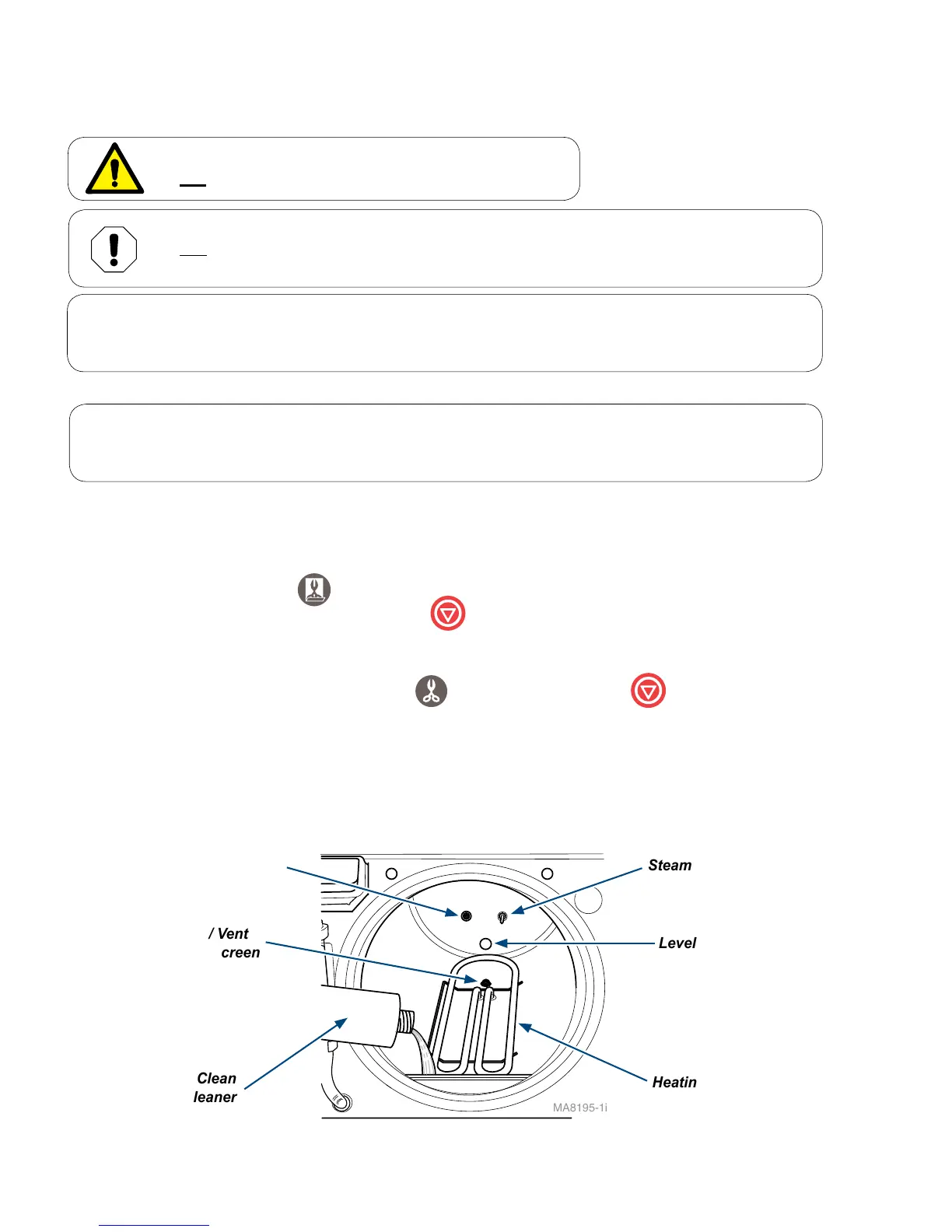
A) With a cooled chamber, drain the sterilizer’s reservoir and refill with clean distilled water or water that
meets the referenced water purity specifications. Add one ounce of Speed-Clean sterilizer cleaner
directly to the bottom of chamber.
B) Run one Pouches cycle.
C) Press Stop button when Dry Cycle begins.
(Dry Cycle is not needed during maintenance.)
D) Drain reservoir and refill a second time with clean distilled water or water that meets the referenced
water purity specifications. .
E) Rinse by running one Unwrapped cycle
. Push the “Stop” button when the drying cycle
begins.
F) Drain and refill reservoir with clean distilled water or water that meets the referenced water purity
specifications, then allow sterilizer to cool.
G) Remove trays and tray rack. Wipe off with a damp cloth.
MA8195-1i
Fill / Vent
Filter Screen
Steam Temperature Probe
Level Sensor Probe
Heating Element
Speed-Clean
sterilizer cleaner
Air Filter Screen
Note
Steps A through G only need to be performed quarterly if the sterilizer is connected to a direct-to-
drain thermal reduction system.
WARNING
Do not process instruments while flushing system.
• Clean Chamber / Plumbing
Monthly Maintenance
Equipment Alert
Use only Speed-Clean to flush system. Failure to flush system with Speed-Clean may result in the
premature failure of sterilizer components.
Note
Every 28 days, the sterilizer will automatically display the PERFORM MONTHLY MAINTENANCE
message. If power is disconnected, the cycle of monthly messages will be reset.



 To Next Page