English - 37
003-2707-99
© Midmark Corporation 2015 TP202 20-42-FO-00014 Rev A1 C2169
Printer Ribbon Cartridge Replacement
Note
If the printed material is difcult to read and you suspect a dried out ribbon is the cause of the problem,
advance to a properly inked portion of the ribbon by pressing the “PAPER FEED” button for three
seconds. If this procedure does not correct the problem, replace the cartridge ribbon.
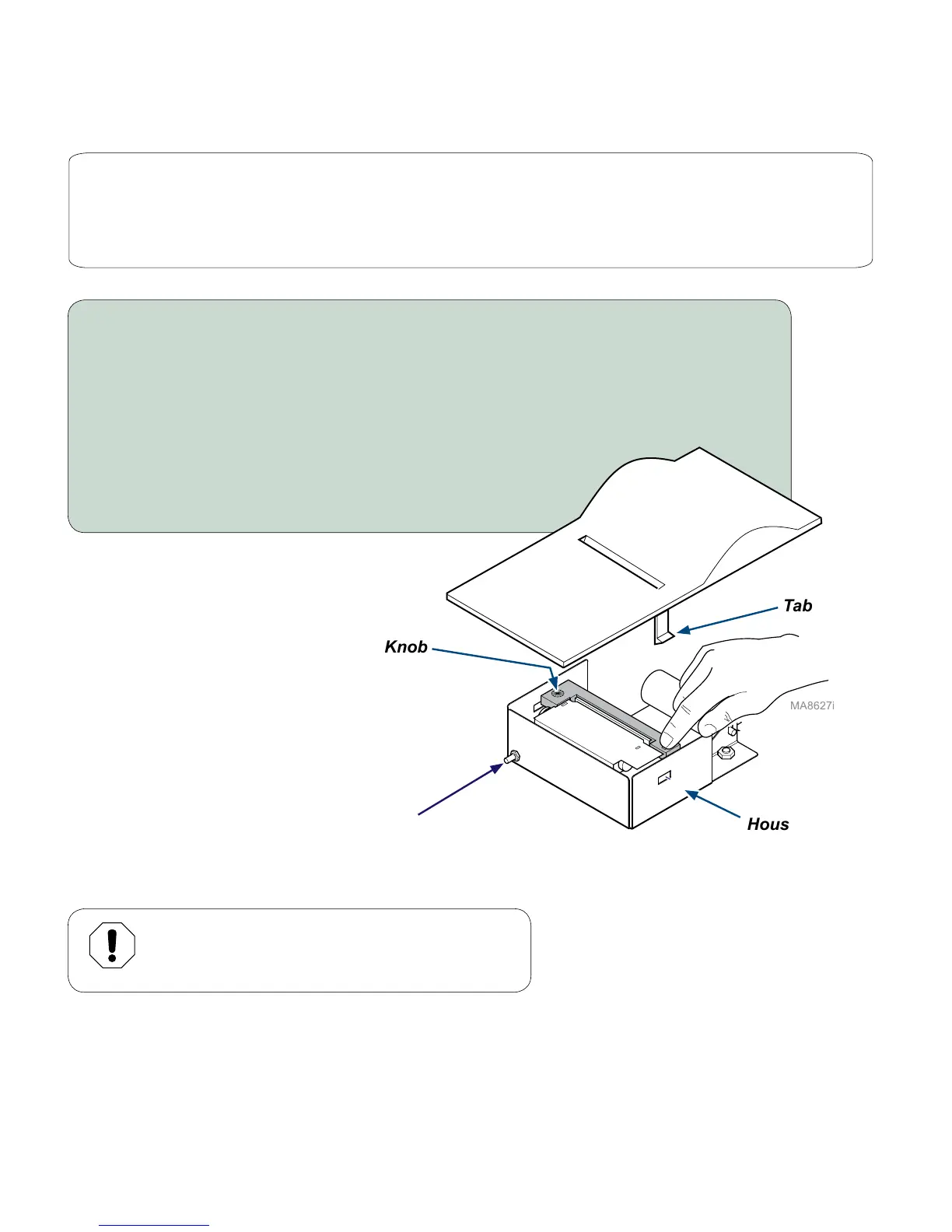
To replace the ribbon cartridge...
A) Remove printer assembly from top cover.
B) Remove the printer cover. (Bend the housing out slightly to release tabs).
C) Push down on the side of the cartridge marked “Eject”, then remove cartridge.
D) Install the new cartridge. Be sure the ribbon is inserted in front of the paper,
and flat against the paper.
E) Press cartridge down until it snaps into place.
F) Turn the cartridge knob clockwise until ribbon is tight.
G) Install printer cover / position printer on sterilizer.
Paper Roll Removal
Before removing the paper roll. advance the paper about 1” (2.5 cm) by pressing down and holding the
“PAPERFEED”button.Liftthepaperrollawayfromtheprinterhousing,andwithscissors,cutthepaperroll
feedingtotheprinter.Trytomakethecutasstraightaspossibletofacilitatethenextreloadingofthepaper.
Now,pulltheremainingpaperthroughtheprintermechanism.
Equipment Alert
Be sure to pull the paper out of the top of printer.
Pulling from the back will damage the printer.
EJECT
Cartridge Knob
Tab
Housing
Paper Feed
Button



 To Next Page