Technical Information
64
T 980x/T 982x
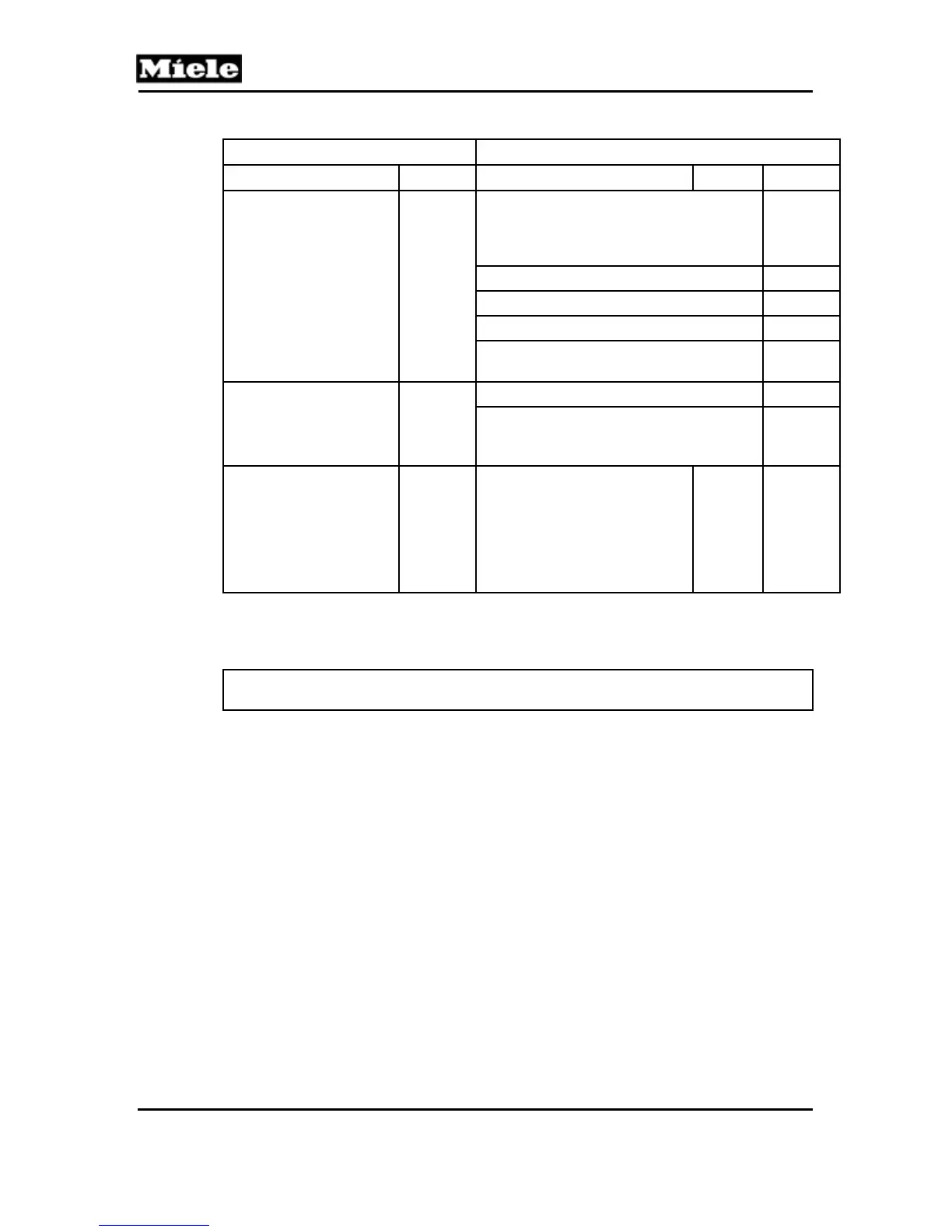
Service Functions Options
“Buzzer” LED short “Drying” LED long short
Component test
2
Check the residual moisture sensor
(B3/1) for high ohmic status (isolation).
Requires no electrical connection
between drum and sensor rib.
5
Steady buzzer tone 6
LEDs flash (1x per second) 7
Heater relay 2K1/1 and motor on 8
Heater relays (1K1/1, 2K1/1, 3K1/1),
heaters (R1, R2, R3) and motor on
9
Sensor test
3
All sensors inactive --
Door lock (A2): Door closed = switch
closed = buzzer on. Door open = switch
open = buzzer off.
1
Operating hours,
Section 090-2.8
4
Electronic's operating hours:
Long flashing signal for the
number of 1000s, short
flashing signal for the number
of 100s (e.g., 12 times long + 6
times short = 12000 h + 600 h
= 12600 h).
x000 h y00 h
Table 090-5: Service Mode Summary
Save and quit:
Open the door.
Note: Delete the fault memory before ending.
4.4 Removing the Fascia, Electronic and Electronic Support Panel
1. Disconnect the appliance from the power supply.
2. Remove the lid; see Section 010-4.1.
3. Pry off the fascia panel using a small flathead screwdriver.
4. Remove the two T20 screws securing the electronic (see Figure 090-1),
press in on the retaining tabs, and remove the electronic partway.
Disconnect all connections to the electronic and remove it completely.
5. Remove the four T20 screws securing the electronic support panel (see
Figure 090-1).
6. Lift the support panel out to remove.



 To Next Page