TS571W Installation Instructions 19
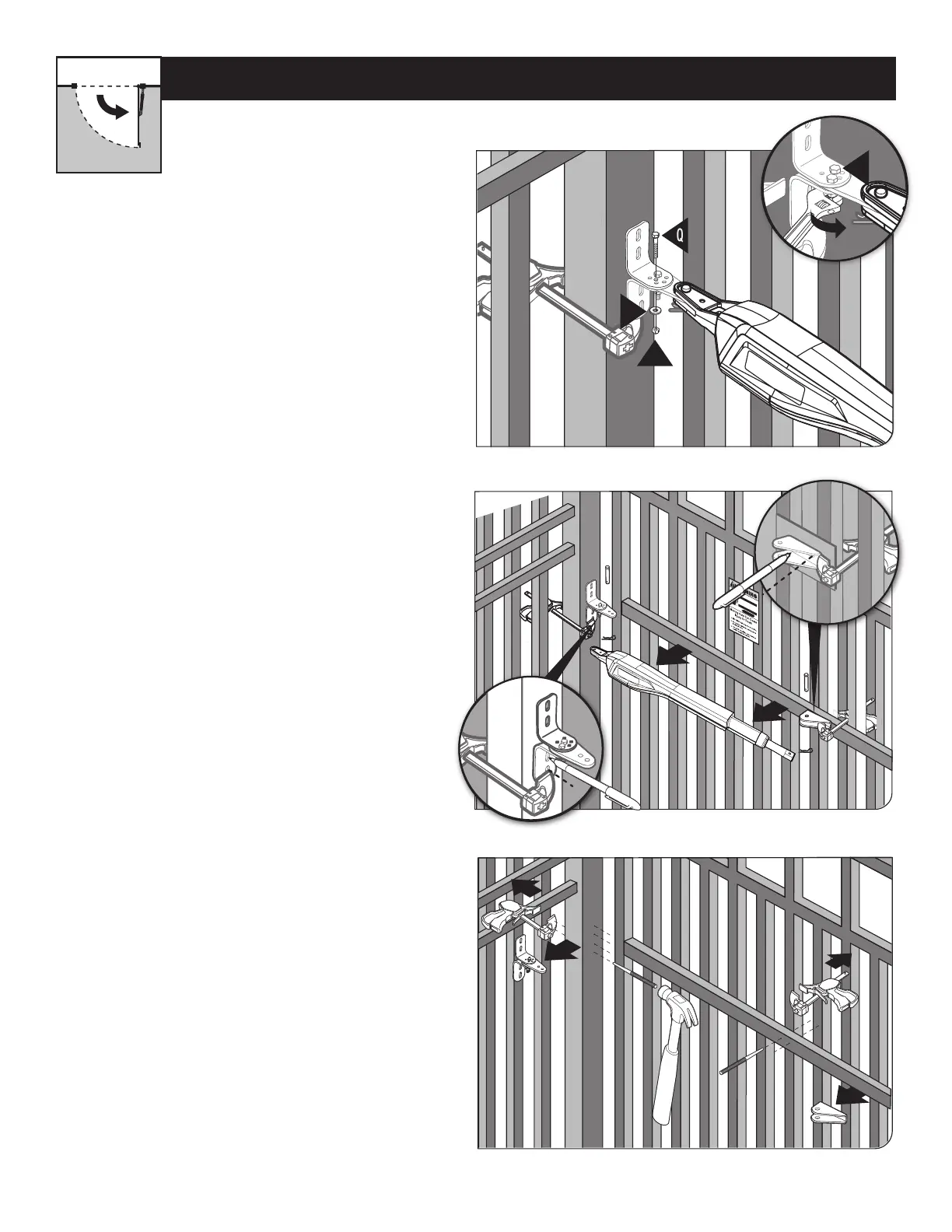
● Using a permanent marker, mark the center of
the mounting locations for the gate post bracket
subassembly.
● Remove the operator arm from the gate post and
gate brackets.
● Mark the center of the mounting locations for the
gate bracket.
● Open the gate and reattach the operator to the gate
bracket.
● Ensure that the operator arm is level and the
brackets are securely clamped.
● Secure the post pivot bracket in place by installing
the hardware shown. Tighten both bolts (O and Q).
● Remove the gate post and gate brackets.
● Use a hammer and center punch to mark the center of
the mounting locations.
Step 6
Step 5
Step 7
PULL-TO-OPEN OPERATOR MOUNTING
Your Property














 To Next Page