MacroPATH and MacroPATH Basic QX Series
MM161-001 – Operator Manual
29
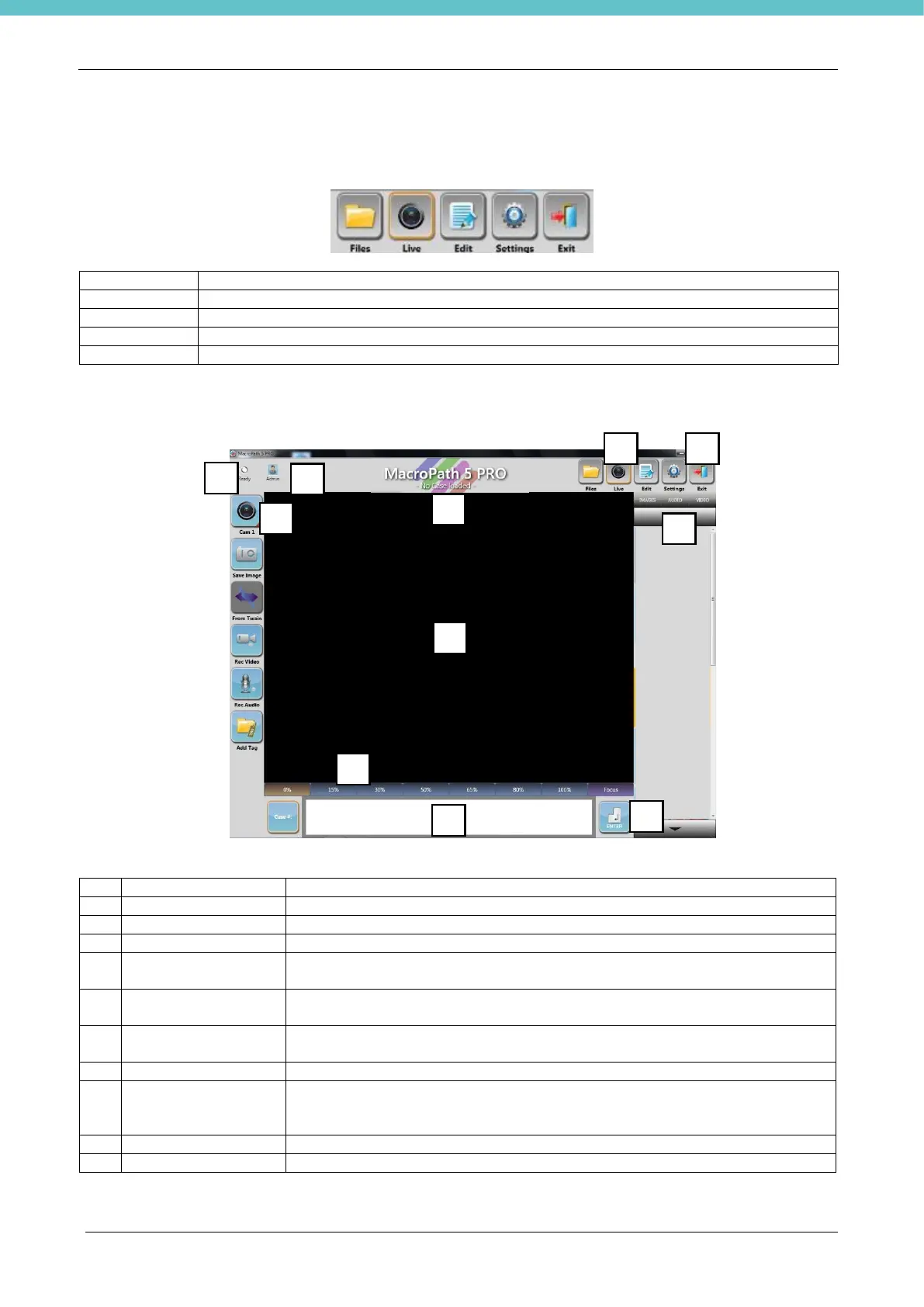
3.3. Overview of the functions
MacroPATH functions are grouped in 4 areas: FILES, LIVE, EDIT and SETTINGS.
To browse, delete, add notes and present the existing files
To capture images, videos and audio files
To edit the captured images
To modify settings of the FILES, LIVE and EDIT areas
The following screen is available only for complete MacroPATH software (but not for the Viewer user).
This displays the software status
This displays the current user and allows the user to log out by clicking it.
To exit the MacroPATH application and go back to the PC operating system.
Shows the name of the current file.
To go back to the live display of the sample of the camera disabled by
default, value set at 0 seconds).
IMAGE, VIDEO,
AUDIO FILTERS
To filter the thumbnails.
To turn the camera on/off and open the camera settings window (by holding
the icon down).
Click on the button or directly on the touch-screen, to zoom in/out as required
(from 0% to
100% in 7 steps). This function is also possible with the foot pedal control.
File name/number entry area, as needed: either with the bar code or keypad.
Required if the file number is entered manually.



 To Next Page