33
3.4. How to operate
3.4.1. Create a file
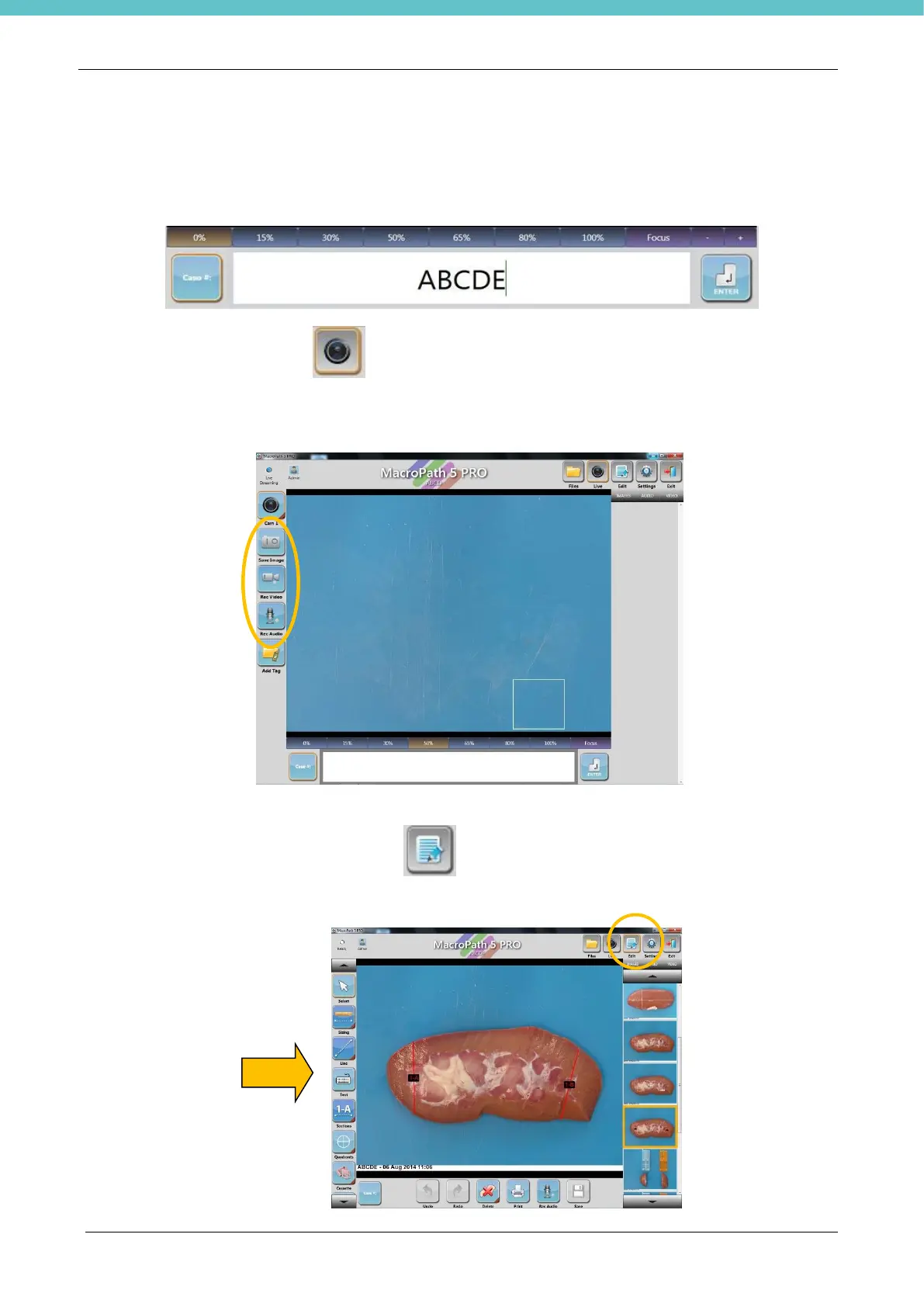
Enter the file name/number in the “Case #” field, using the keyboard or bar code reader. Up to 40 characters
can be entered. Special characters such as “-” or “_” can be used as separators.
Go to LIVE by selecting the Live icon on the top right of the screen.
Acquire images, videos and audios using the icons on the left side or using the foot pedal control. (See
chapter 3.4.6)
3.4.2. Edit a file
Double click a thumbnail or select the EDIT icon on the top right of the screen to enter the EDIT
mode.
Edit the images using the tools in this area (see chapter 3.5).



 To Next Page