MacroPATH and MacroPATH Basic QX Series
MM161-001 – Operator Manual
22
2.7. Software installation (only for MacroPATH BASIC)
For correct MacroPATH operation, the user must have full access in read/write/edit mode for the following
folders:
To see the path C:\ProgramData\Milestone srl\MacroPath5\APPDATA you need to enable hidden folders
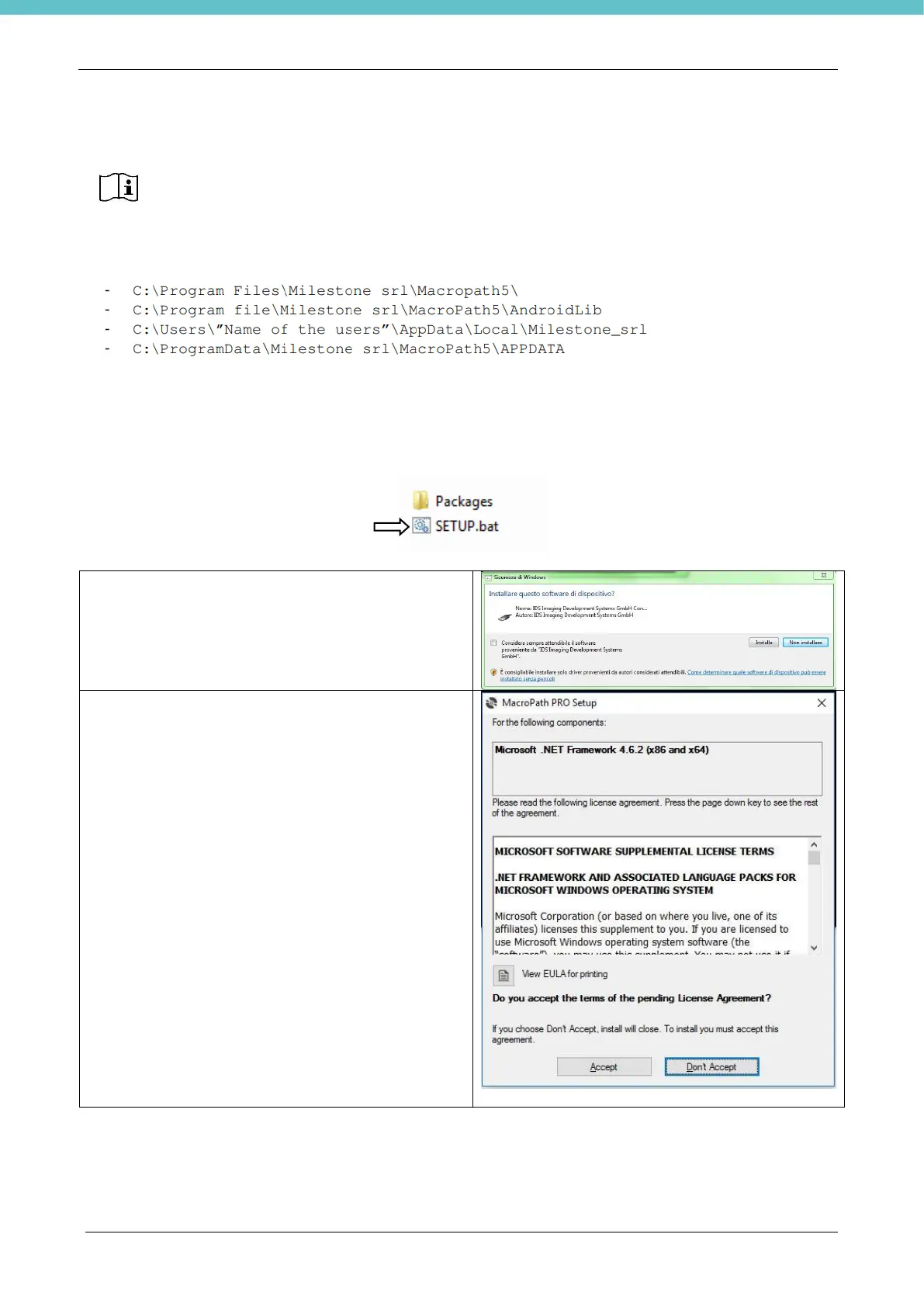
The software is provided in electronic format. Select the MacroPATH 5 PRO folder.
As administrator, run the internal file Setup.bat (right click and select Run as administrator).
Click Install when the window shown here on the right
opens up.
The camera drivers will be installed.
The installation request message might show several
times, always confirm it.
Click Accept when the window shown here on the
right opens up.
Microsoft .NET Framework 4 will be installed (if not
installed already).
Installing the software without libraries and/or drivers DOES NOT result in appropriate
installation and is considered incomplete.



 To Next Page