55
• Zoom mode
Select one of the two suggested modes:
- Extended mode: 30x optical zoom default setting
- Standard mode: optical zoom optimised and customised for default use (for optimal and fast
focusing)
Standard Mode is selected by default.
Refer to chapter 3.4.8.2 illustrating the various levels for the two configurations.
• Foot Pedal Control: enable the foot pedal (if connected) by choosing the serial number from the list.
• Keypad: not enabled.
• Calibration Procedure: by pressing this button it is possible to calibrate the unit, as explained in the
following chapter.
3.6.6. Calibration
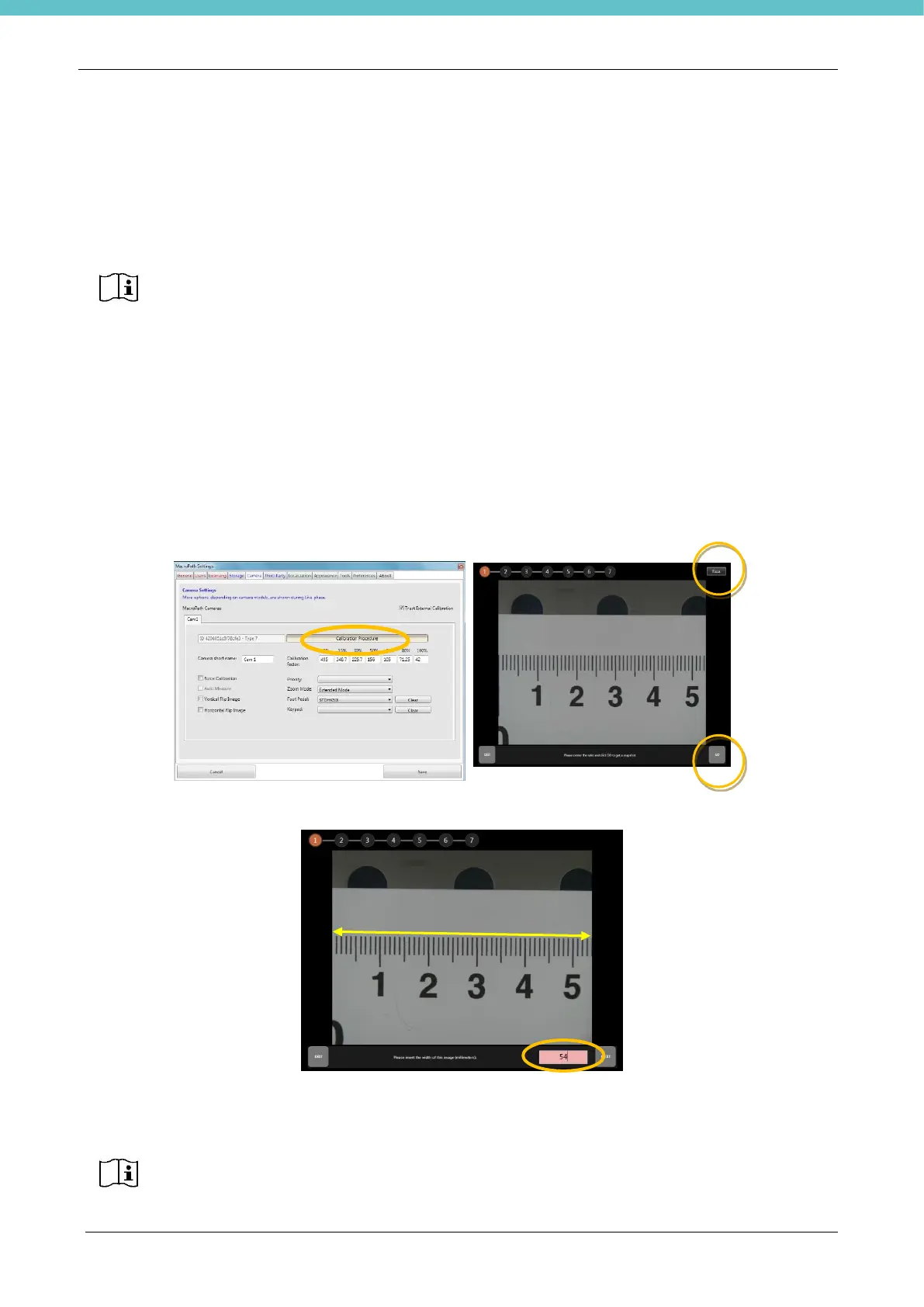
Click the “Calibration Procedure” button and position the ruler on the work surface.
We recommend placing the ruler starting from the “0 mm” measurement on the left-hand side; also, the ruler
should be placed HORIZONTALLY at the CENTRE of the live image.
Press Focus at the top right if the image is not focused, then press Go to take the first picture required for
calibration.
Insert the distance (in mm) between the two edges of the image (see picture). Then press NEXT.
Repeat the action 7 times (i.e. for the 7 zoom levels)
At the end press “Save”. The calibration procedure is now complete.
The calibration procedure is required every time the camera position or lens type are
changed.
Every camera has its own calibration; therefore, each camera needs to be calibrated
separately from any other that may be connected.



 To Next Page