54
High definition this function is not necessary for the camera (it is developed for previous camera models).
Enabled shared folder management
Shared folder management is useful when several MacroPATH stations are working on the same files. In
fact, with this function enabled, when a case is opened by a station and another MacroPATH station tries to
open it, an error message is displayed, informing that the case is already opened by another System and
displaying its IP address and when the case has been opened. An example is shown below.
Before using this function, please contact your Technical Department and
customersupport@milestonemedsrl.com.
3.6.5. Camera Settings
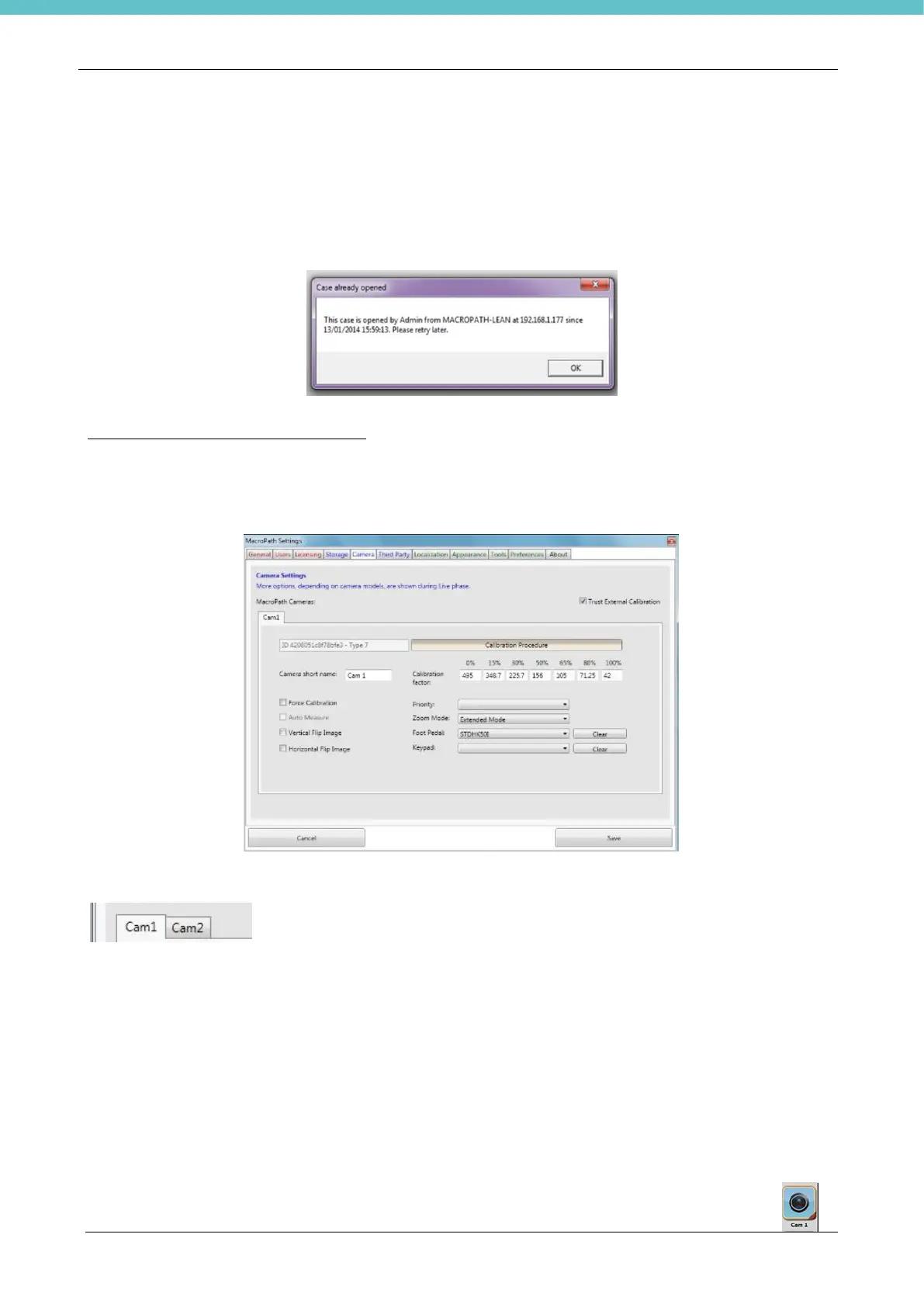
Click the “Camera” button to enter the camera settings page
Select the required camera (“Cam1” or “Cam2”, “Cam3”, “Cam4” and “Cam5”
depending on how many there are).
Click on Camera short name to edit the camera name.
Select:
• Trust external calibration: MacroPATH to use the calibration factors of previous files and not those
of the software.
• Force calibration: MacroPATH will require calibration to be carried out on every new image (helpful
when changing capture camera height).
• Auto measure: function not available.
• Vertical Flip Image: the image is flipped along the vertical axis.
• Horizontal Flip: the image is flipped along the horizontal axis.
• Priority: If two or more cameras are connected to MacroPATH, you must choose the selection
sequence.
It is essential to set the priority when working with multiple cameras. ‘Live’ shows the
buttons for the various connected cameras, following the set order of priority.



 To Next Page