59
3.6.8. Language, date and units of measure settings
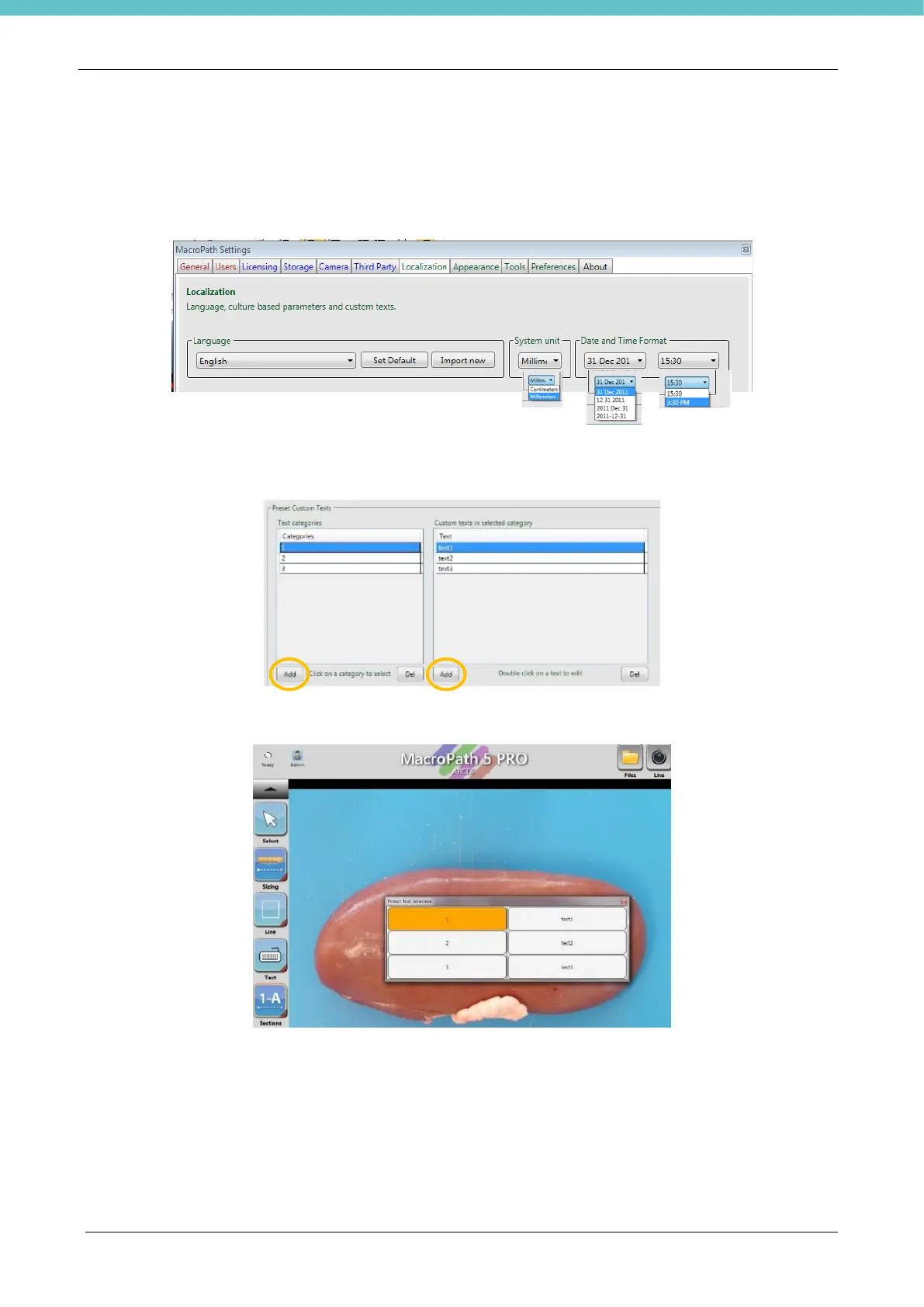
From this screen it is possible to modify language (English is the default language), import new languages,
set system units of measure (millimetres, centimetres and inches), time and date format.
Select the desired Language from the drop-down menu, then press “Set Default” and reboot the system to
enable the modification.
Pre-set custom text lets you enter up to 100 different pre-set texts: press ADD (1 in the image below) and
type the category name (example text 1), then press the second ADD icon (2 in the image below) icon and
type the text (example text: text1)
This newly added text can now be used in EDIT MODE.



 To Next Page