EasyManua.ls Logo

Milestone MacroPATH Series - Camera Overview

Milestone MacroPATH Series
128 pages
Print Icon
To Next Page IconTo Next Page
To Previous Page IconTo Previous Page
Loading...
MacroPATH and MacroPATH Basic QX Series
MM161-001 Operator Manual
14
For PC installation, carefully remove the film from the touch-screen to prevent damaging it.
It is advisable to turn the PC off completely at least once a week.
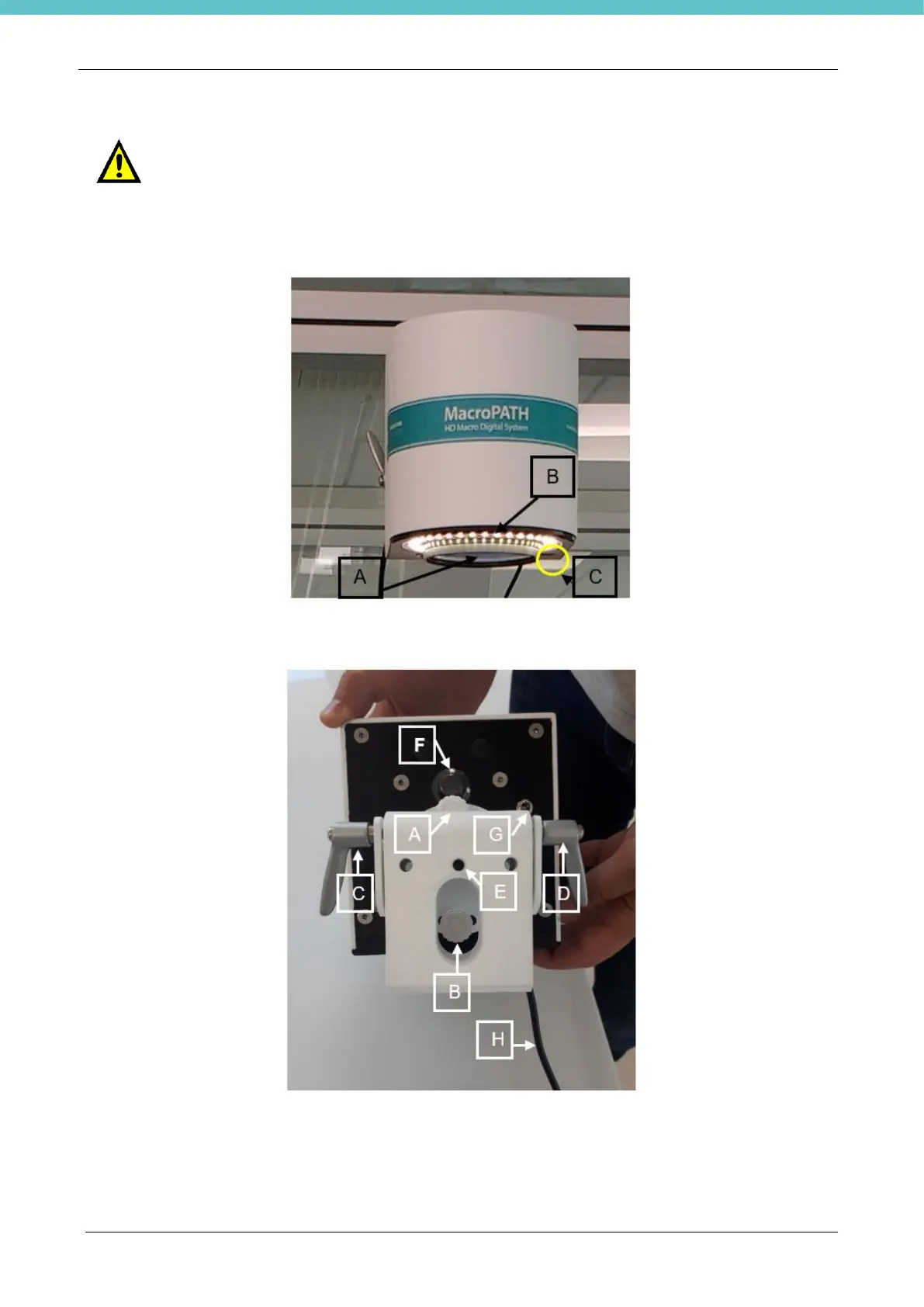
2.3. Camera Overview
A) Lens
B) LED light
C) Green power supply LED
A-B-C-D) Adjustments
E) Photographic fitting
F) LED lighting on/off
G) Power supply inlet
H) USB data cable
For the camera installation/clamping supports, refer to chapter 6.
Before turning MacroPATH on (when coming from a storage room), the unit must be
allowed to reach the environmental conditions (at least half an hour).

Related product manuals