27
2.8. Foot pedal control configuration (only for MacroPATH Basic)
After connecting the foot pedal control to a USB port on the PC, follow these instructions:
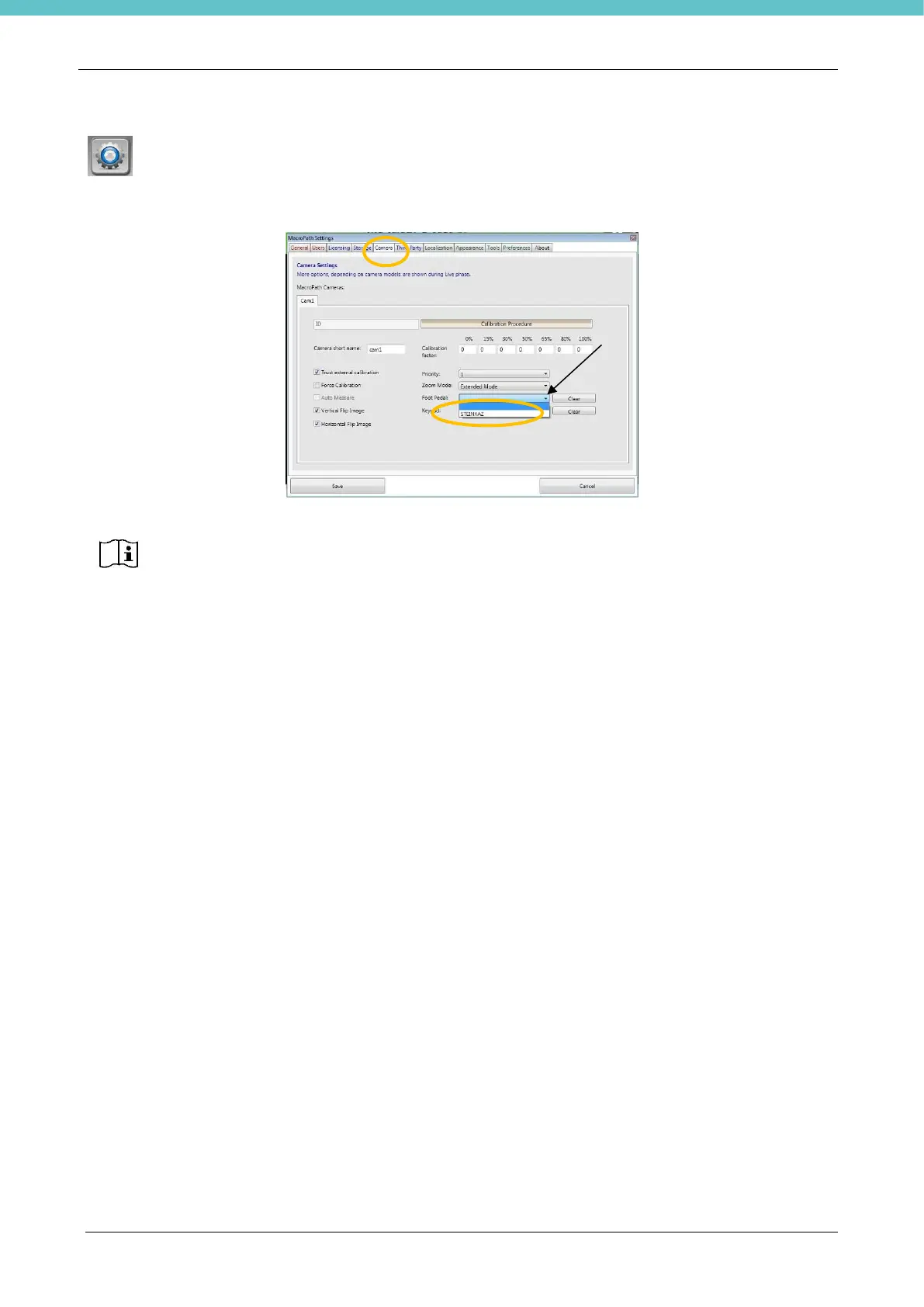
go to “Settings” by clicking the appropriate icon, then select “Camera” (refer to chapter 3.6.5). Select the
serial number under “Foot pedal” - each foot pedal control has its own serial number:
If two or more serial numbers are displayed, check whether any external instrument is connected to the PC
using the same drivers. However, the serial number is found on the foot pedal control. Select the appropriate
serial number, save and restart the software. If the foot pedal control is still not working, follow the
instructions in chapter 7.4.
The serial number of the foot pedal control starts with the letters ST and is printed on a
little sticker on the pedal.
DO NOT enter any serial number on the Keypad. Click “Clear” if this field is not empty.



 To Next Page