MacroPATH and MacroPATH Basic QX Series
MM161-001 – Operator Manual
51
3.6.2. User Settings
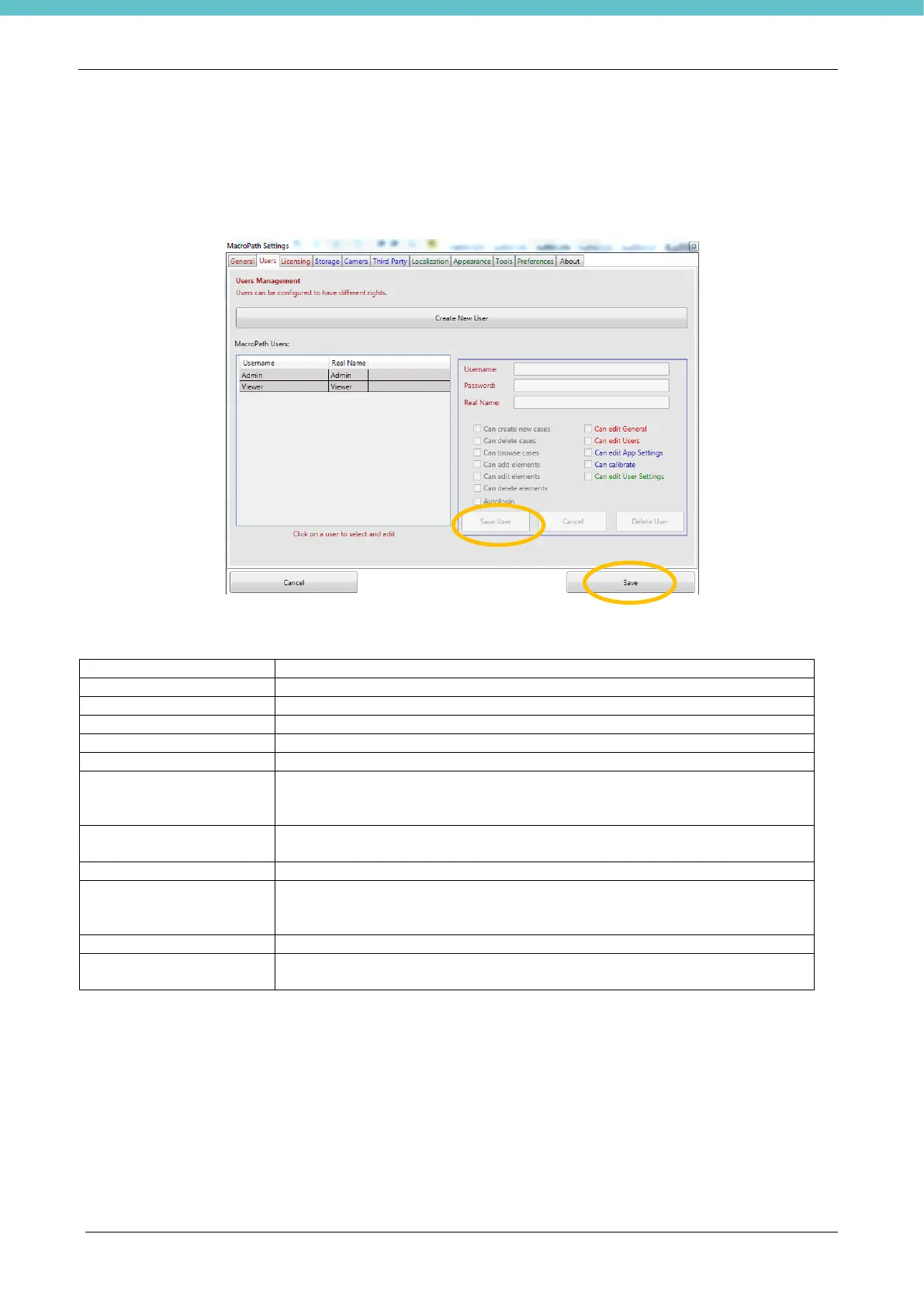
Click Users to create, modify or eliminate a user and/or change user rights.
Switch enabling on or off (possibility of performing a given action) by checking or unchecking the related
control checkbox.
When all of the settings have been entered, press Save User and Save.
Users’ rights table:
Possibility of creating a new case
Possibility of deleting the entire case
Possibility of working with the browse cases icon.
Possibility of acquiring new images, audio or video
Possibility of working in Edit mode
Possibility to delete images
Possibility to skip the login screen and access the program directly.
By ticking this option, if another user was set for auto-login, he/she would
be disabled to enable the current user.
Possibility to operate in the Settings-General screen; for example, the full
backup function can be used. Refer to chapter 3.6.1.
Possibility of working in the Settings/user screen
Possibility to modify settings in the blue fields: storage folders, licensing,
camera preferences (calibration) and connections with external programs
(see following chapters).
Possibility to calibrate images
Possibility to edit settings in the green fields, regarding languages, display
options and general user settings (see following chapters).
It is possible to set default settings available under green tabs, as “Localization”, “Appearance”, “Tool” and
“Preferences”, for all existing users by clicking “Set for all existing users” in the “General” chapter 3.6.1.



 To Next Page