105
7.4. The foot pedal control is not working
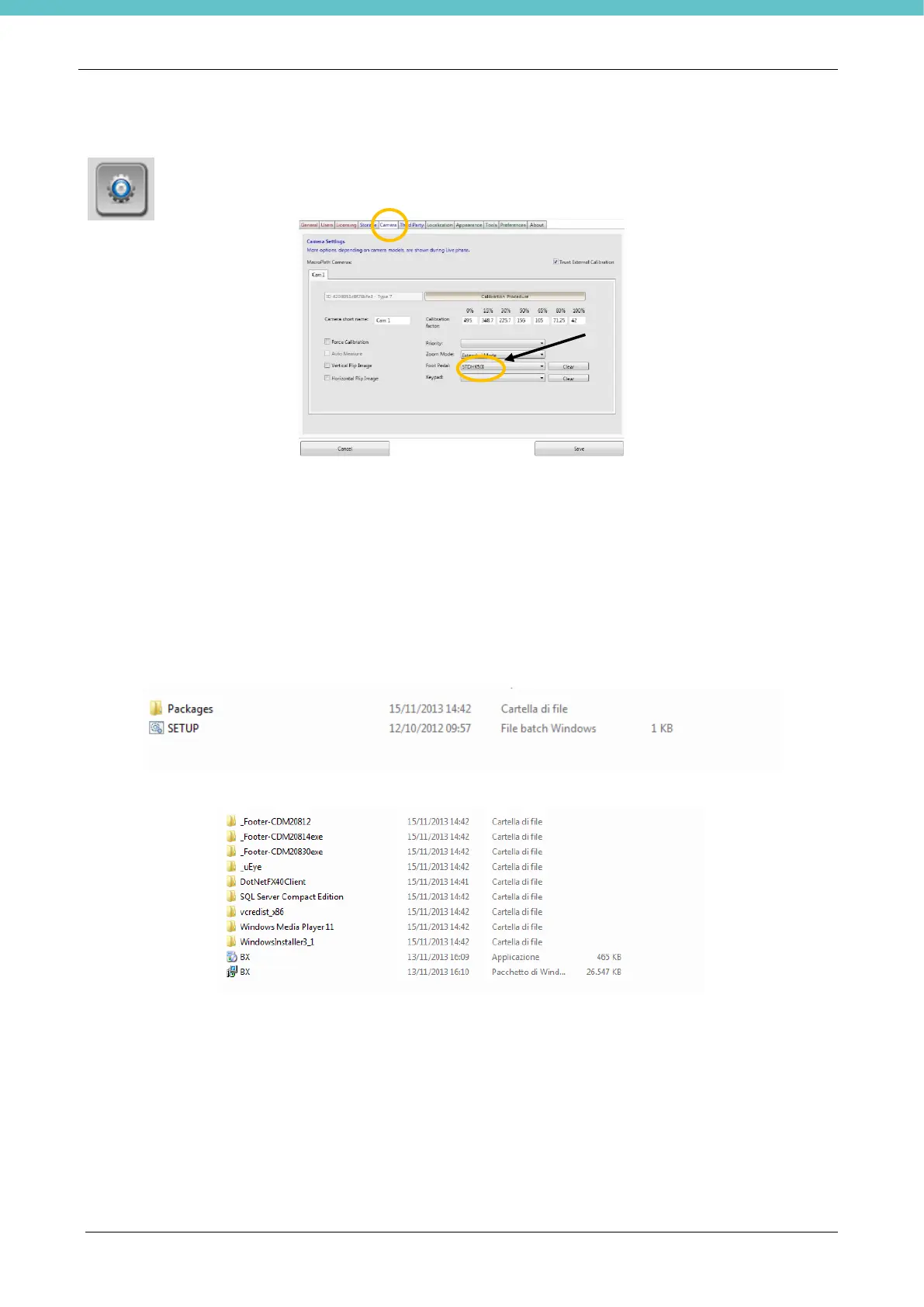
Go to “Settings” through the specific icon and click on the “camera” button.
Select the serial number (each foot pedal control has its own serial number)
If two or more serial numbers are displayed, check whether any external instrument is connected using the
same drivers. However, the serial number is found on the foot pedal control. Select an appropriate serial
number, save and restart the software. If the foot pedal control is still not working, select another serial
number and repeat the previous operations.
If no serial number is displayed:
1) Install the driver contained in the MacroPATH USB key
2) Connect the foot pedal control to another USB port.
The serial number for the foot pedal control usually starts with the letters ST.
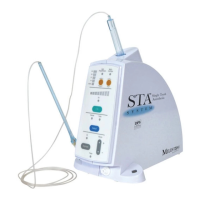
To install the drivers, close the MacroPATH software and enter the Packages folder contained in the USB
key:
Then run the last version of Footers, in this case “Footer-CDM20830”.
After installing the drivers, restart the computer and launch the software, and check whether the foot pedal
control is working.


 To Next Page