The data of the case are not saved, only the images of the open case are
temporarily saved in a "Twain" folder. Furthermore, MacroPATH will be closed
after importing the images.
The data of the case are not saved, only the images of the open case are
temporarily saved in a "Twain" folder. Furthermore, MacroPATH is kept active
(minimised) after importing images.
In “Volatile” mode the case data are not saved, only the images of the open case are temporarily saved in a
Twain folder created in the same folder where the MacroPATH cases are saved (Settings-Storage). If you
wish to permanently save the images, enable the “Secondary Twain storage” checkbox in Settings –
Storage” and use the “Browse” button to select the path where to save them. The files are not saved at this
address, only the images with the saving date and time will be.
The following are some specifications regarding the TWAIN connection:
1. The MacroView DM TWAIN connection does not support Citrix technology of the desktop display nor
any other virtual machine. It was not developed or tested for these environments.
2. The window of the MacroView DM application always opens maximised. It can be re-sized, but it does
not retain the change between two successive Twain sessions.
3. If the operator closes the MacroView DM window during the Twain session by pressing “X” on the status
bar, the window closes immediately and the open Twain session is no longer managed. All the images
that must be transferred might be lost.
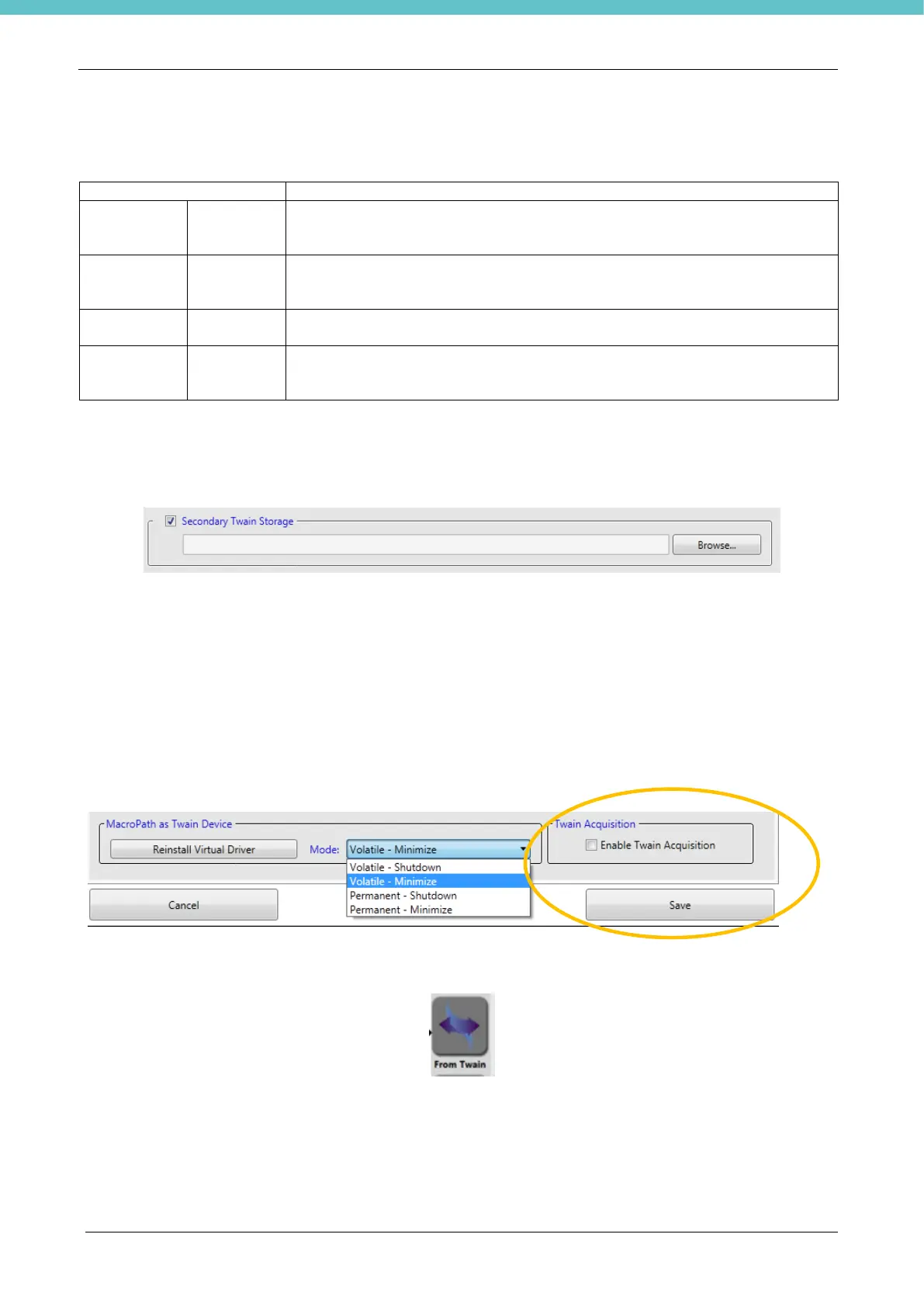
Also, in “Settings - Third party” select Enable Twain acquisition to import images from an external imaging
device (such as a microscope, not included). The device must be Twain to be able to send the images to
MacroPATH.
If enabled, a new “From Twain” button appears on the Live screen.
A MacroPATH case must be open to use the “Acquisition from Twain” button. An image will be imported in
the case. Measurements by using the calibration of the MacroPATH camera will not be possible on this
image.
To activate any setting performed in the "Settings-Third party" page, press Save in the lower right-hand
corner of the Settings page.



 To Next Page