21
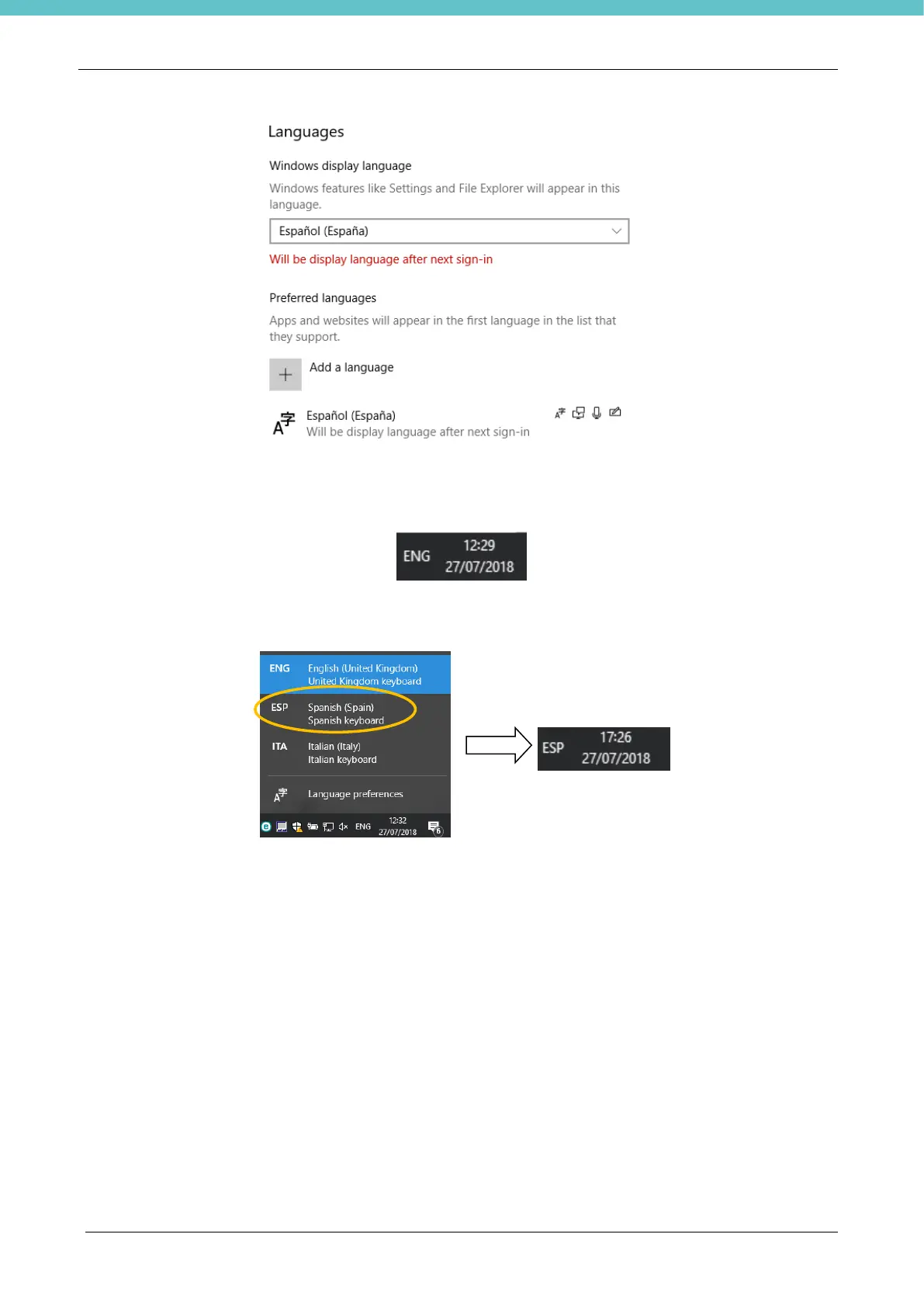
- reboot the PC and the newly chosen language will be set in the operating system.
Follow these instructions to change the language on the Keypad. Spanish is chosen in this example.
- The status bar on the bottom left shows the default keypad language (ENG - English), click to enter these
settings.
- The following panel is displayed, choose the language for the keypad. Spanish is chosen for the keypad in
the example below.


 To Next Page