20
2.6. How to change the language of the Operating System and Keypad
Not applicable for MacroPATH Basic.
The Operating System and keypad of the PC Monitor supplied by Milestone are in English. Follow the
instructions in this chapter ONLY IF you wish to change the language.
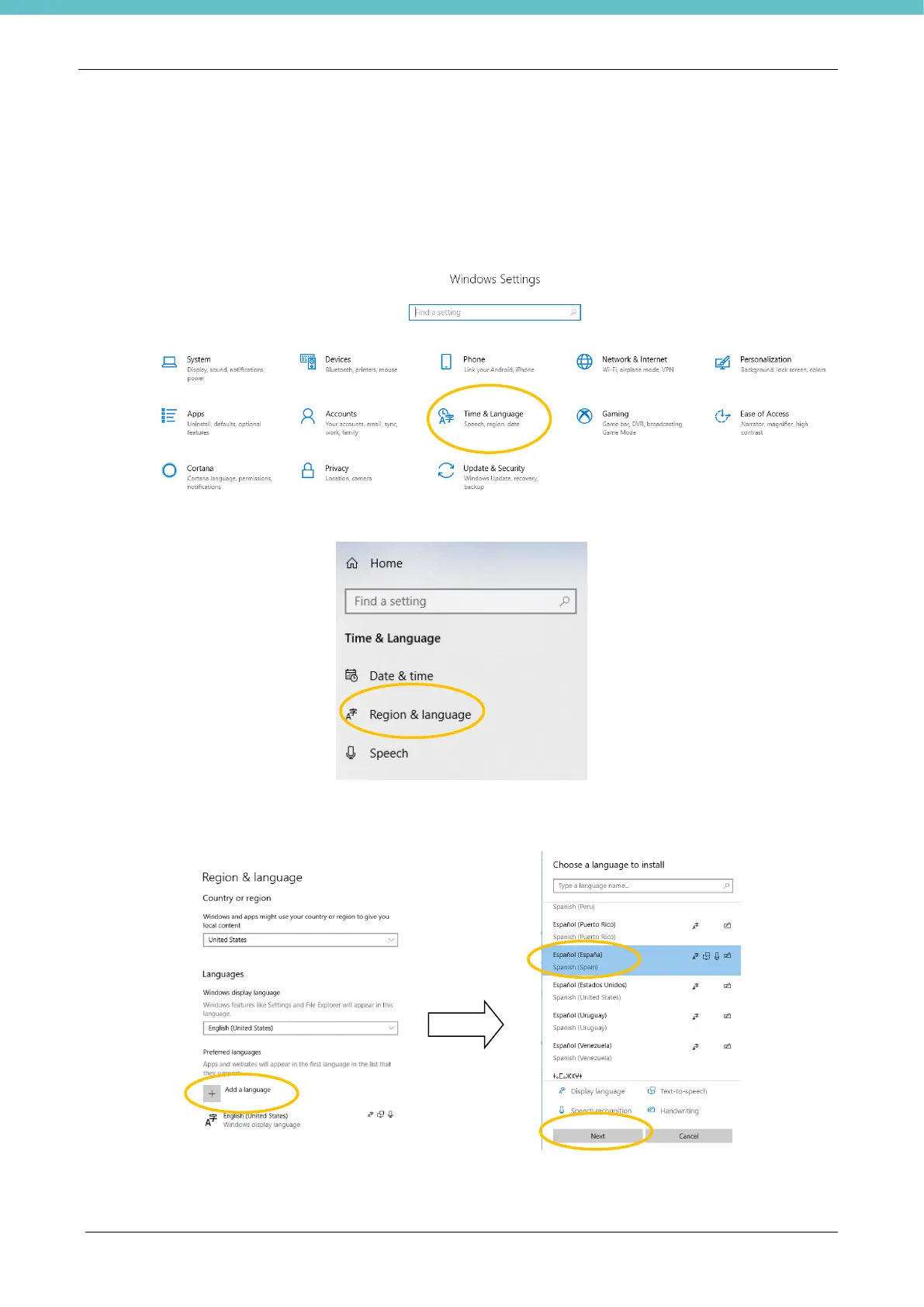
Follow these instructions to change the language of the Operating System:
- enter Windows Settings and click “Time & Language”.
- on the left-hand menu click “Region & Language”.
- click “Add a language”, choose the desired language from the displayed menu and click “Next” and “Install”
in the message after that. Spanish is chosen in the example below.
- when installation is complete, the chosen language will show under “Preferred languages”.



 To Next Page