MacroPATH and MacroPATH Basic QX Series
MM161-001 – Operator Manual
61
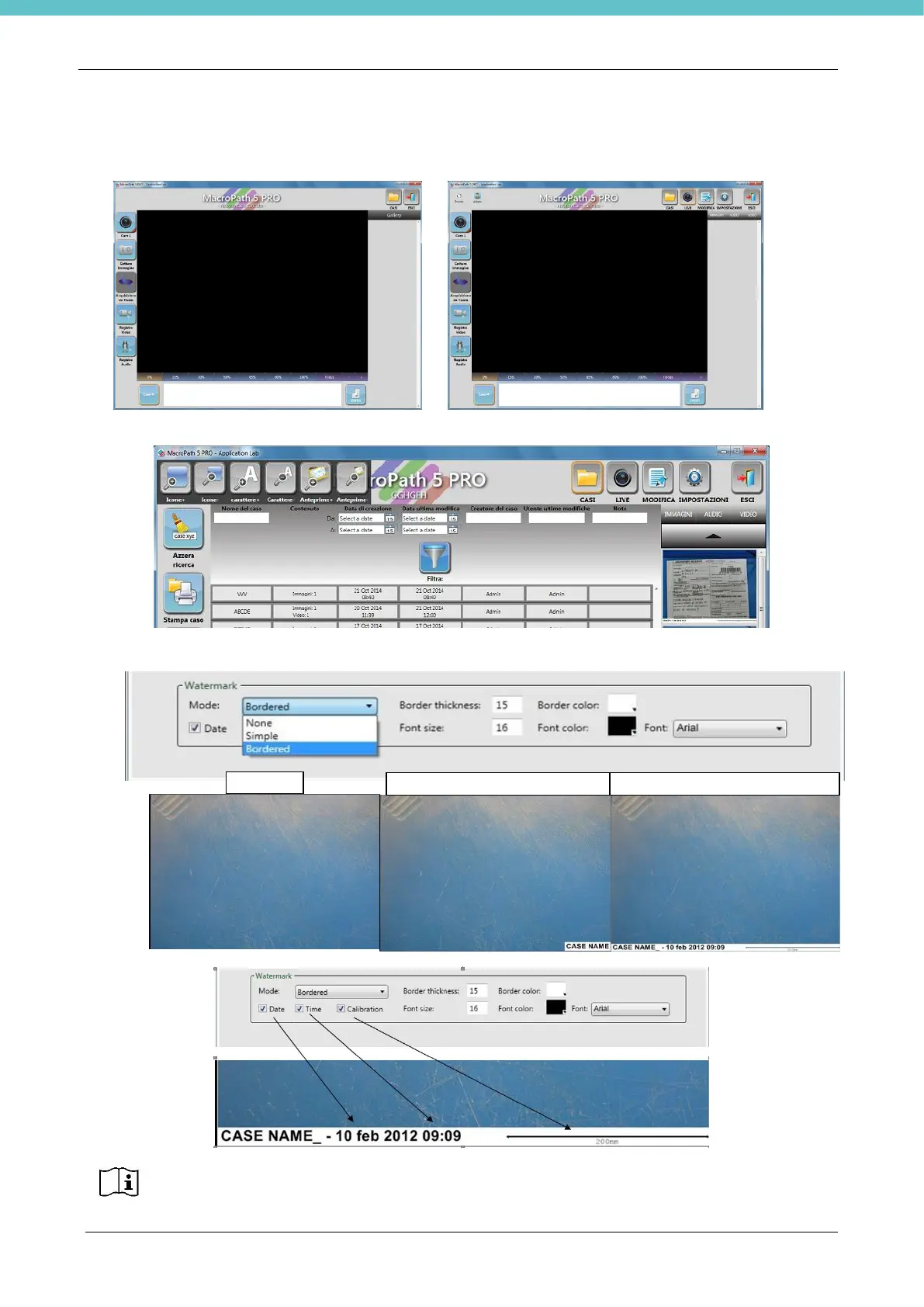
Tick Easy interface to reduce the number of displayed icons
Easy interface Normal interface
Select Fine Tune Mode to edit icons, characters and sizes.
The Watermark (caption) settings can be edited in this section: select None, Simple or Bordered.
With Bordered mode you can enter information into the caption. Unselect unnecessary data.
In Simple mode, a checkbox with the name of the case is placed over the image and
covers it in part, whereas in Bordered mode it is placed below it.
Simple: only the case name
Bordered: full information



 To Next Page