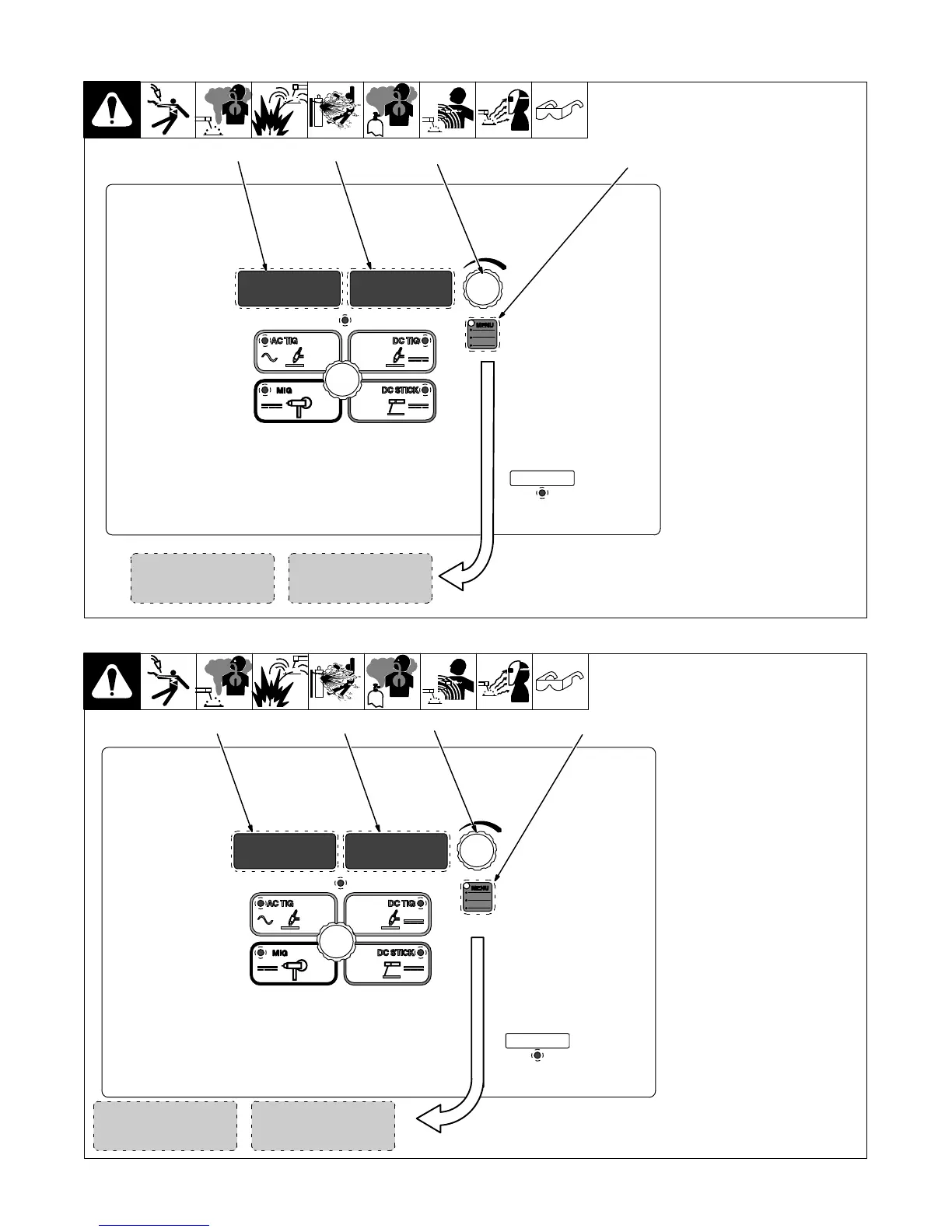
. A complete Parts List is available at www.MillerWelds.com
OM-261726 Page 25
6-3. Accessing DC TIG Control Panel Menu
1 Menu Button
Press Menu button to cycle
through parameters that can
be set.
2 Parameter Display
3 Setting Display
4 Encoder
Rotate Encoder to adjust
parameter setting.
OFFPPS
2
3
4
[PULS] Pulse Control:
Reduces heat input to minim-
ize distortion and increase
travel speed. Set PPS (pulses
per second). The range is
OFF−150 PPS. The back-
ground amperage and peak
amperage are not adjustable.
Background amperage equals
25% of peak amperage. Peak
amperage time equals 40%.
Amperage Control:
Controls the welding amper-
age output. Limits the max-
imum output of a remote am-
perage device.
150A
1
268890-B
6-4. Accessing DC Stick Control Panel Menu
1 Menu Button
Press Menu button to cycle
through parameters that can be
set.
2 Parameter Display
3 Setting Display
4 Encoder
Rotate Encoder to adjust paramet-
er setting.
30%
DIG
2
3
Amperage Control:
Controls the welding amperage out-
put. Limits the maximum output of a
remote amperage device.
[DIG] Arc Force Control:
Controls the amount of additional
amperage at low voltage (short arc
length) conditions. Adjust the force
of the arc for different joint configur-
ations and electrodes. Range is
OFF−100%.
4
150A
1
268890-B










 To Next Page