. A complete Parts List is available at www.MillerWelds.com
OM-261726 Page 26
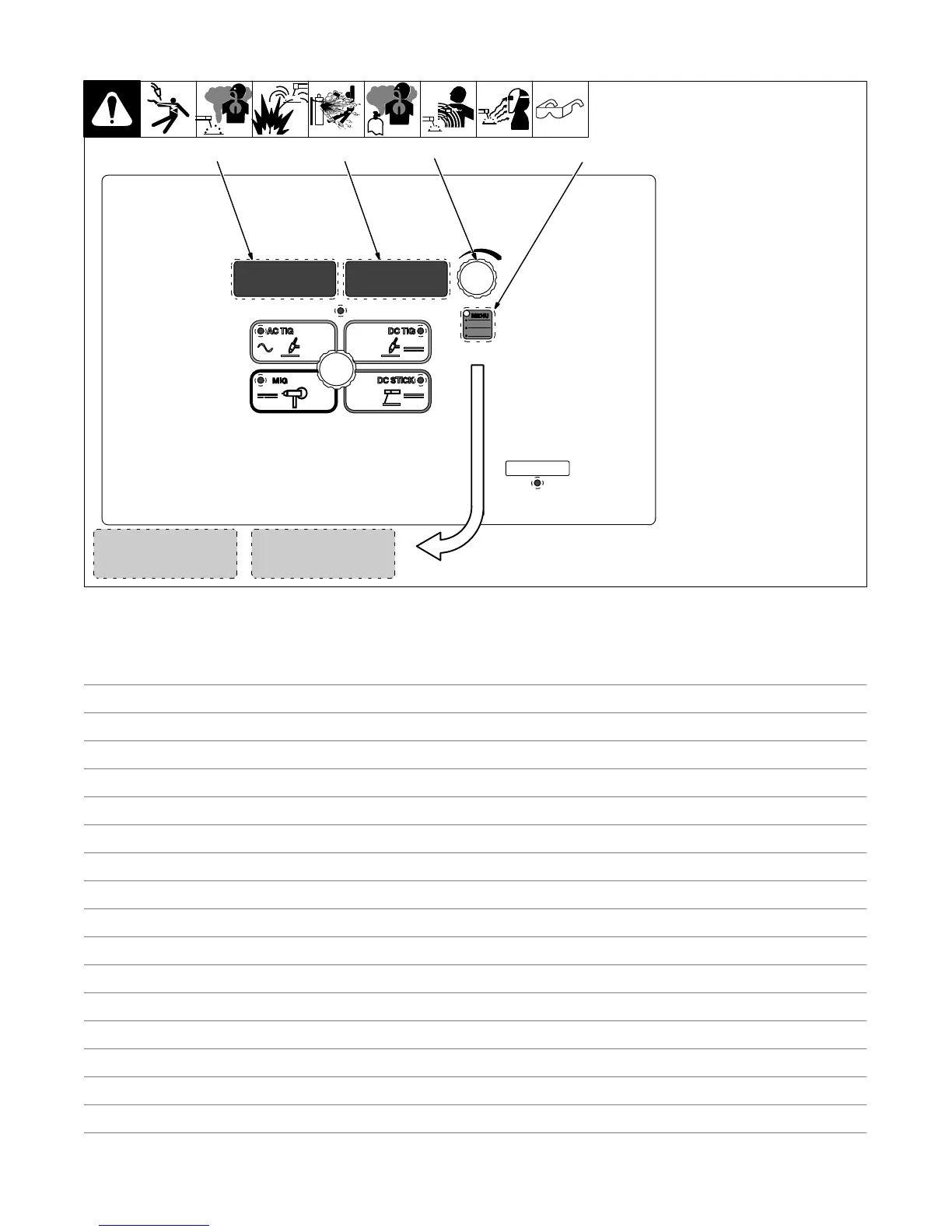
6-5. Accessing Spool Gun Control Panel Menu
1 Menu Button
Press Menu button to cycle through
parameters that can be set.
2 Parameter Display
3 Setting Display
4 Encoder
Rotate Encoder to adjust parameter
setting.
0.0
WFS
2
3
Voltage Control:
Controls the welding voltage output.
[WFS] Wire Feed Speed:
Controls the speed of the wire feed,
with a minimum of 0.0and a maximum
of 10.0.
4
14.0V
1
268890-B
Notes










 To Next Page