ENGLISH
OM-363 Page 47
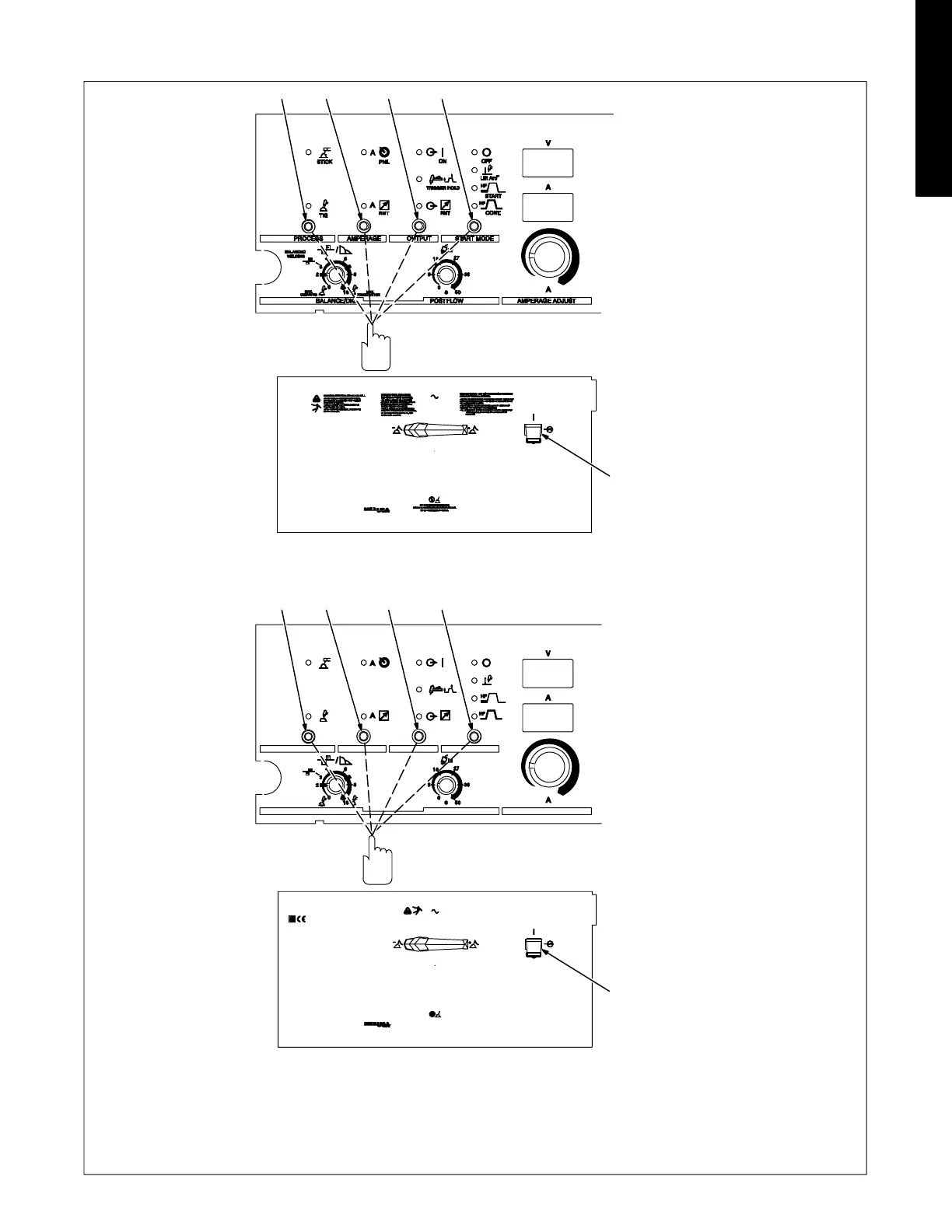
4-18. Resetting Unit To Factory Default Settings (All Models)
1 Process Control
2 Amperage Control
3 Output Control
4 Start Control
5 Power Switch
To reset all welding power source functions
to original factory settings, turn power off.
Push and hold the Process, Amperage,
Output, and Start controls and turn On pow-
er. Hold switch pads for approximately 7
seconds (or until software version number
_ _ _ _ _ _-_clears meters).
5
12
3
4
5
1
2
3
4
(CE Nameplate)









 To Next Page