42 Milli-Q® Reference System
Description, Continued
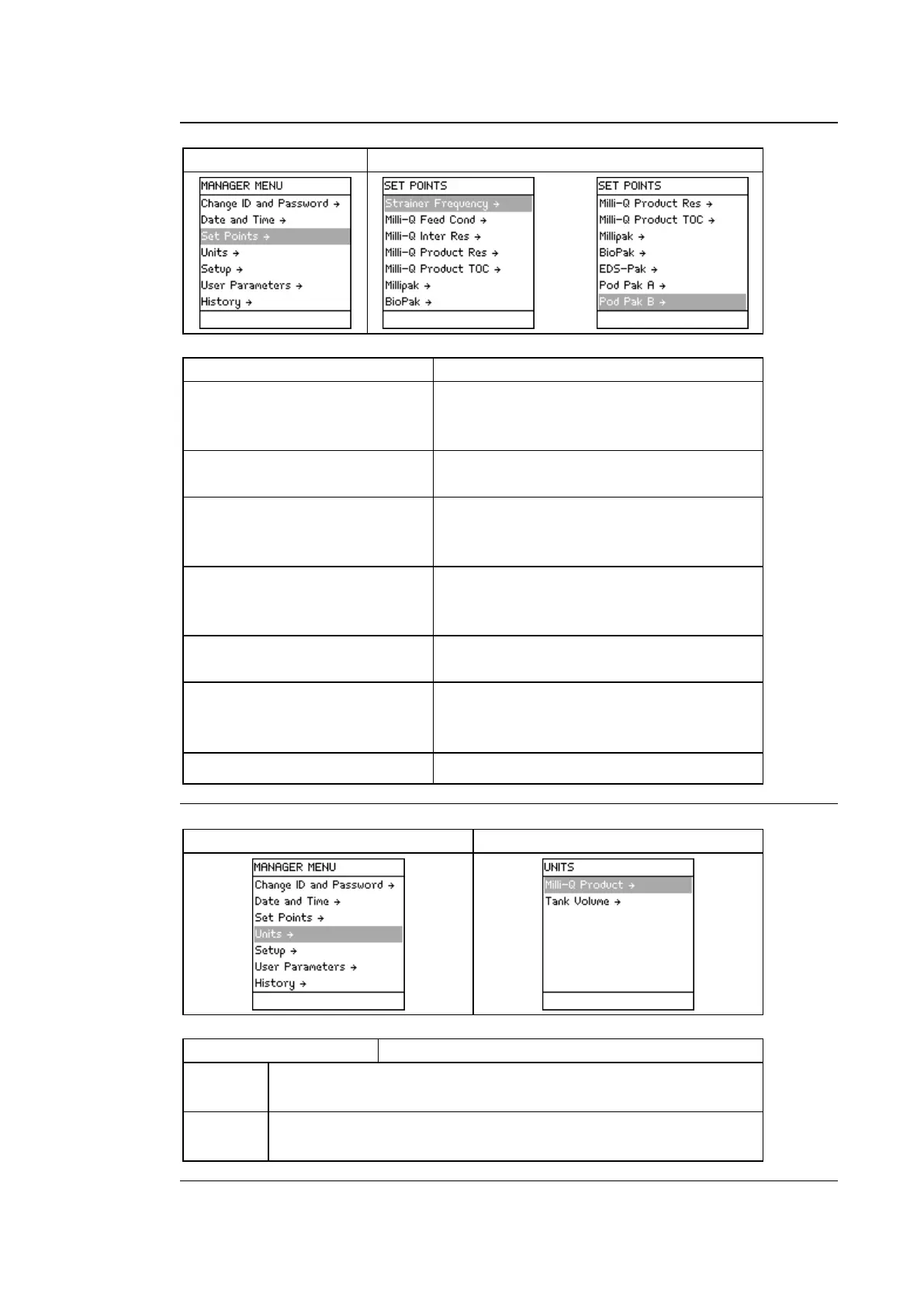
Change set points for controlling the
frequency of the message EXAMINE INLET
STRAINER.
Change set point controlling the message
MILLI-Q FEED CONDUCTIVITY > SP.
Change set point controlling the message
MILLI-Q INTER R < SP, PLEASE ORDER Q-
Change set point controlling the message
MILLI-Q RES < SP, REPLACE
Change set point controlling the message
MILLI-Q TOC > SP.
Change set point controlling the message
REPLACE POD PAK IN XX DAYS (where
≤
≤
BioPak®, EDS-Pak®, POD Pak
Product
Change the displayed units of Milli-Q® Product Water quality.
• Choices are MΩ.cm or µS/cm.
Volume
Change the displayed units of Tank Volume.
•
Choices are % full, Litres or US Gallons.
Continued on next page



 To Next Page