MAINTENANCE
- 35 -
R
EMOVING THE UV LAMP
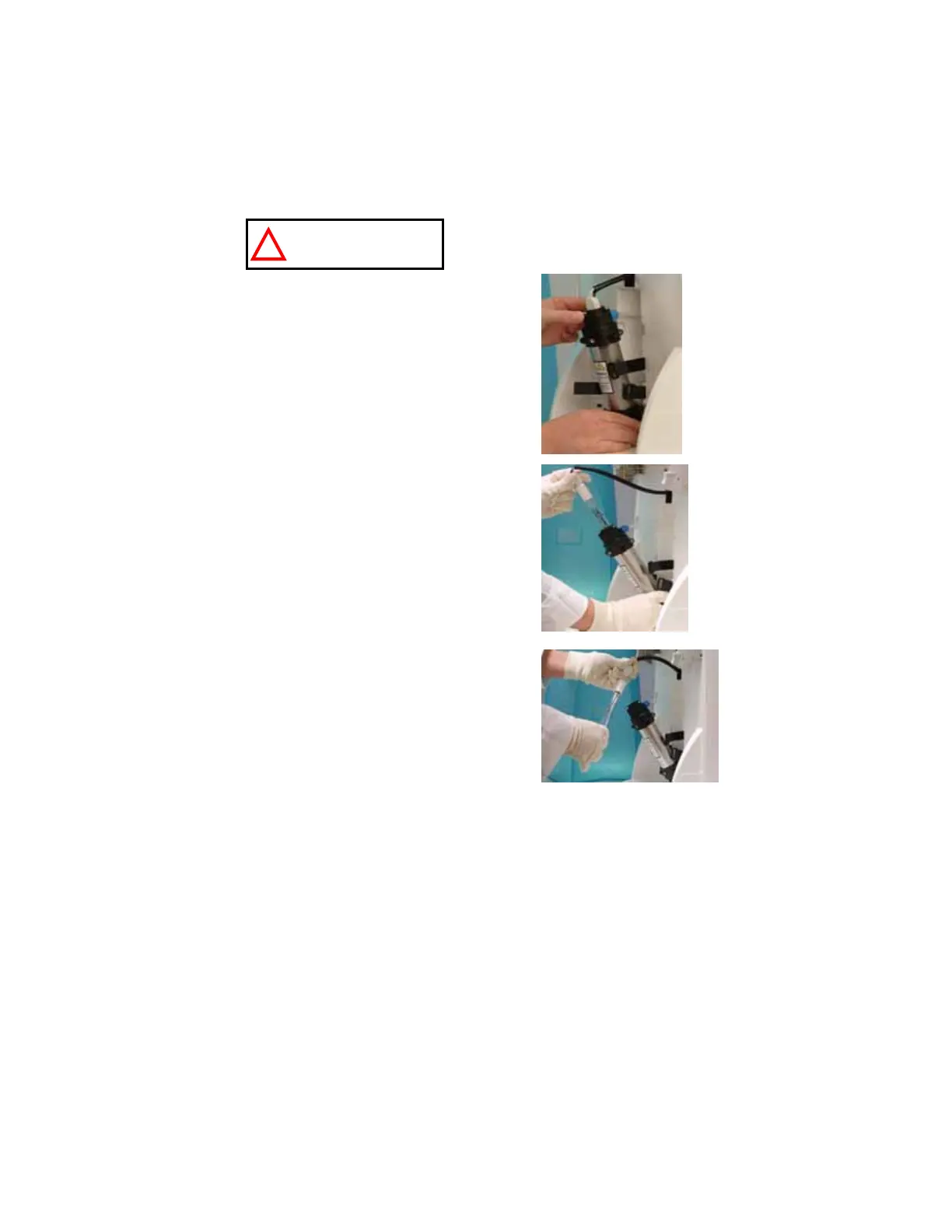
Detach the Velcro
belt of the UV housing.
Pull the UV housing out so that the UV Lamp cable is accessible (D).
NOTE: Use the gloves supplied with the UV replacement kit.
Pull the UV Lamp out of the UV housing by its electrical cable (E).
Unplug the electrical cable from the UV Lamp (F).
The UV Lamp contains metallic Mercury. Please
dispose of the used UV Lamp in a manner that is
environmentally safe.
D
E
F
ATTENTION










 To Next Page