
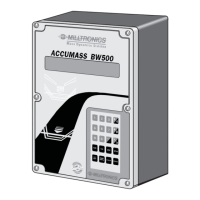
How to correct Error Code 222 on Milltronics ACCUMASS BW500?
- ZzschwartzSep 9, 2025
Error Code 222, 'Zero out of range', indicates that the zero deviation is greater than the minimum limit. Consider performing an initial span (P388).
How to correct Error Code 222 on Milltronics ACCUMASS BW500?
Error Code 222, 'Zero out of range', indicates that the zero deviation is greater than the minimum limit. Consider performing an initial span (P388).
What should I do if my Milltronics ACCUMASS BW500 shows Error Code 211?
Error Code 211, 'Remote Totalizer 2 exceeded', suggests that you need to increase the resolution.
Why does my Milltronics ACCUMASS BW500 show Error Code 212?
Error code 212 indicates that the speed is more than twice the design speed. To resolve this, check the design belt speed, actual belt speed, and speed constant. If necessary, perform a speed constant adjustment (P018).
What does Error Code 242 mean for Milltronics ACCUMASS BW500?
Error Code 242, 'No PID mA Output', means that the PID System (P400) is on, but the mA Output (P201) hasn't been programmed correctly.
What is a Security Violation on Milltronics ACCUMASS BW500 Industrial Electrical (Error 223)?
Error Code 223, 'Security Violation', indicates an attempt to run a command or calibration that is not allowed under the current security level.
How to troubleshoot Error Code 221 on Milltronics ACCUMASS BW500?
Error Code 221, 'Span out of range', indicates a span deviation greater than 12.5%. Consider performing an initial zero (P377).
What to do for Error Code 241 on Milltronics ACCUMASS BW500?
Error Code 241, 'No PID mA Input', happens when the PID Process Value Source (P402) or PID Setpoint (P414) is programmed for a mA Input, but the mA Input Function (P255) isn't programmed correctly.
Why does Milltronics Industrial Electrical display Error Code 220?
Error Code 220, 'Span Too Low', indicates that the span is less than 1 mV. Ensure the proper test weight or chain is applied during the span.
What does Error Code 213 mean on Milltronics ACCUMASS BW500?
Error Code 213, 'Maximum rate exceeded', means the rate is more than three times the design rate. If there's no mechanical issue, check if re-rating the design rate is needed.
How to resolve Error Code 205 on Milltronics ACCUMASS BW500?
Error Code 205 indicates that a zero or span calibration is required.
Details requirements for personnel authorized to install and operate the device.
Provides physical dimensions and mounting hole specifications for the unit.
Instructions for installing SmartLinx® modules and mA I/O boards.
Diagrams showing internal component placement and system connection diagrams.
Wiring diagrams for connecting various load cell configurations (1, 2, 4, LVDT).
Covers constant speed operation and speed sensor connections.
Details connections for auxiliary inputs, serial ports, and I/O.
Wiring for relay outputs and RS-485 port 2.
Wiring for RS-232 port 3 and power connection details.
Procedure for installing mA I/O board and replacing battery.
Guides on operating the keypad and navigating the display.
Explains operation in Program Mode for parameter viewing and editing.
Details how to enter Run Mode after initial programming and calibration.
Covers power up, programming (P001-P017), and calibration sequence.
Procedure for balancing load cells in two or four load cell configurations.
Instructions for performing zero and span calibrations.
Procedure to ensure displayed belt speed matches actual belt speed for accuracy.
Methods for verifying span calibration and compensating for belt effects.
Procedures for routine and initial zero/span calibrations.
Explains automatic zero calibration function and its conditions.
Configuring up to eight different span references for varying conditions.
Procedure for calculating new test weight value against current span.
Correcting non-linear response for accurate material flow reporting.
Locks out parameter editor to prevent unauthorized changes.
Minimum parameters required before calibration and run mode entry.
Parameters for configuring relay and alarm functions.
Parameters for configuring mA outputs and inputs.
Parameters related to calibration procedures like load cell balancing.
Parameters for configuring PID control loops.
Parameters for configuring the BW500 as a batch controller.
Parameters specific to the BW500 totalizers.
Parameters for Electronic Calibration (ECal) test reference.
Parameters for configuring various communication formats (serial, Dolphin, Modbus).
Required load signal for BW500 to calculate rate and totalize material flow.
Required speed signal for BW500 to calculate rate and totalize material flow.
Describes Run mode, display scrolling, and access to other modes.
Controls response speed of readings and outputs to input changes.
Details for mA outputs and inputs configuration.
Functions and assignments for the five available relays.
How totalization works and the types of totalizers available.
Requirement for optional mA I/O board to operate as a controller.
Details process instrument connections for PID control configurations.
Diagrams for Rate Control, Load Control, Master/Slave, Rate & Load Control.
Guides for qualifying and quantifying PID control terms.
Typical ladder logic and wiring for batching control functions.
Steps to program batch control functions, setpoints, and pre-warn.
Describes batch process control, display, and pre-act function.
Details the certification compliance switch and its function.
Conditions and format for certification printing.
Details the Dolphin protocol for connecting to Milltronics Dolphin Plus software.
Describes the Modbus protocol for device communication.
Overview of BW500 memory map in Modbus holding registers.
Guidelines for connecting and setting up modems with BW500.
Describes Modbus responses and general error handling procedures.
Initial checks for power, programming, and connections.
Addresses specific issues like parameter changes not taking effect.
Lists and explains error codes generated by the BW500.
Information on maintaining memory backup via battery replacement.
Procedure for updating the BW500 software.
Defines criteria for performing zero, span, and PID system calibrations.
| Model | ACCUMASS BW500 |
|---|---|
| Category | Industrial Electrical |
| Manufacturer | Siemens |
| Frequency | 50/60 Hz |
| Enclosure Rating | IP65 |
| Type | Belt Weigher |
| Accuracy | ±0.5% |
| Operating Temperature | -20°C to +50 °C |
| Power Supply | 100 to 240 VAC, 50/60 Hz |
| Display | LCD |
| Enclosure | IP65 |
| Outputs | 4-20 mA, Relay |
| Communication | RS232/485 |
| Belt Width | 2, 400 mm |