9-8 Structure and Assembly/Disassembly
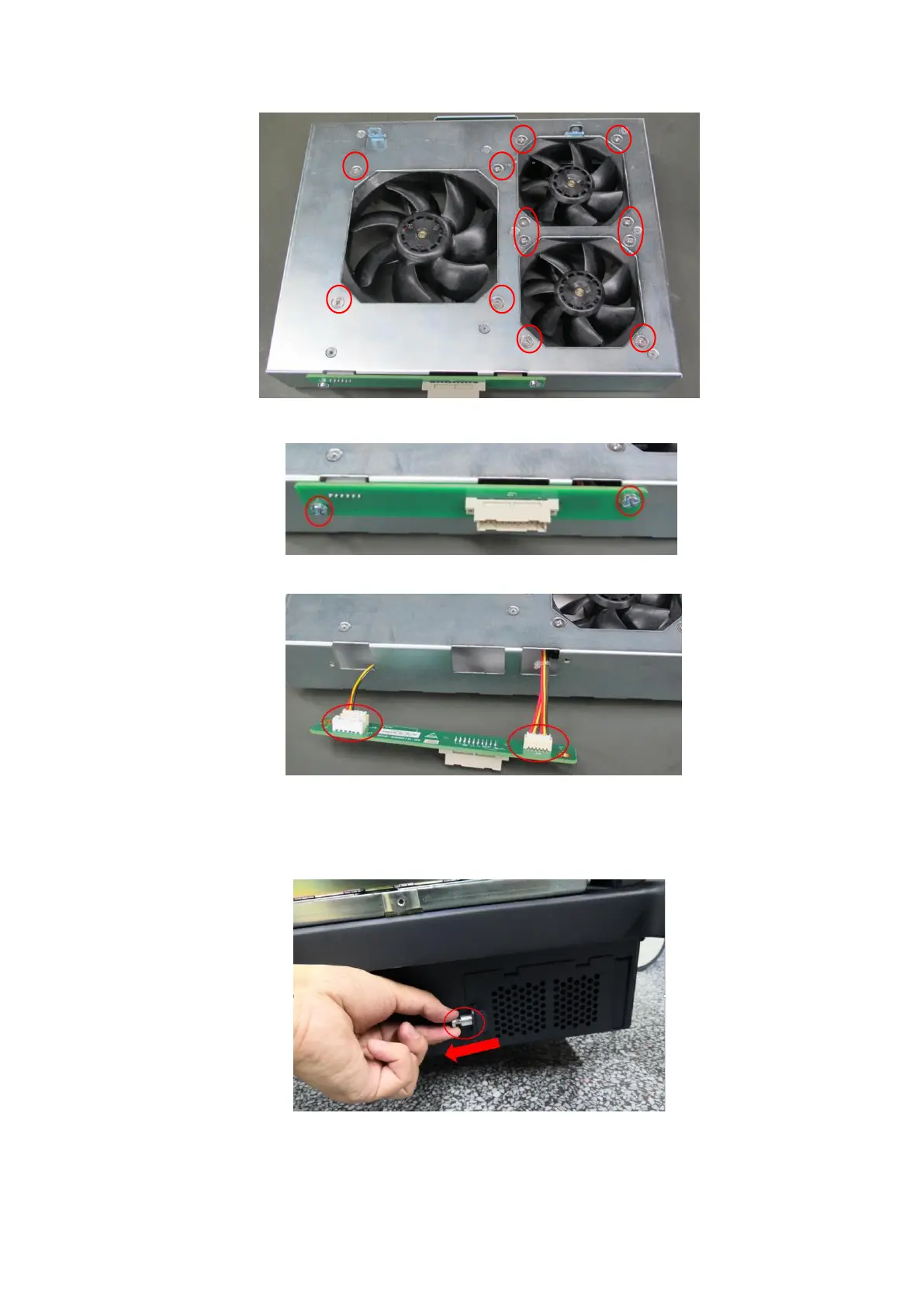
4. Unscrew two M3 step screws fixing PCBA, and remove fan PCBA.
5. Pull out of the fan socket to remove the fan. See the figure.
9.3.5 Disassembling Battery
1. Pull out the spring plunger in the direction of the arrow, and open the electronic assembly door
on the base.
2. Remove the battery from the electronic assembly.



 To Next Page
 Loading...