Need help?
Do you have a question about the Mindray M8 and is the answer not in the manual?
 General
| Brand | Mindray |
|---|---|
| Model | M8 |
| Category | Medical Equipment |
| Language | English |
Explains the meaning of DANGER, WARNING, CAUTION, and NOTE signal words used in the manual.
Provides location and information of safety symbols and warning labels used in the manual.
Lists crucial safety measures for patient and operator safety during system use.
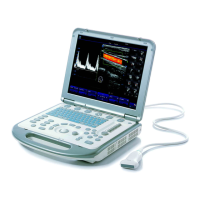
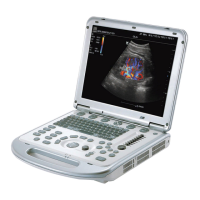
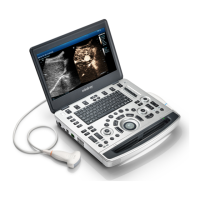
Outlines the intended use and general appearance of the diagnostic ultrasound system.
Details the electrical, environmental, and monitor specifications of the system.
Covers electrical requirements, grounding, and EMI limitations for system installation.
Provides instructions for unpacking the system, including tools and duration.
Guides on connecting power, ECG, and ultrasound probes to the main unit.
Details the connection procedures for various peripherals like footswitch, printers, and readers.
Explains how to connect the system to a network using a USB to LAN adapter.
Covers system setup, presets, network configuration, DICOM/HL7, and security settings.
Describes the overall hardware structure of the main unit, including key components.
Details the components and functions of the main board, including power supply, backend, and frontend.
Introduces the chapter on checking main functions and performance methods.
Outlines methods for checking the system's running status and working condition.
Provides procedures and criteria for checking the control panel, monitor, peripherals, and ECG module.
Details how to check various system functions like imaging modes, measurement, and cine review.
Describes test procedures for resolution, detection depth, geometric positioning, and blind area.
Guides on logging into the system as a service user for maintenance operations.
Refers to the Software Recovery Guide for system operations and Doppler restoration.
Explains procedures for online and phone activation of Windows 10 OS.
Provides instructions on accessing the Windows system using a password.
Covers software maintenance tasks like log export.
Details procedures for preset data management, patient data backup, and restoration.
Provides information on HDD partition data structure and distribution.
Presents an exploded view of the system's main assemblies.
Shows detailed exploded views of monitor, control panel, main unit, cables, accessories, and trolley.
Illustrates the structure of the main unit and mobile trolley assemblies.
Provides detailed steps for disassembling and assembling the main unit's parts and hardware boards.
Outlines the procedures for assembling and disassembling the mobile trolley, including tools and engineers required.
Guides on installing optional software devices, including key file installation and trial activation.
Details the installation of accessory kits and optional hardware devices for the system.
Explains the meaning of power-on, battery, AC, standby, and hard disk status indicators.
Describes the step-by-step process of starting the ultrasound system, including BIOS and OS loading.
Lists common alarming tips, LOG records, and suggestions for power, temperature, and fan errors.
Covers self-test introduction, maintenance self-test procedures, user self-test, and test reports.
Introduces the maintenance procedures and lists necessary tools, devices, and consumables.
Provides detailed instructions for cleaning the system, monitor, trackball, peripherals, and probes.
Outlines general checks, system function checks, peripheral checks, and mechanical safety inspections.
Addresses issues related to the system failing to power on, including related modules and causes.
Discusses problems where the system cannot perform troubleshooting, identifying potential faulty modules.
Provides solutions for image-related issues like no echo, dark strips, and noise.
Covers common faults with the control panel, including buzzer alarms, key failures, and trackball issues.
Addresses issues with the LCD display, such as no display or incorrect display via HDMI.
Offers solutions for ECG module problems, including failure to open functions or incorrect waveform display.
Details visual and contextual checks for the power cord plug and strain relief.
Outlines visual and contextual inspections for the device enclosure and accessories.
Specifies checking for the presence and legibility of manufacturer and warning labels.
Describes the procedure and limits for testing protective earth resistance using a safety analyzer.
Explains how to perform Earth Leakage tests and outlines failure conditions and limits.
Details the procedure for measuring patient leakage current and failure conditions.
Describes the Mains on Applied Part leakage test procedure, including voltage and polarity conditions.
Covers the procedure for measuring patient auxiliary current and failure analysis.
Explains testing hard disk files against archived data and failure analysis.
Details testing PCIe communication between PC and DSP FPGA modules.
Covers read/write tests for DSP FPGA DDRs and analysis of failures.


 To Next Page