27
Procedures
1
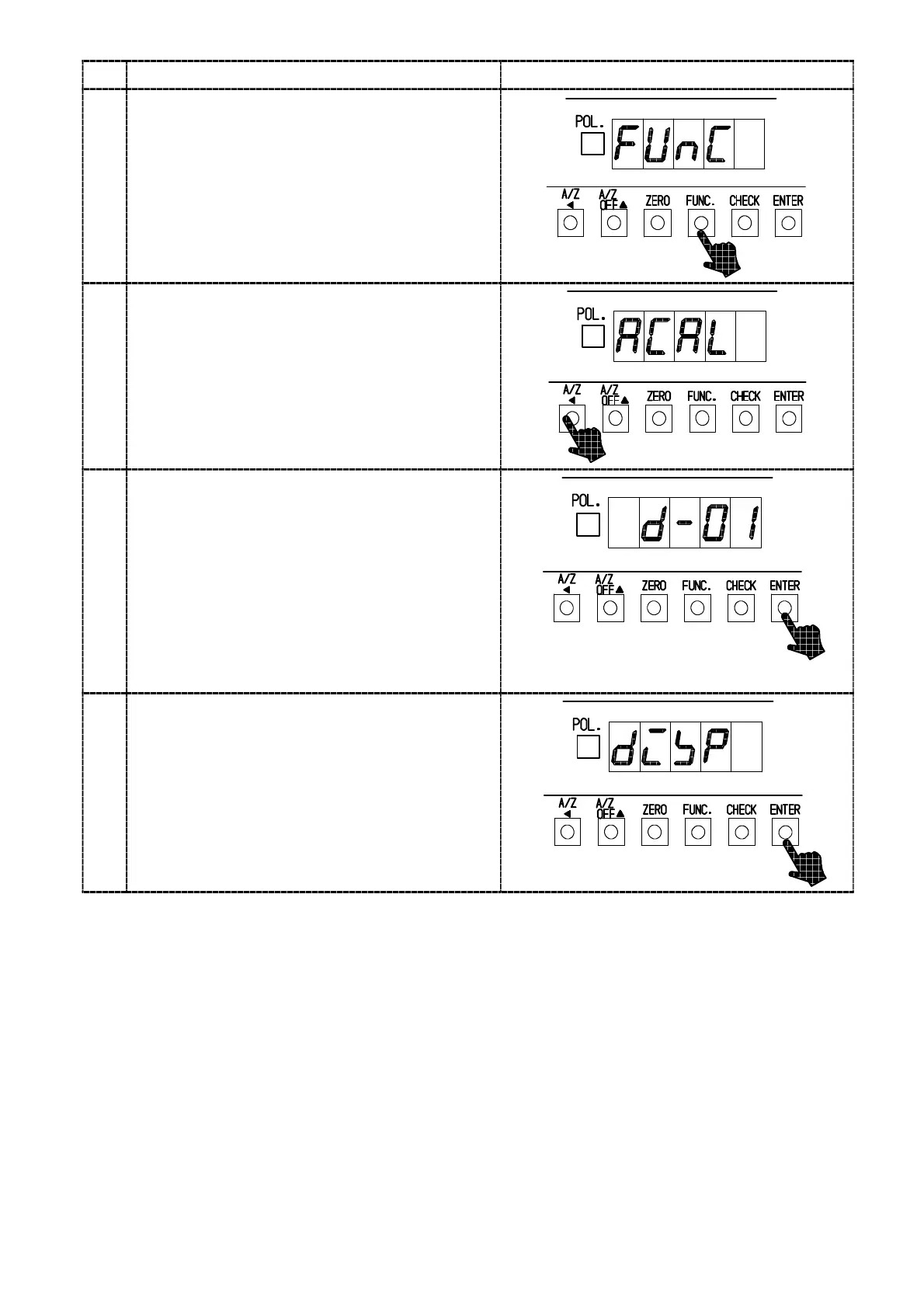
Press the “FUNC.” key for about one second.
The load display will show “FUNC”.
2
Press the “A/Z A ” key twice.
It will make the load display proceed as “FUNC”
→“CCAL”→“A CA L”.
3
Press the “ENTER” key.
The ACAL mode can be entered, then the load
display will show “D−01” and lights on and off.
When the calibration has been already
completed, the registered set value of minimum
scale will be displayed.
Set the minimum scale with “A/Z OFF Y” key.
Set values for the minimum scale are 4(four)
kinds showing as follows:
1, 2, 5, 10
“A/Z OFF Y” key :Set value Increment key.
4
Press the “ENTER” key.
The load display will show “DISP”.



 To Next Page