58
7−4. Zero tracking
The instrument prepares zero tracking function in order to compensate for slow drift of zero.
7−4−1. What is zero tracking?
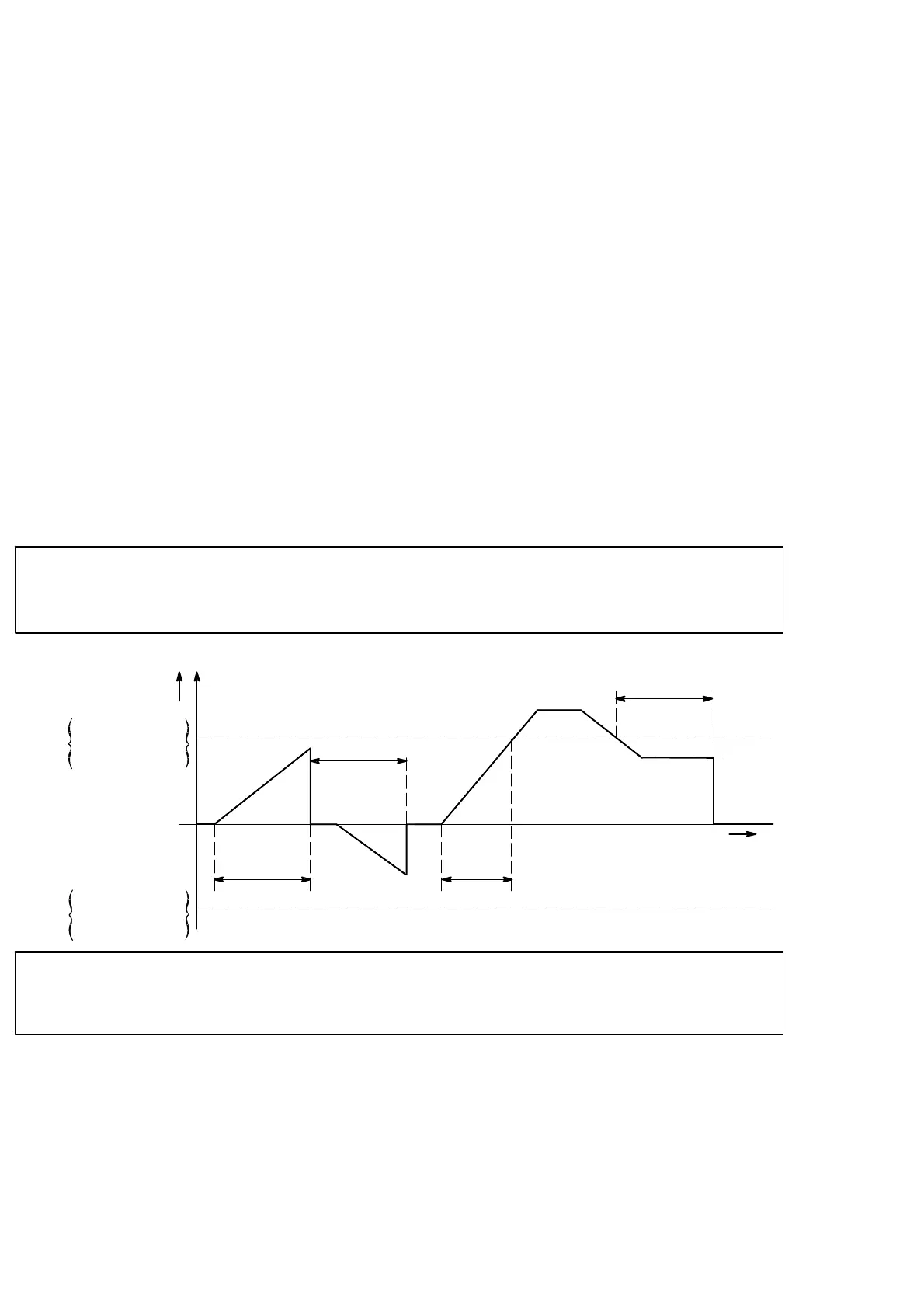
D Zero tracking is a function to compensate slow drift of zero within the constant condition,
and also to follow the zero point of the instrument in order to stabilize zero point.
D When data variation width within the set time with Function F−08 is within range of set
value set with F−07 against zero point, then the input will be cancelled as zero point.
7−4−2. Setting related with zero tracking
D Set the data width that perform zero−tracking with F−07. Zero tracking data width per
setting value “n” will be obtained by the calculation of display according to the below
formula.
[Zero tracking data width]=[Set value for F−07]×0.5×[Display increment value]
For example, when the setting of F−07 is “00010”, and display increment is “D=5”
[Zero tracking data width]=10×0.5×5
=25D
D Set time width to perform zero tracking with Function F−08.
● Zero tracking will not operate whichever Function F−07 or F−08 is
set to “0”.
Zero tracking
data width
Zero tracking
data width
+
−
Zero
point
Setting of F−08
Setting of F−08
Less than the setting of F−08
Setting of F−08
time
Display
● When the load shows slow variations in the vicinity of zero, never use
zero tracking.
7−4−3. Target of zero tracking
Zero tracking of this instrument can select the target from “Gross weight” or “Net weight”.
This selection can be proceeded by the Function mode(related function F−62).
Default setting is “Gross weight”.



 To Next Page