39
5−2−5. Fine adjustment on span
● During Tare weight cancellation (A/Z) and zero set is executed, and
also during zero tracking is effective, span fine mode can’t be entered
(Displays ERR−5). After executing tare weight cancellation clear (A/Z
OFF) and cancellation for compensated data for zero set (Executes
F−98) and setting OFF the zero tracking (F−07 & F−08 to show
“0000”), enter in zero adjustment mode.
● When interrupting the calibration is required, press the “FUNC.” key
during the calibration procedures. The calibration data keeps the
same condition as it is entered before, then Measurement mode can
be entered.
● When the “A/Z A ” key is pressed with the load display of “FUNC.”,
the display will change as the following sequence at every time the
key is pressed. “FUNC”→“CCAL”→“A C A L” →“LCAL”→“ZERO”→
“SPAN”→“TARE”→“CHECK”→“MONIT”→“F−END”→“FUNC”→
“CCAL”→・・・・・(Hereinafter, it will repeat.)
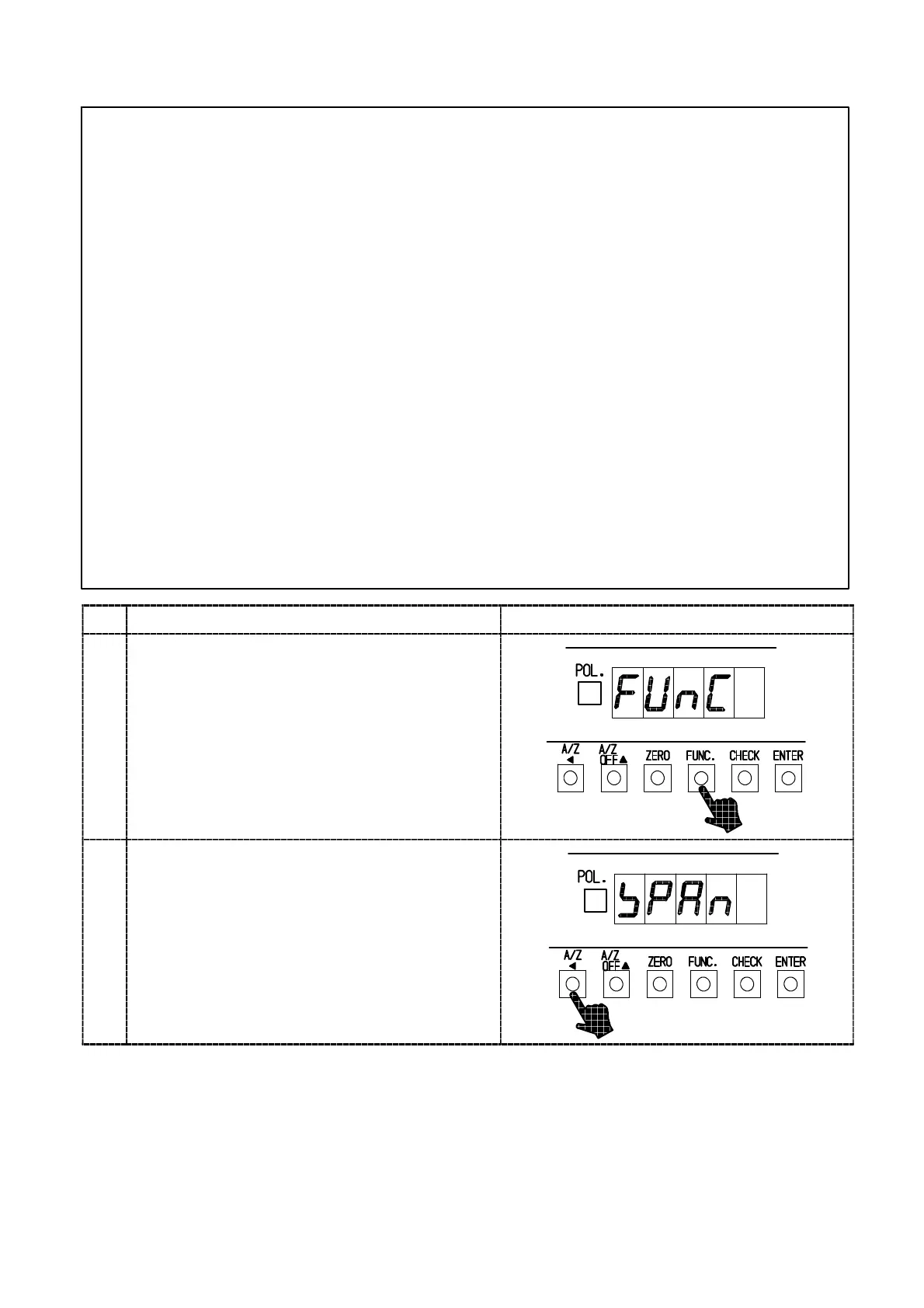
Procedures
1
Press the “FUNC.” for about one second.
The load display will show “FUNC.”.
2
Press the “A/Z A” key 5 times.
It will change the display of the load display as
“CCAL”→“A CA L”→“LCAL”→“ZERO”→“SPAN”.
Here, apply the maximum load on the load cell
that can be applicable within the maximum
display value.



 To Next Page