67
7−14−1. Operating procedures for the Check mode
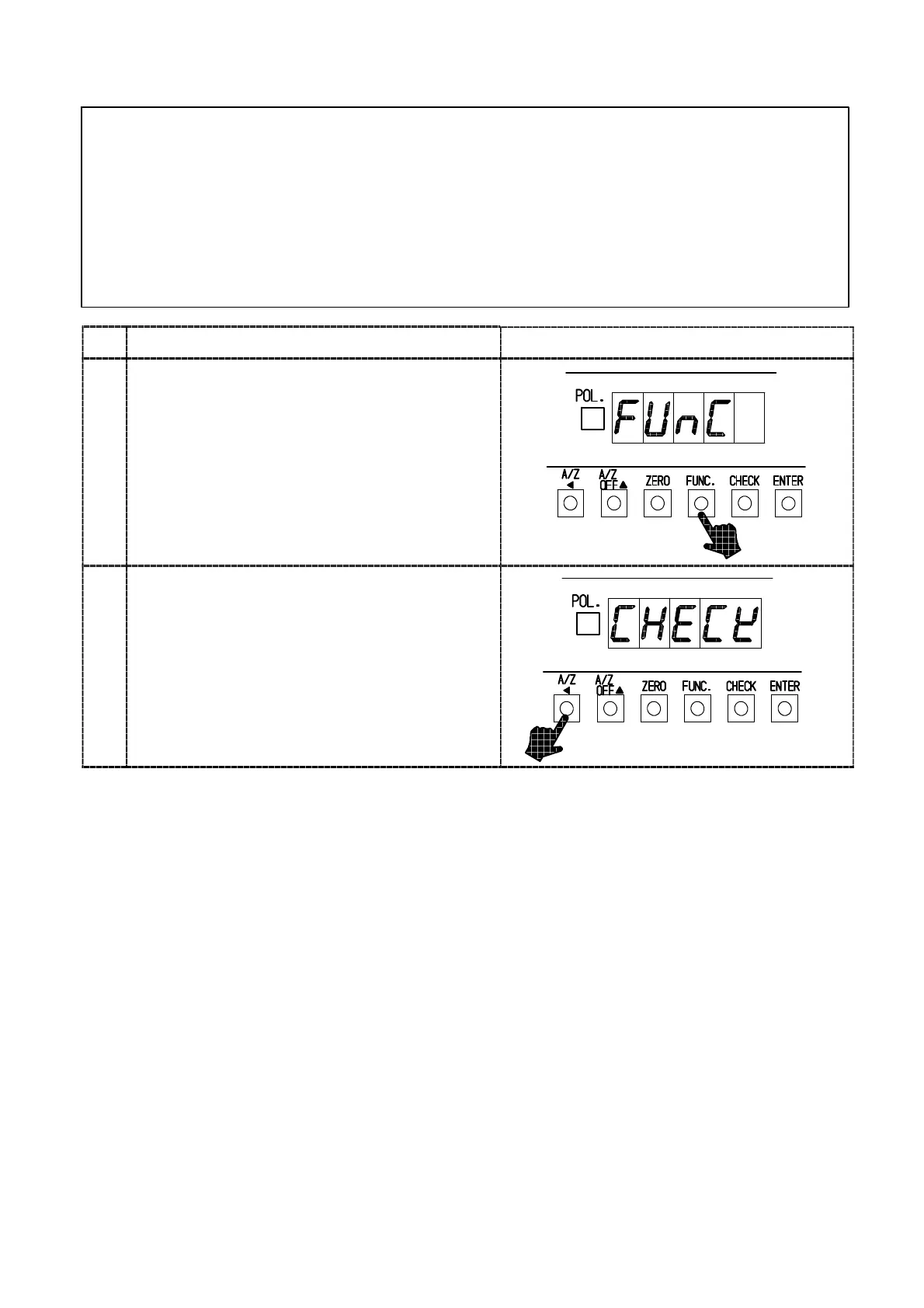
● Every time the “A/Z A” key is pressed from the condition of “FUNC”
on load display, the indication will change as the following arrow
sequence.
“FUNC”→“CCAL”→”ACAL”→“LCAL”→“ZERO”→”SPAN“→
”TARE”→“CHECK”→“MONIT”→“F−END”→“FUNC”→
“CCAL”・・・・(Hereinafter over and over again.)
Procedures
1
Press the “FUNC.” key for about one second.
The load display will indicate “FUNC”.
2
Press the”A/Z A ” key 7 times.
The load display changes as follows:
“CCAL”→“A CA L”→“LCAL”→“ZERO”→“SPAN”
→“TARE”→”CHECK”.



 To Next Page