USB Audio from Flex to computer
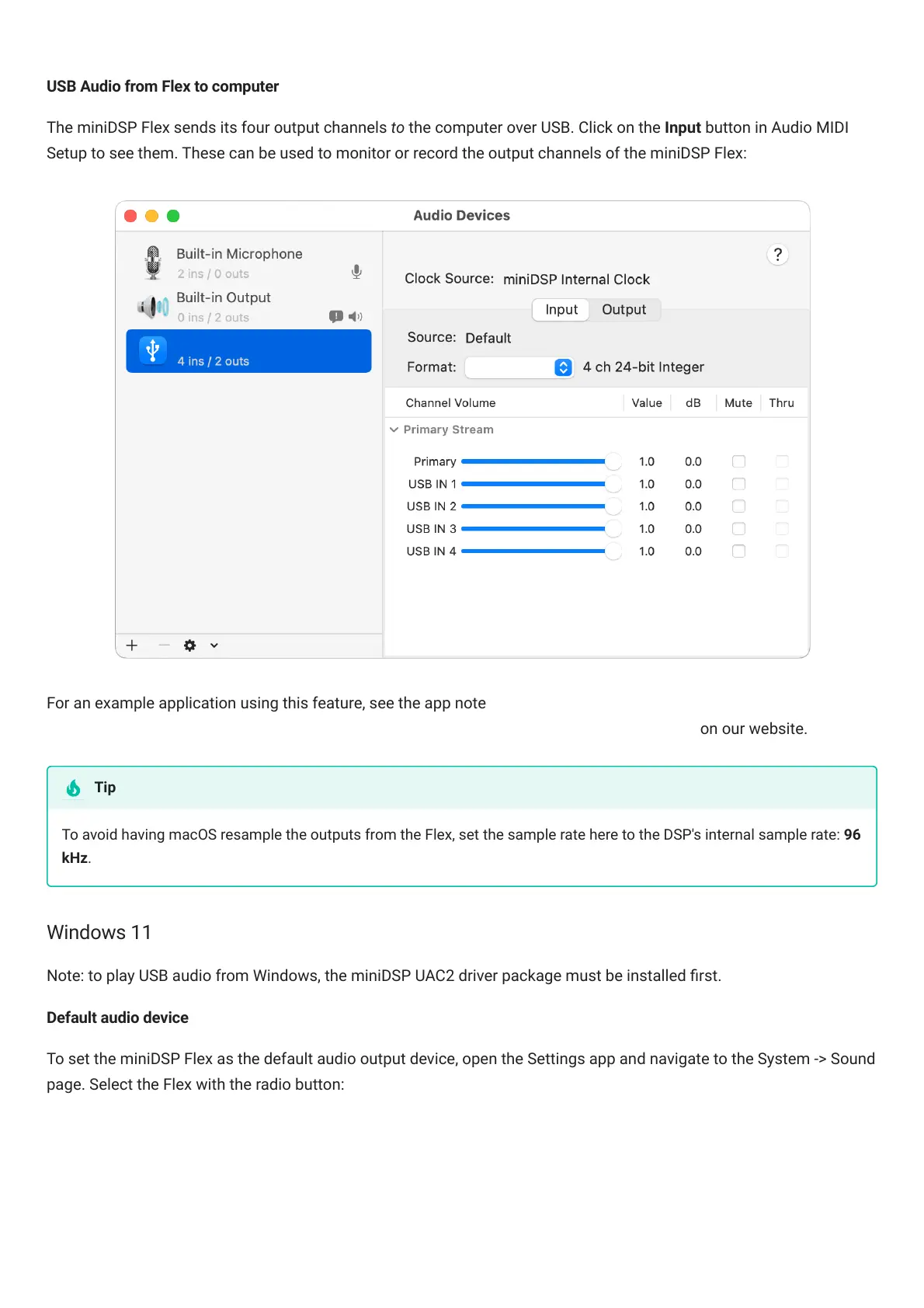
The miniDSPFlex sends its four output channels to the computer over USB. Click on the Input button in Audio MIDI
Setup to see them. These can be used to monitor or record the output channels of the miniDSPFlex:
For an example application using this feature, see the app note Analog recording with miniDSP and ocenaudio
(https://www.minidsp.com/applications/advanced-tools/analog-recording-with-minidsp-adc) on our website.
To avoid having macOS resample the outputs from the Flex, set the sample rate here to the DSP's internal sample rate: 96
kHz.
Windows 11
Note: to play USB audio from Windows, the miniDSP UAC2 driver package must be installed rst.
Default audio device
To set the miniDSPFlex as the default audio output device, open the Settings app and navigate to the System -> Sound
page. Select the Flex with the radio button:
Tip



 To Next Page