Remote control
The miniDSPFlex has several options for remote control of key runtime functions.
The miniDSPFlex has several options for remote control of key runtime functions.
Using the miniDSP remote
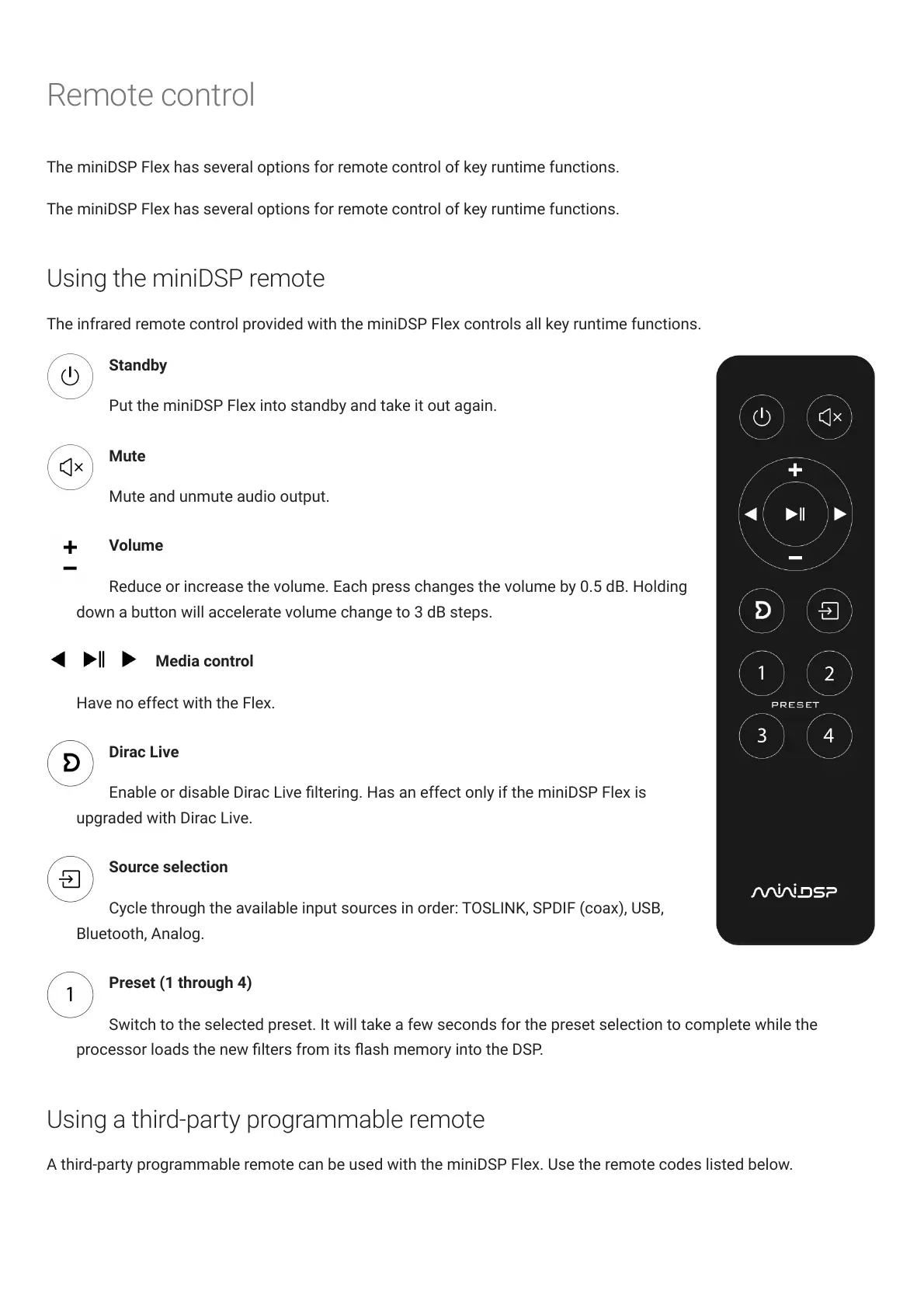
The infrared remote control provided with the miniDSPFlex controls all key runtime functions.
Standby
Put the miniDSPFlex into standby and take it out again.
Mute
Mute and unmute audio output.
Volume
Reduce or increase the volume. Each press changes the volume by 0.5 dB. Holding
down a button will accelerate volume change to 3 dB steps.
Media control
Have no effect with the Flex.
DiracLive
Enable or disable DiracLive ltering. Has an effect only if the miniDSPFlex is
upgraded with DiracLive.
Source selection
Cycle through the available input sources in order: TOSLINK, SPDIF (coax), USB,
Bluetooth, Analog.
Preset (1 through 4)
Switch to the selected preset. It will take a few seconds for the preset selection to complete while the
processor loads the new lters from its ash memory into the DSP.
Using a third-party programmable remote
A third-party programmable remote can be used with the miniDSPFlex. Use the remote codes listed below.



 To Next Page