EasyManua.ls Logo

miniDSP Flex - Output Channels

miniDSP Flex
86 pages
Print Icon
To Next Page IconTo Next Page
To Previous Page IconTo Previous Page
Loading...
3/15/23, 9:45 AM
Print or save - miniDSP Flex
https://docs.minidsp.com/product-manuals/flex/print_page.html
Output Channels
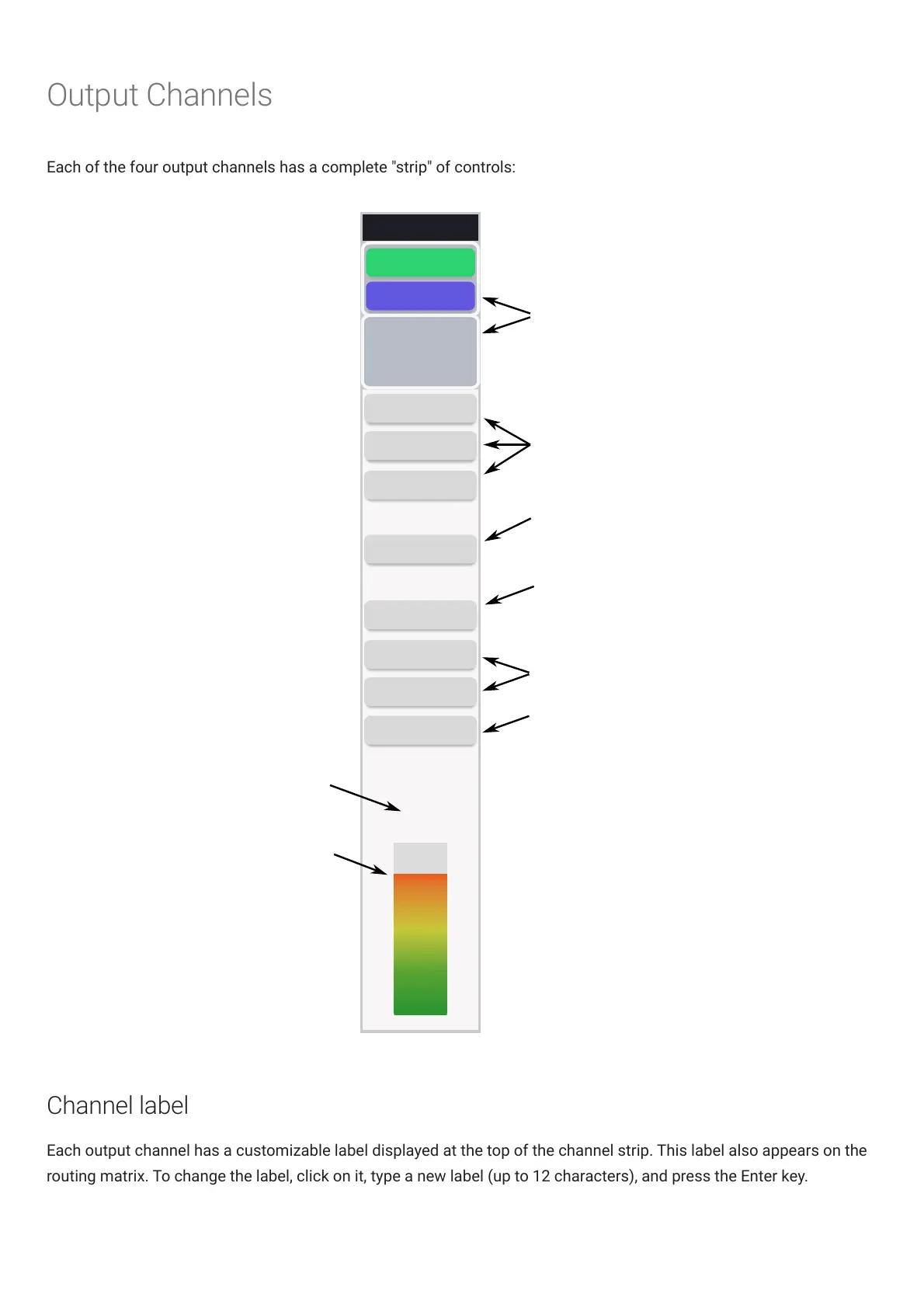
Each of the four output channels has a complete "strip" of controls:
Output 1
0 DB
INPUT 1
Signal routing
PEQ
Edit EQ, crossover
and FIR settings
INPUT 2
0 DB
CROSSOVER
RMS-Meter
(dBFS)
-3.5
FIR
Delay (ms)
0
Gain (dB)
0
INVERT
MUTE
COMPRESSOR
Gain adjustment
Time delay in ms
Enable invert
and mute
Edit compressor
settings
Level meter
Current
RMS level
Channel label
Each output channel has a customizable label displayed at the top of the channel strip. This label also appears on the
routing matrix. To change the label, click on it, type a new label (up to 12 characters), and press the Enter key.

Other manuals for miniDSP Flex

Related product manuals