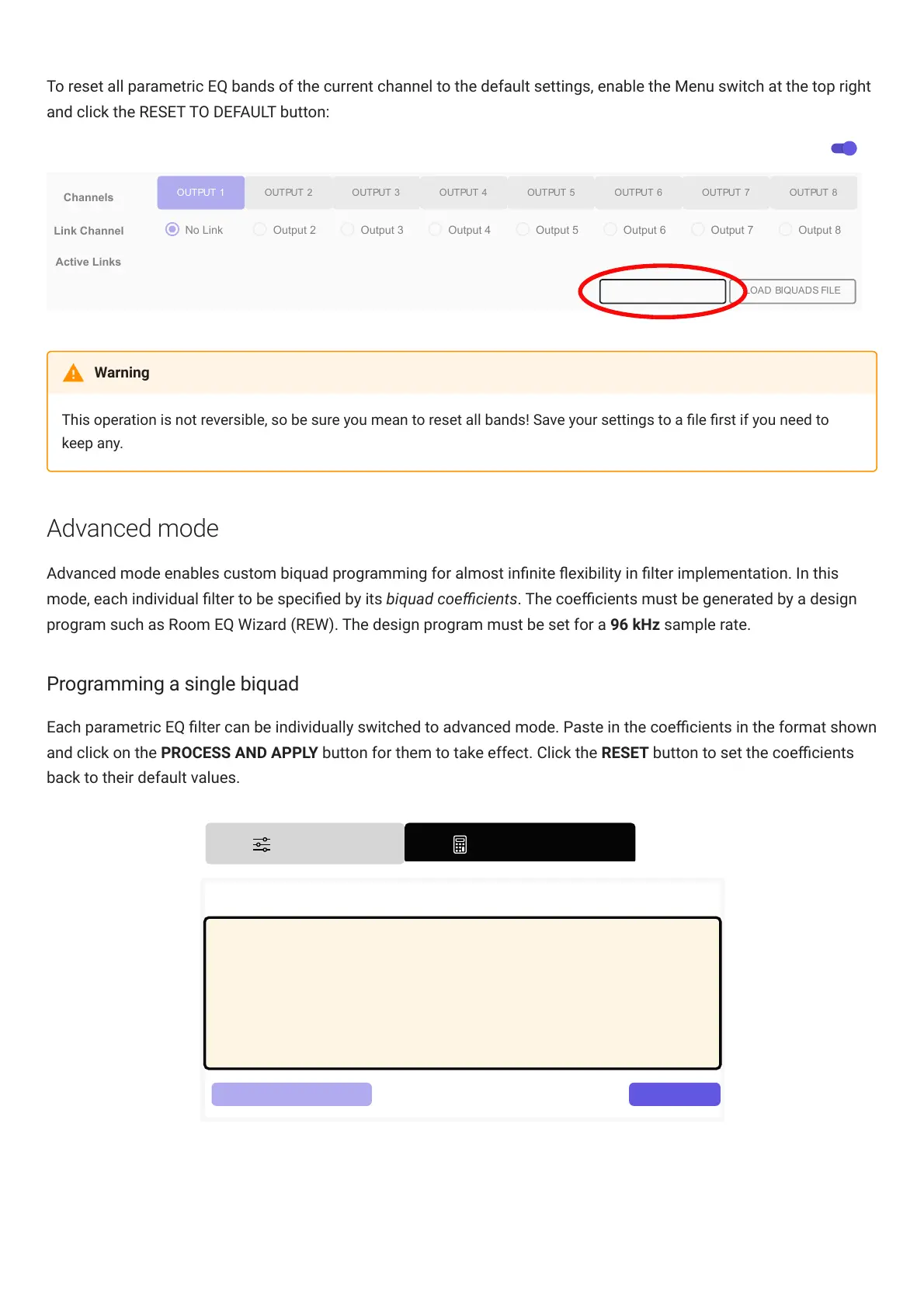
To reset all parametric EQ bands of the current channel to the default settings, enable the Menu switch at the top right
and click the RESET TO DEFAULT button:
Channels
OUTPUT 1 OUTPUT 2 OUTPUT 3 OUTPUT 4 OUTPUT 5 OUTPUT 6 OUTPUT 7 OUTPUT 8
Link Channel
No Link Output 2 Output 3 Output 4 Output 5 Output 6 Output 7
Active Links
Output 8
Menu
LOAD BIQUADS FILE
RESET TO DEFAULT
This operation is not reversible, so be sure you mean to reset all bands! Save your settings to a le rst if you need to
keep any.
Advanced mode
Advanced mode enables custom biquad programming for almost innite exibility in lter implementation. In this
mode, each individual lter to be specied by its biquad coecients. The coecients must be generated by a design
program such as Room EQ Wizard (REW). The design program must be set for a 96 kHz sample rate.
Programming a single biquad
Each parametric EQ lter can be individually switched to advanced mode. Paste in the coecients in the format shown
and click on the PROCESS AND APPLY button for them to take effect. Click the RESET button to set the coecients
back to their default values.



 To Next Page