Parametric EQ
Parametric equalization (PEQ) is a exible type of equalization lter. It can be used to correct for errors in loudspeaker
output, to compensate for acoustic room effects, and to tailor the overall system response for best sound.
Overview
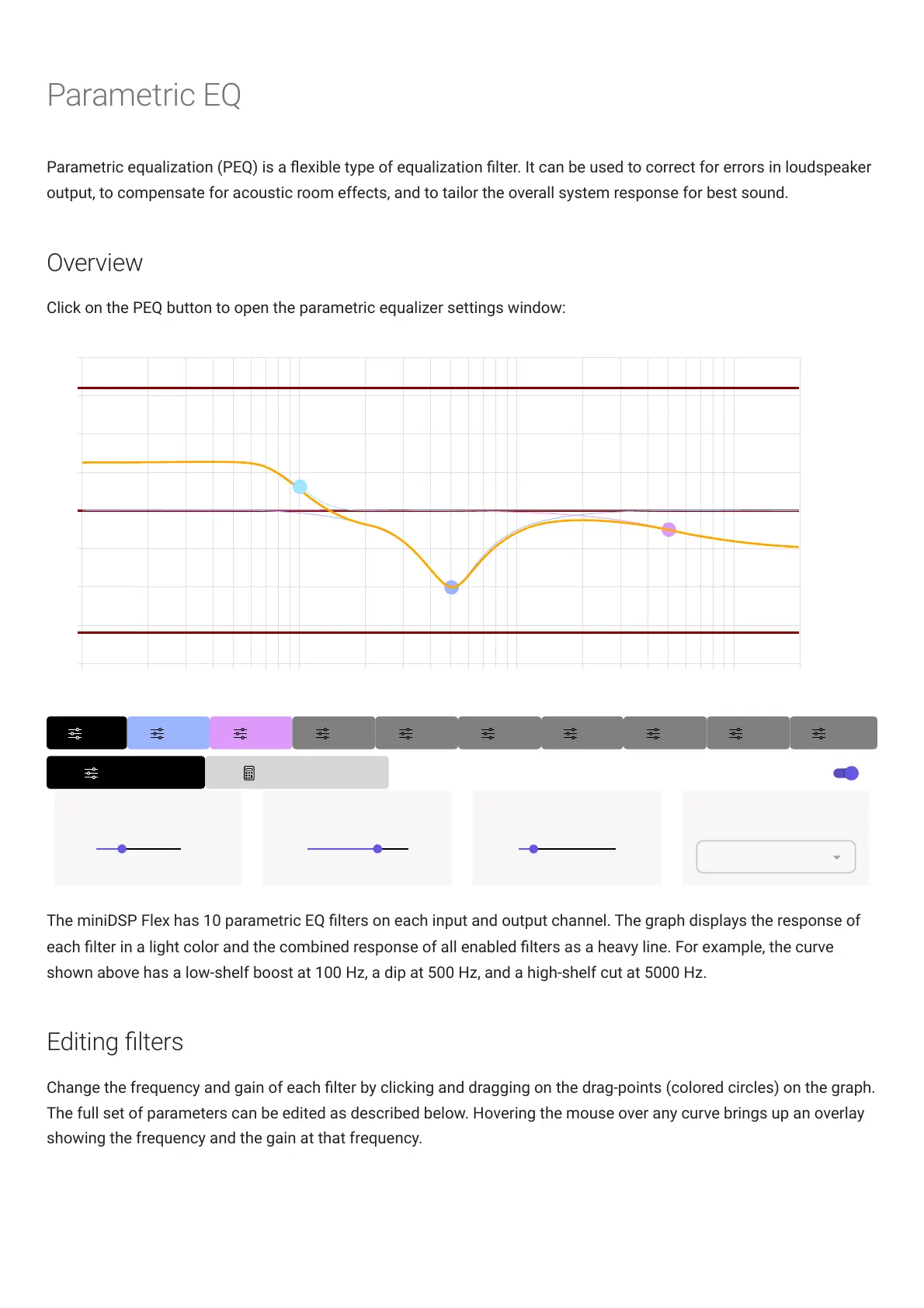
Click on the PEQ button to open the parametric equalizer settings window:
The miniDSPFlex has 10 parametric EQ lters on each input and output channel. The graph displays the response of
each lter in a light color and the combined response of all enabled lters as a heavy line. For example, the curve
shown above has a low-shelf boost at 100 Hz, a dip at 500 Hz, and a high-shelf cut at 5000 Hz.
Editing lters
Change the frequency and gain of each lter by clicking and dragging on the drag-points (colored circles) on the graph.
The full set of parameters can be edited as described below. Hovering the mouse over any curve brings up an overlay
showing the frequency and the gain at that frequency.



 To Next Page