1699503426 | REV A | 05.2021
© Mitchell International
MD-500
|
User Manual
|
39
|
en-US
controllers on the selected vehicle for Modes 1-7, 9.
Depending on the vehicle, the tablet may ask qualifying questions
concerning particular controller types for the vehicle being
scanned. If unsure what selection to pick, nd the manufacturer’s
Regular Production Option (RPO) code list sticker on the vehicle,
and then nd the corresponding code for the desired controller.
Typical locations for RPO are trunk, glove box, or doorjamb.
These questions may be skipped by selecting Skip Controller.
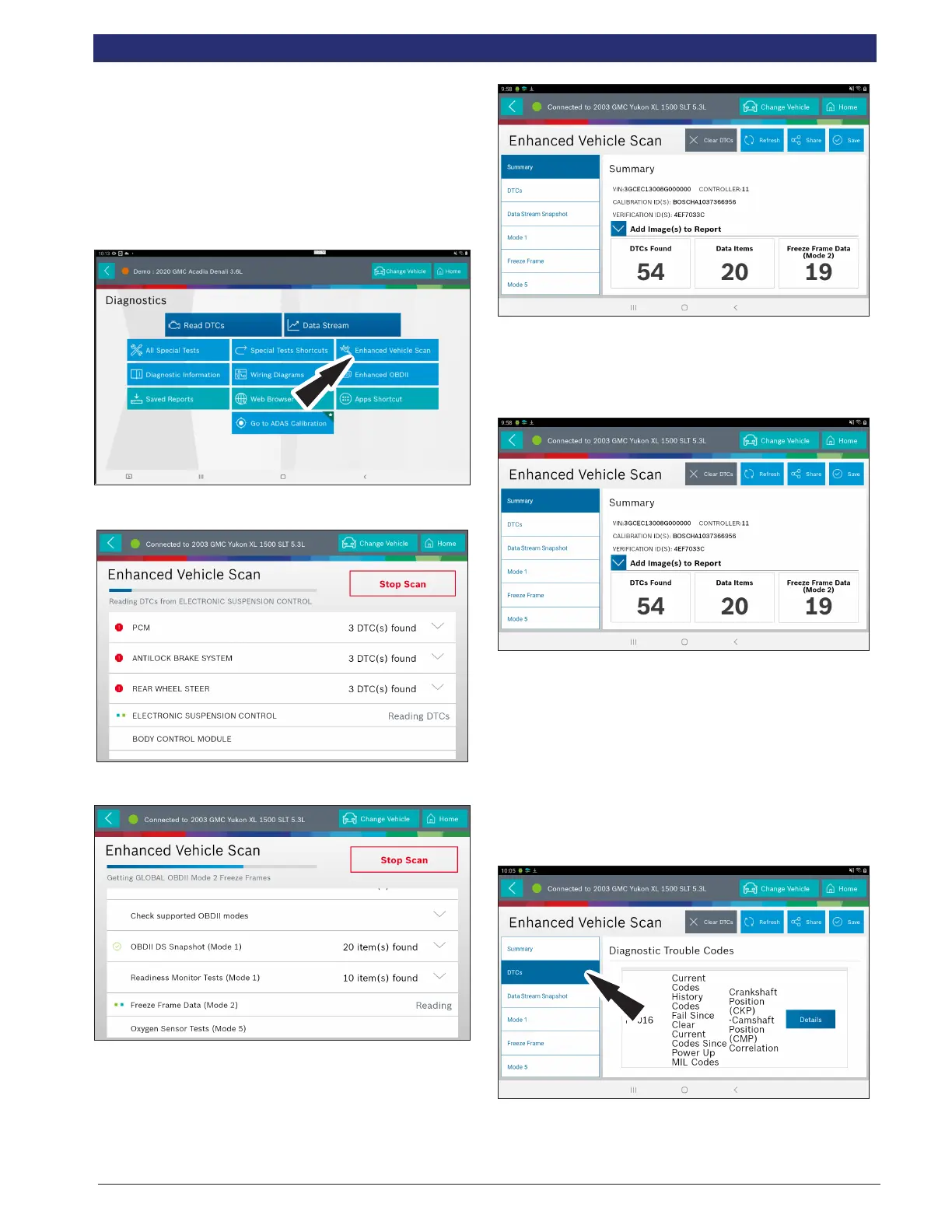
1. Select Enhanced Vehicle Scan from the Screen.
2. Wait for the list to be complete.
3. Scan progress will be indicated by the progress
percentage bar on the screen.
4. When report is complete, it will auto-navigate to report
screen.
5. Follow the prompts on the screen.
NOTE: Available items will vary from vehicle to vehicle.
Summary Report
AST summary reports items found on the vehicle, such as:
• Controllers found on vehicle.
• DTCs.
• Data Stream Snap Shot.
• Mode 1 (Readiness Monitor).
• Freeze frame.
• Mode 5 (O2 sensor).
• Mode 6 (Non-continuous monitor tests).
NOTE: Available selections will vary from vehicle to vehicle.
DTCs
DTCs recorded are displayed. When selecting DTCs,
diagnostic information is also available (same information as
the Read DTCs screen).



 To Next Page