1699503426 | REV A | 05.2021
© Mitchell International
MD-500
|
User Manual
|
41
|
en-US
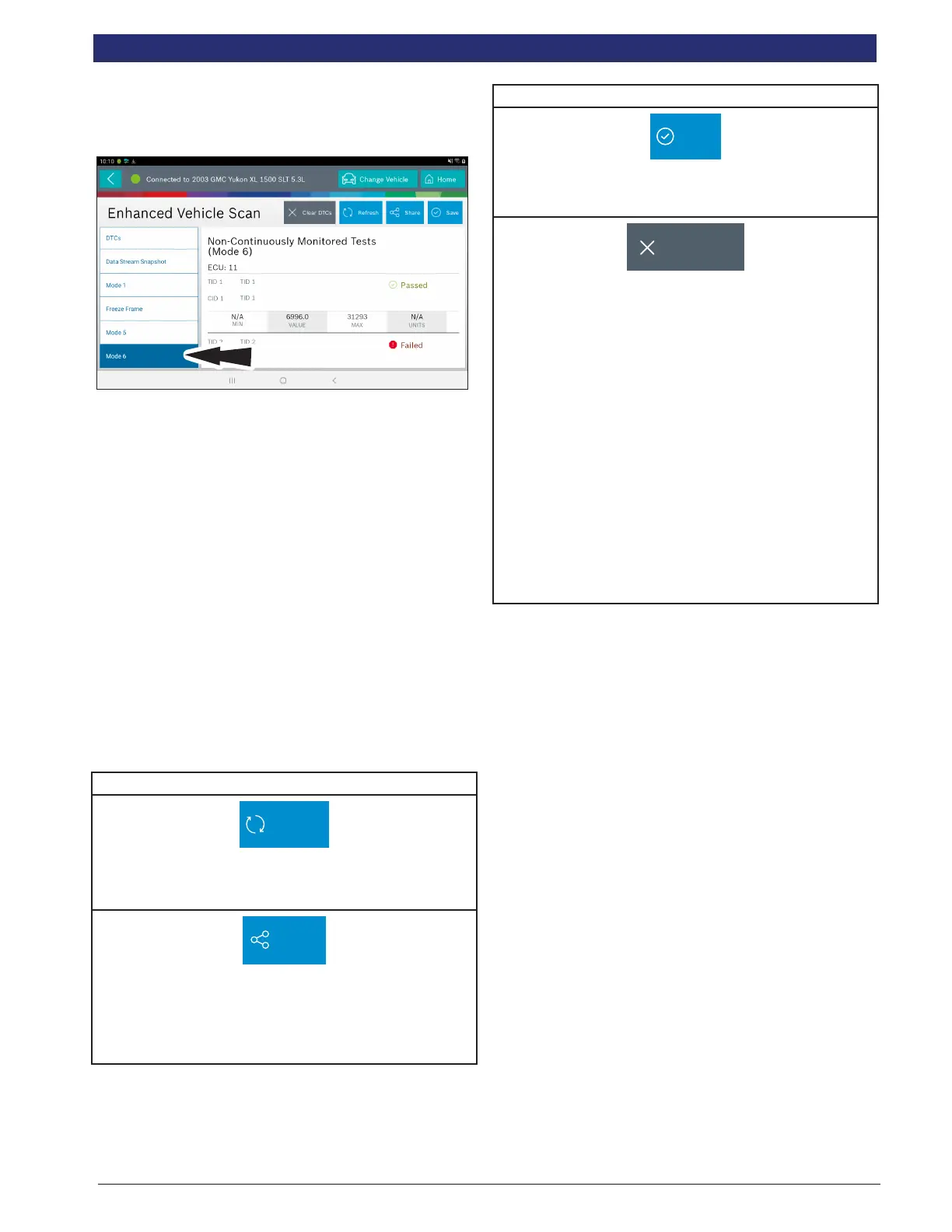
Mode 6 (Non-continuous monitor tests)
Mode 6 views onboard monitoring test results for
noncontinuous monitor systems.
Non-Continuous Monitor Tests (Mode 6) are pass/fail tests,
including certain EVAP tests, catalyst, and EGR. The
following information is reported:
• ECU.
• TID (test identication) indicates the system monitor.
• CID (component identication) indicates the
component tested and its test value.
• Minimum value, maximum value, and current value for
each non-continuous monitor.
• Pass or fail test result.
Each vehicle manufacturer assigns a code number to their
system monitors and components. Refer to the vehicle
manufacturers Mode 6 code chart to determine the failure
indicated by the TID and CID. If this chart is not readily
available, run an automated system test (AST) from the DTC
screen and select Mode 6. See Read DTCs section for more
information regarding steps to complete this action. This may
provide a more detailed description of the Mode 6 test
information.
Enhanced Vehicle Scan Button Denitions
Refresh
Refresh DTCs Button
Tapping the Refresh button initiates a fresh scan of DTCs
from the vehicle.
Share
Share Button
Tapping the Share button opens the Android share options
that are currently available to the device. Share a report
output by print, email, Bluetooth, USB or other available
options.
Enhanced Vehicle Scan Button Denitions
Save
Save
Tapping the Save button will save DTC and test data reports
from Automated System test.
Clear DTCs
Clear DTCs Button
The Clear DTCs button is used to clear codes and remove
all but permanent DTCs on the selected controller. To clear
codes, complete the following:
NOTE:
• Clearing DTCs will erase current Mode 1 Readiness
monitor information and require the user go through
necessary drive cycles over again. So, if Mode 1
information needs to be reviewed, be sure to view it
before clearing codes.
• If a code will not clear, turn the ignition o for at least
10 seconds; turn it back on to KOEO, then retry.
Some controllers will go to sleep after a period of
inactivity and prevent clearing DTCs. This key cycle
may be needed when attempting to communicate
with other controllers after a period of time on a
dierent controller.



 To Next Page