29
R
UNNING THE EX CONTROLLER DEPLOYMENT TOOL TO INSTALL THE MIVOICE BUSINESS VIRTUAL MACHINE
CHAPTER 4 SOFTWARE INSTALLATION
c. When you want to enable the MiVoice Business virtual machine, access the Deployment Tool.
If you have already accessed the Deployment Tool, continue with the next step.
d. If required, click Recall to go back to the Deployment Tool home page to review and
modify General Settings, WAN Settings, and LAN Settings.
NOTE: You can modify only General Settings, WAN Settings, and LAN Settings. Other configuration
parameters are blocked for modification.
e. Click Finish deploy.
A confirmation message is displayed.
f. Click OK to confirm the deployment.
NOTE: Ignore the warning message “FQDN coyote.acme.com is not resolvable”.
The system starts to finish the deployment. It takes approximately 2 minutes to finish the deploy-
ment.
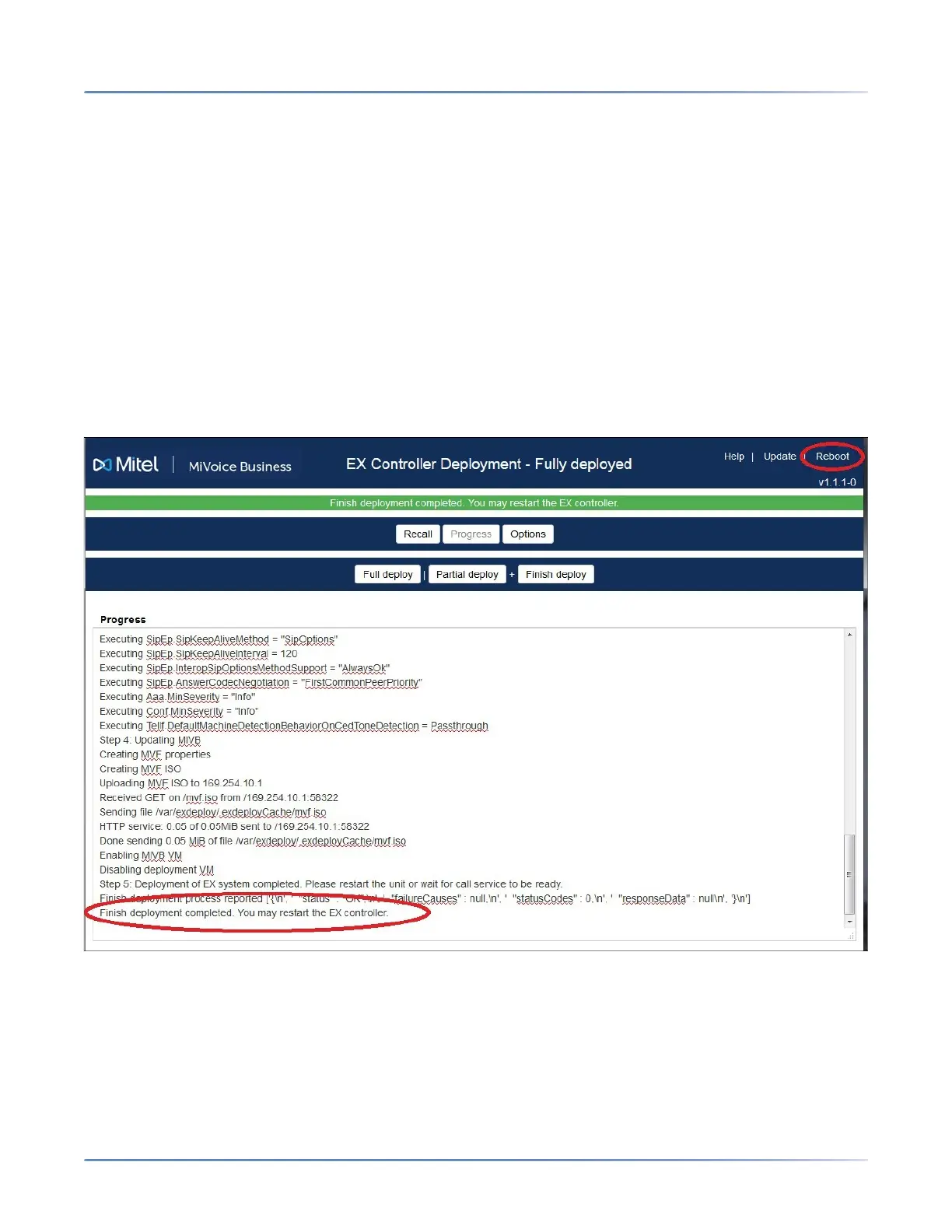
g. When the deployment is complete, the following message is displayed.
“Finish Deployment Completed. You may restart the EX controller.”
h. Continue with step 11.
10. Click Reboot to restart the EX Controller.
It takes approximately 20 minutes for the EX Controller to boot the first time. Subsequent reboots are
faster.
After the reboot, the Deployment Tool virtual machine shuts down and MiVoice Business virtual ma-
chine starts automatically.
咨询订购:400-010-8885、 Support@mitel.com.cn



 To Next Page