USER GUIDE
Mitel 5634 VoWi-Fi Handset
Shortcuts
•
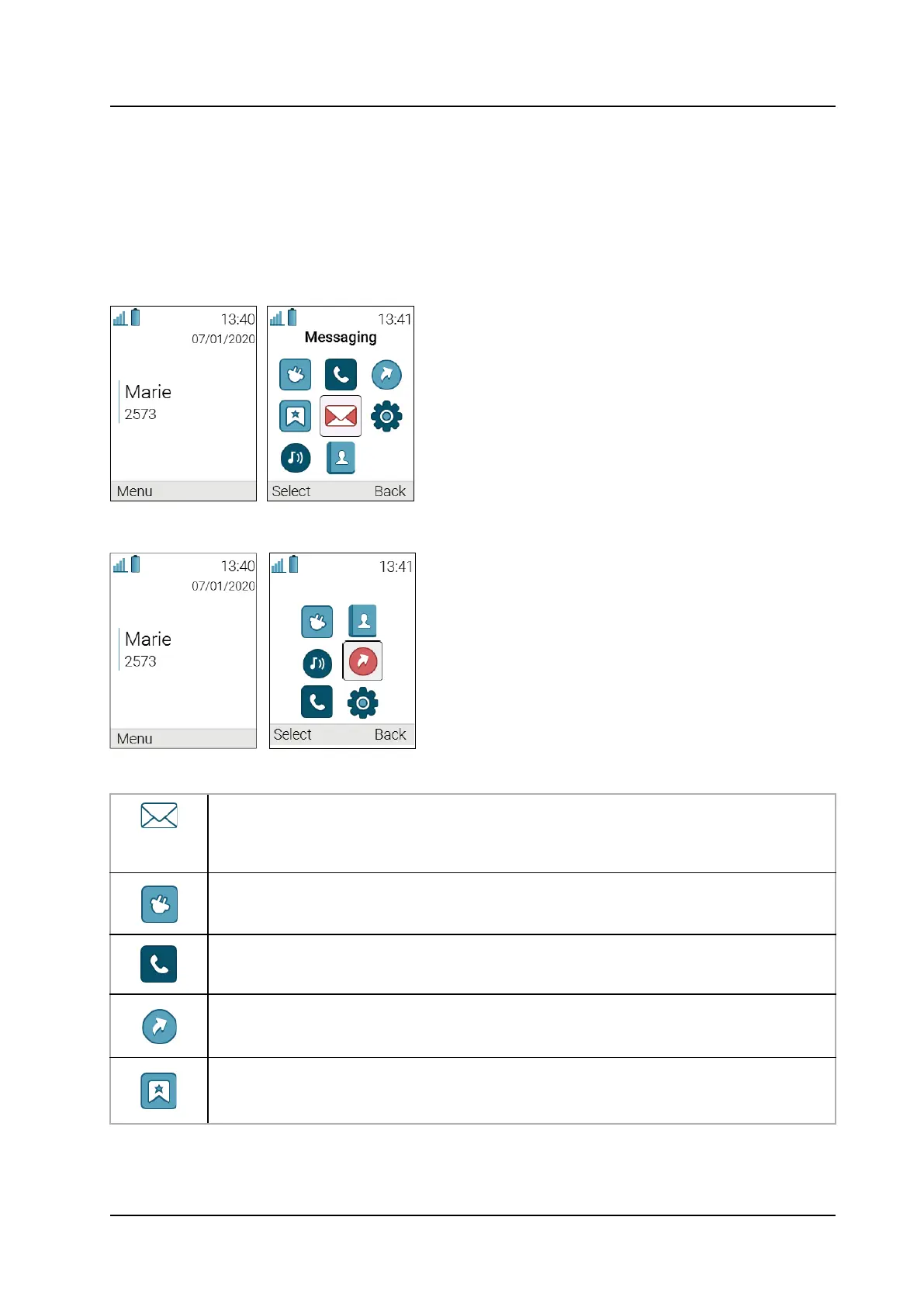
Idle mode is the main screen of the handset, where you can find information about the current date
and time as well as the Owner ID. For the details, refer to the 2.3 Display Icons and Texts, page 5.
•
Main menu gives you an access to the functions, such as Messaging, Call, Contacts, and
etc. For the whole list of functions and their use, refer to the 8 Menu Operation, page 36.
To get the detailed information about the whole Main menu structure, refer to the Appendix C
Menu Tree, page 65.
Figure 1. Idle mode (left) and the Main menu (right) in 5634 Services and Alarm
Figure 2. Idle mode (left) and the Main menu (right) in 5634 handset
Table 1 Main menu overview
The Messaging menu contains message handling functionality, such as reading and
writing messages.
NOTE: Messaging is applicable to 5634 Services and 5634 Alarm only.
The Connections menu contains bluetooth connection, headset selection, network
selection, and in charger behavior selection.
The Calls menu contains call lists and call services. Call services
1
is configured in the
WinPDM/WSM3/CPDM3 DM.
The Shortcuts menu contains shortcuts for the soft keys, hot keys, navigation keys,
and the multifunction button
2
.
The Services menu contains pre-programmed functions.
NOTE: Services are applicable to 5634 Services and 5634 Alarm only.



 To Next Page