USER GUIDE
Mitel 5634 VoWi-Fi Handset
The multifunction button can also be configured to serve as the PTT button (applicable for 5634
Services only). It is beneficial for users who are required to wear gloves. As the multifunction
button is larger than the PTT button and it is found on top of the handset, it is easier to locate
and use compared to the smaller PTT button at the side of the handset.
To participate in the conference, the group members must accept an invitation received as a text
message. For the details, refer to the 4.7.1 Accept a PTT Invitation, page 20.
If a member declines an invitation, they can re-join the group/conference later on. For the details, refer
to the 4.7.3 Re-join a PTT Call Session, page 21.
Every PTT group must be defined in the WinPDM/WSM3/CPDM3 DM to be able to use this function. For
the details, refer to the Mitel 5634 VoWi-Fi Handset Configuration Guide.
If it is required to have key lock during an ongoing call, for example to avoid that any key is
accidentally pressed, set the Automatic key lock lock to On. For the details, refer to the
Enable the Automatic Key Lock, page 42.
4.7.1
Accept a PTT Invitation
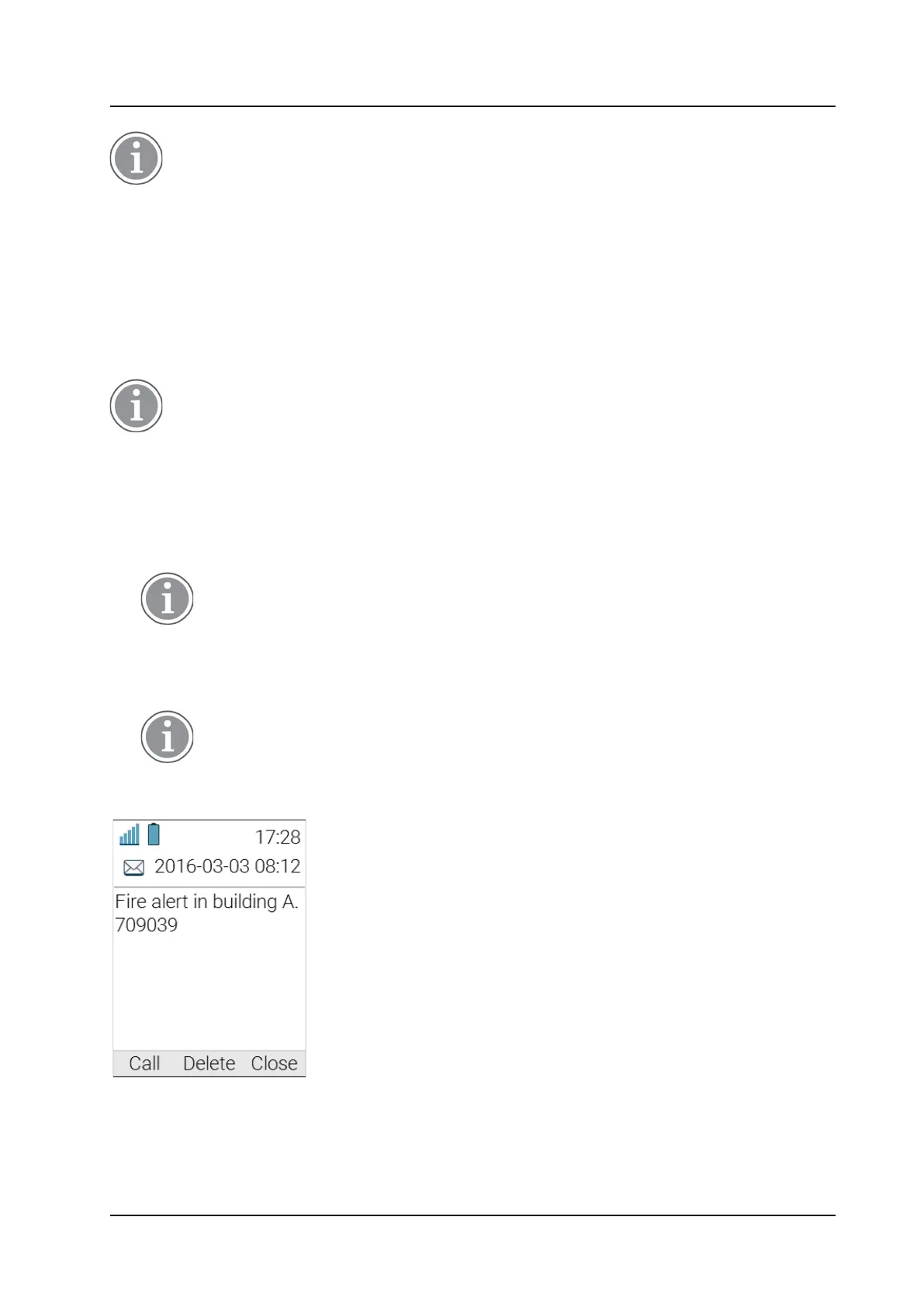
A PTT invitation is viewed the same way as an ordinary message. The message can contain up to
500 characters.
1.
Press Call to accept the invitation and join the call. Refer to Figure 5.
PTT invitation window
, page 20.
The handset may accept the invitation automatically, start in inverted mute and
loudspeaking mode, depending on the configuration of the received invitation.
2.
The handset is connected to the PTT session. The invitation can now be deleted or closed by pressing
Delete or Close, respectively. The call is not disconnected by pressing these soft keys.
3.
Press and hold the Mute/PTT button to start talking. Release the button to let another person to talk.
For 5634 Services the multifunction button may have also been configured to act as the
Mute/PTT button.
Figure 5. PTT invitation window



 To Next Page