USER GUIDE
Mitel 5634 VoWi-Fi Handset
8.7.2
System Profiles
Applicable to 5634 Services and 5634 Alarm only.
A system profile can be used when certain settings are required to be set on a handset but are not
allowed to be changed by the user. When the system profile is activated, the settings are not displayed in
the handset’s menu. If configured, the system profile name can be displayed when the handset is in Idle
mode. For more information, refer to the Mitel 5634 VoWi-Fi Handset Configuration Guide.
The system profile can be used in combination with the user profile, refer to the 8.7 Profiles, page 46. If
there is a conflict between the settings in the system profile and the settings in the user profile, the
settings in the system profile are used.
If a user changes a setting in the handset menu that is determined by a system profile, the changes will
be not applied.
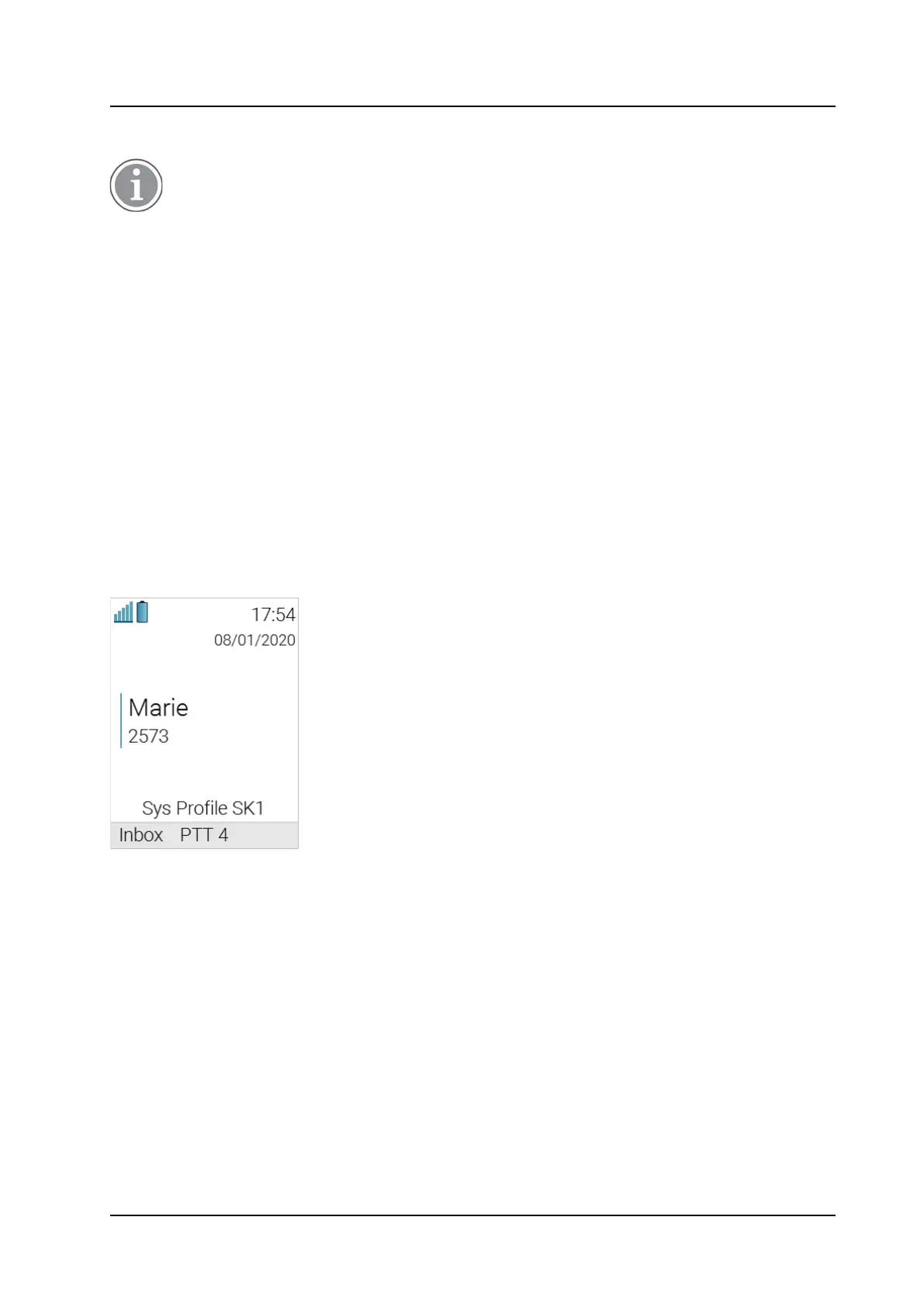
For example, the Figure 9.
System Profile Overrides Settings Changed by the User
, page 48 shows that a
system profile has been activated under the name Sys Profile SK1. In this case, Inbox and PTT 4
soft key functions are determined by the system profile settings. If a user attempts to change, for
example, the name of these functions using the handset menu, the changes will not be applied. Changes
will be applied only in case if the system profile is deactivated.
Figure 9. System Profile Overrides Settings Changed by the User
System Profile Status Indications
The system administrator can configure the handset to play a sound if the system profile is activated or
deactivated. This provides the user with an audible alert when the system profile changes from inactive
to active or vice versa.
The feature can be triggered by several kinds of events, such as moving between different parts of a
buildings where a system profile might be appropriate in one location but not required in another. The
user should be aware that the characteristics and behavior of the handset change when the system
profile changes.
8.8
Contacts
The handset has a phonebook with 250 entries where names and numbers can be added, deleted, and
edited. The phonebook lists all names in alphabetical order, where several numbers can be added for
each contact, for example, a work number, a mobile number, and another number.



 To Next Page